MacBook (13-inch) Take Apart — Logic Board 121
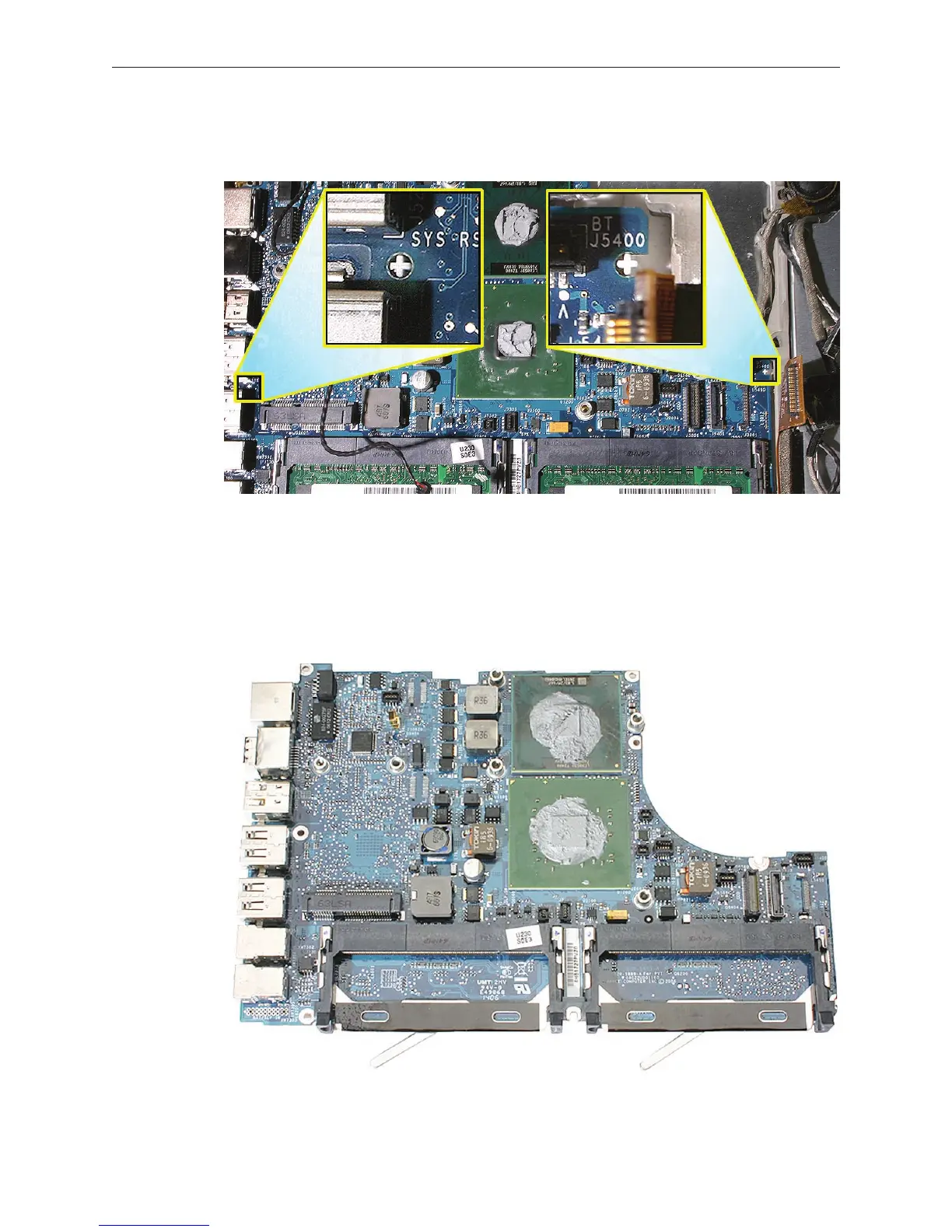
Before installing the logic board, check the locator pins on the bottom case. Make sure the
two openings in the logic board t over the “+-shaped” locator pins.
Warning: Whenever the heatsink is separated from the logic board (even if you are
installing the same logic board or heatsink), the thermal grease must be checked
and possibly replaced. Failure to do so can cause the computer to overheat and be
damaged. Refer to “Checking the Thermal Grease” in the Heatsink section.
Install the replacement logic board, and reassemble and test the computer.
11.
12.
13.



 To Next Page