MacBook (13-inch) Take Apart — Bluetooth Board 134
Procedure
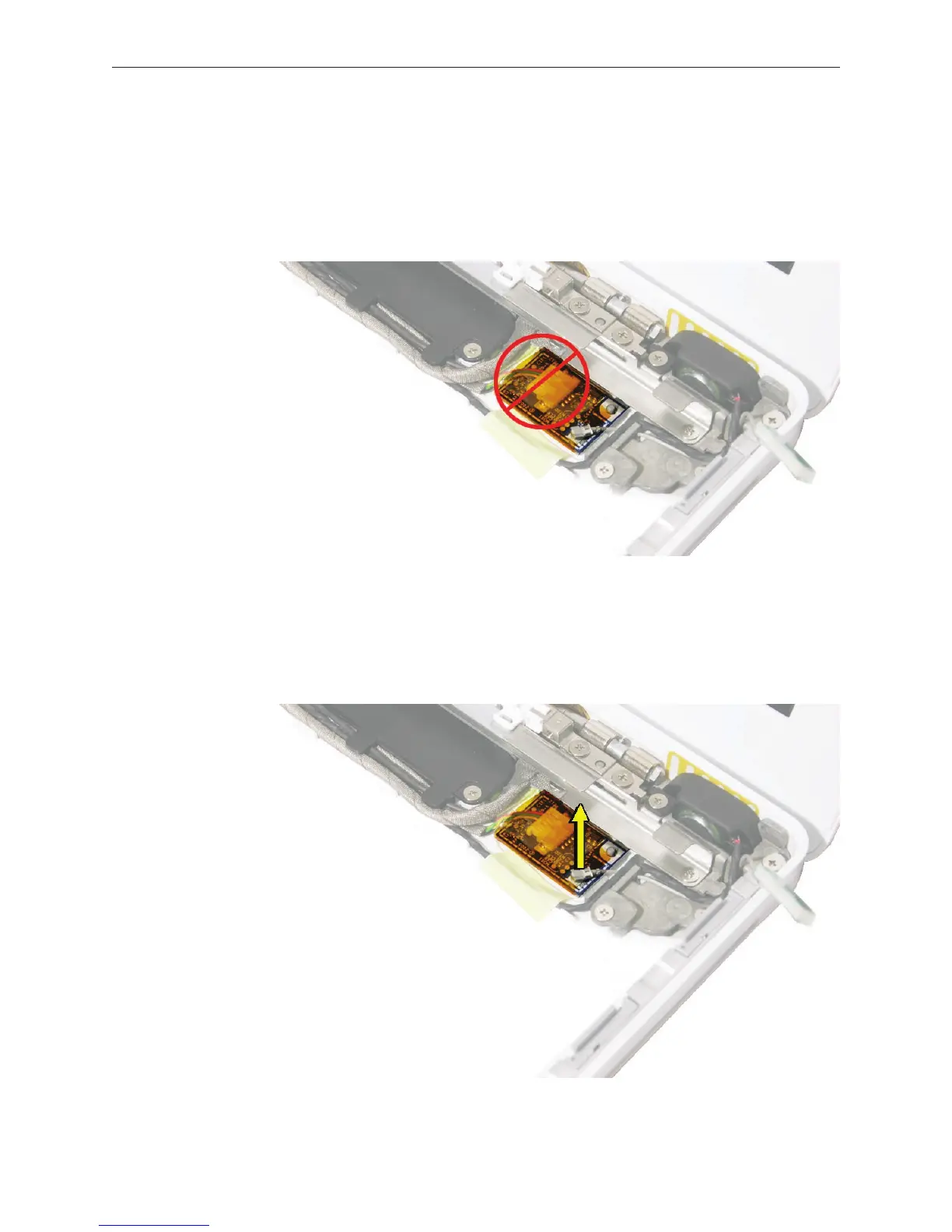
Caution: During this procedure and when applying a replacement Bluetooth board, do not press
on the center of the board. The only acceptable area to press on is the right corners of the board
near the locator pin and the Bluetooth antenna cable connector.
Important: The Bluetooth board is adhered to the bottom case with double-sided tape.
Before removing the Bluetooth board, note the cable routing near the Bluetooth board.
Using a black stick, disconnect the Bluetooth antenna cable from the lower right corner of
the board. Pry the connector straight up.
1.
2.



 To Next Page