MacBook (13-inch) Take Apart — Bluetooth-to-Logic Board Cable 138
Procedure
Important: During this procedure and when applying a replacement Bluetooth-to-logic board
cable, do not press on the center of the Bluetooth board. The only acceptable area to press on is
the right corners of the board near the locator pin and the Bluetooth antenna cable.
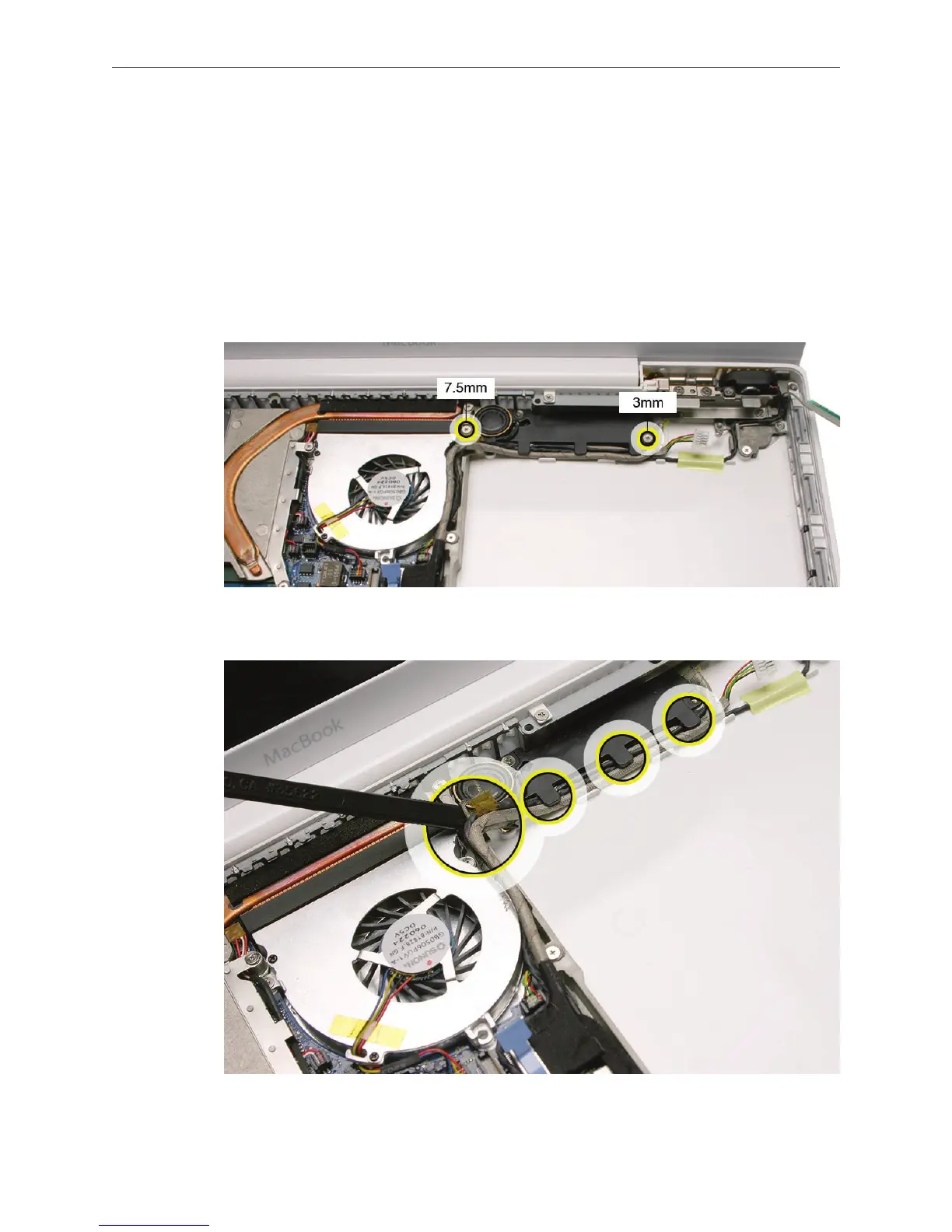
Remove the following screws:
• 7.5-mm long ground screw from the midframe
• 3-mm long subwoofer screw from the bottom corner of the subwoofer
Warning: The subwoofer cone is a sensitive device. Avoid touching the subwoofer cone.
Carefully lift up the cables from the ground tab area.
1.
2.



 To Next Page