MacBook (13-inch) Take Apart — Display Module 184
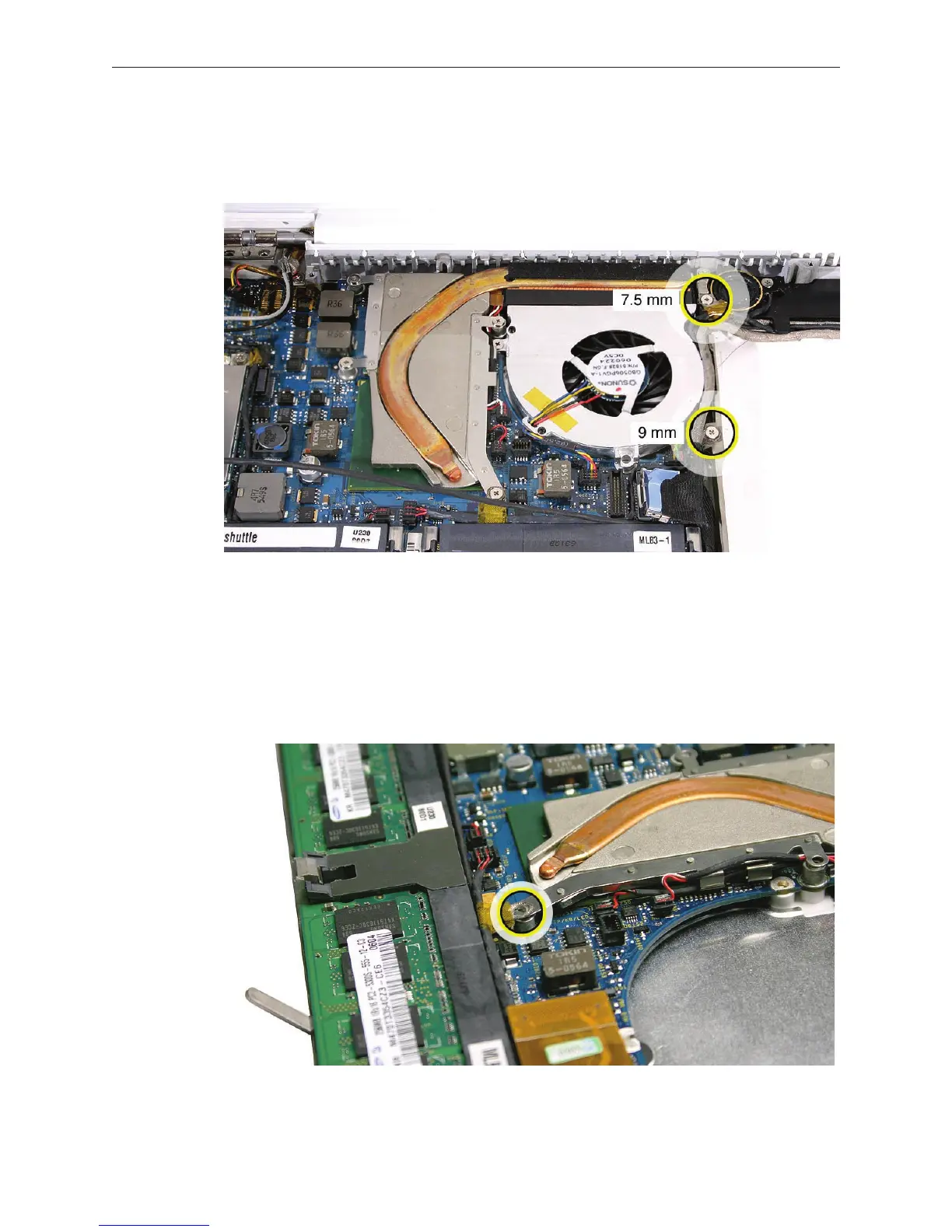
Remove the two ground screws that secure the cables to the midframe:
• 7.5-mm long screw near the top end
• 9-mm long screw from the middle (do not remove if Late 2006 model)
Warning: The subwoofer cone is a sensitive device. Avoid touching the subwoofer cone.
Carefully pull up the microphone cable from the channel above the memory slots.
Note that the microphone cable runs under the speaker cable at the ground screw area.
Remove the 8-mm long ground screw.,
Replacement Note: When reassembling the computer, the microphone cable must be
routed underneath the speaker cable.
2.
3.
4.


 To Next Page
 Loading...

