MacBook (13-inch) Take Apart — Antenna Receptor and Cable, Right 220
With the blue antenna cable free from the display rear housing, remove the LCD panel
assembly and place it face down on a soft clean cloth.
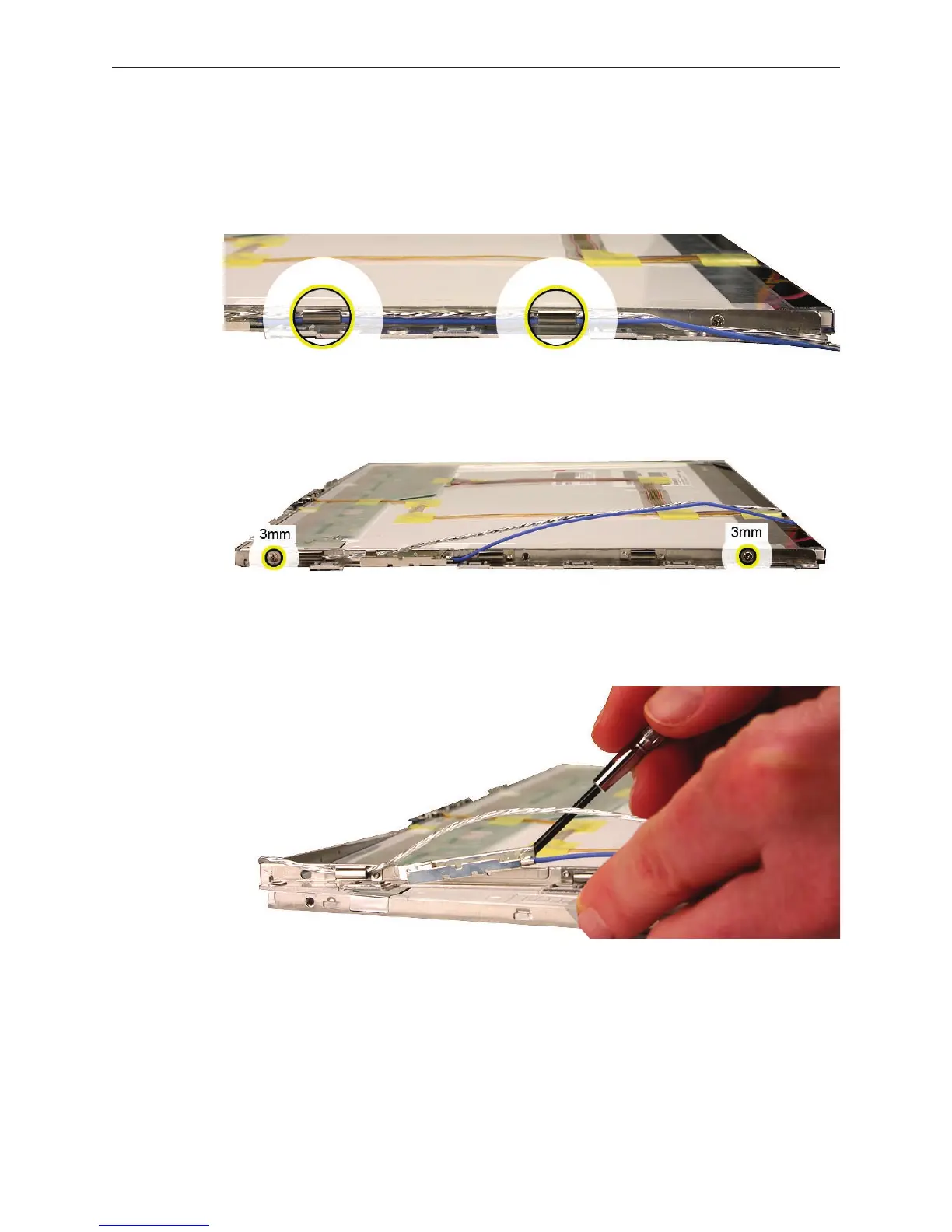
Carefully unroute the silver colored microphone cable and the blue antenna cable from the
right brace.
Remove the two identical screws that secure the right bezel brace to the LCD panel.
Without straining the right bezel brace, tilt it up slightly and use a jeweler’s at-blade
screwdriver to carefully pry up the antenna receptor.
7.
8.
9.
10.


 To Next Page
 Loading...

