MacBook (13-inch) Take Apart — Spacers at Camera Bracket 241
Procedure
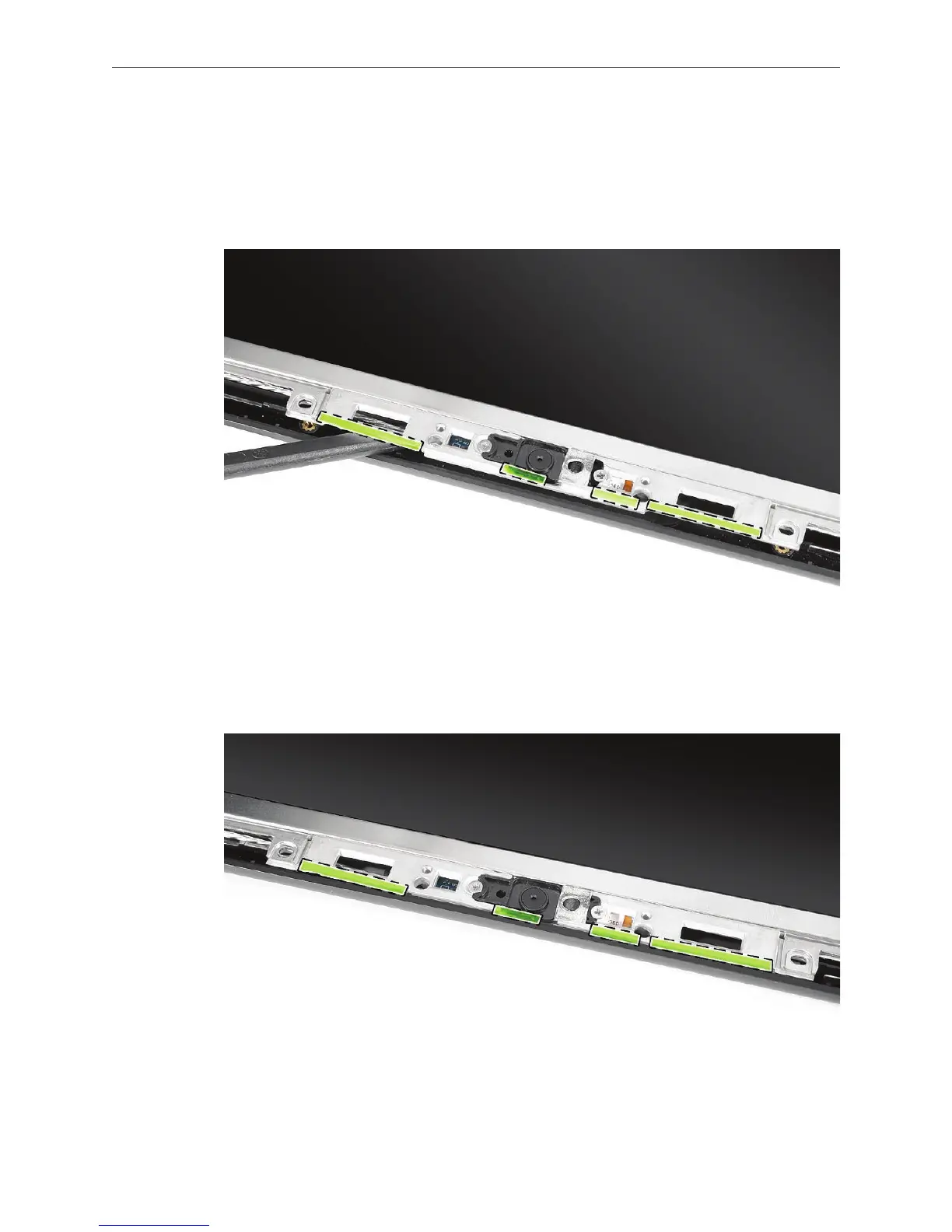
Note the placement of the four thin, clear strips that attach to the camera bracket with
double-sided adhesive.
Using a black stick, remove the four strips.
Replacement Note: Position the replacement adhesive strips so that they extend slightly
over the camera bracket but do not overlap the outer edge of the display rear housing.
Install the replacement camera spacers, and reassemble and test the computer.
1.
2.
3.


 To Next Page
 Loading...

