MacBook (13-inch) Take Apart — Microphone Cable 258
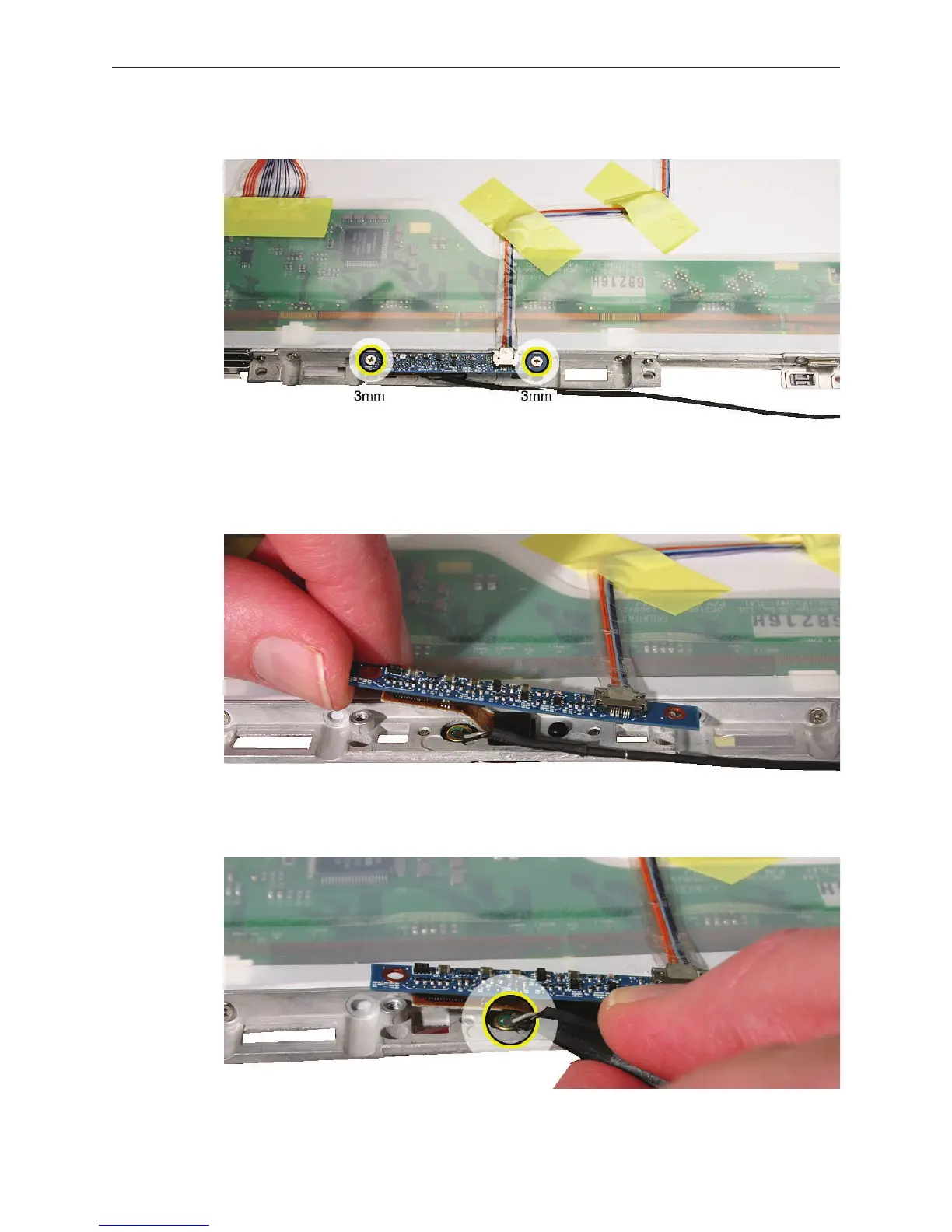
Remove the two 3-mm long screws from the camera board.
Without straining the camera board cable, carefully tilt up the camera board to access the
microphone that is tted into the opening in the camera bracket.
Use a black stick to pull up the microphone from the gasket.
4.
5.
6.


 To Next Page
 Loading...

