MacBook (13-inch) Take Apart — Heatsink 83
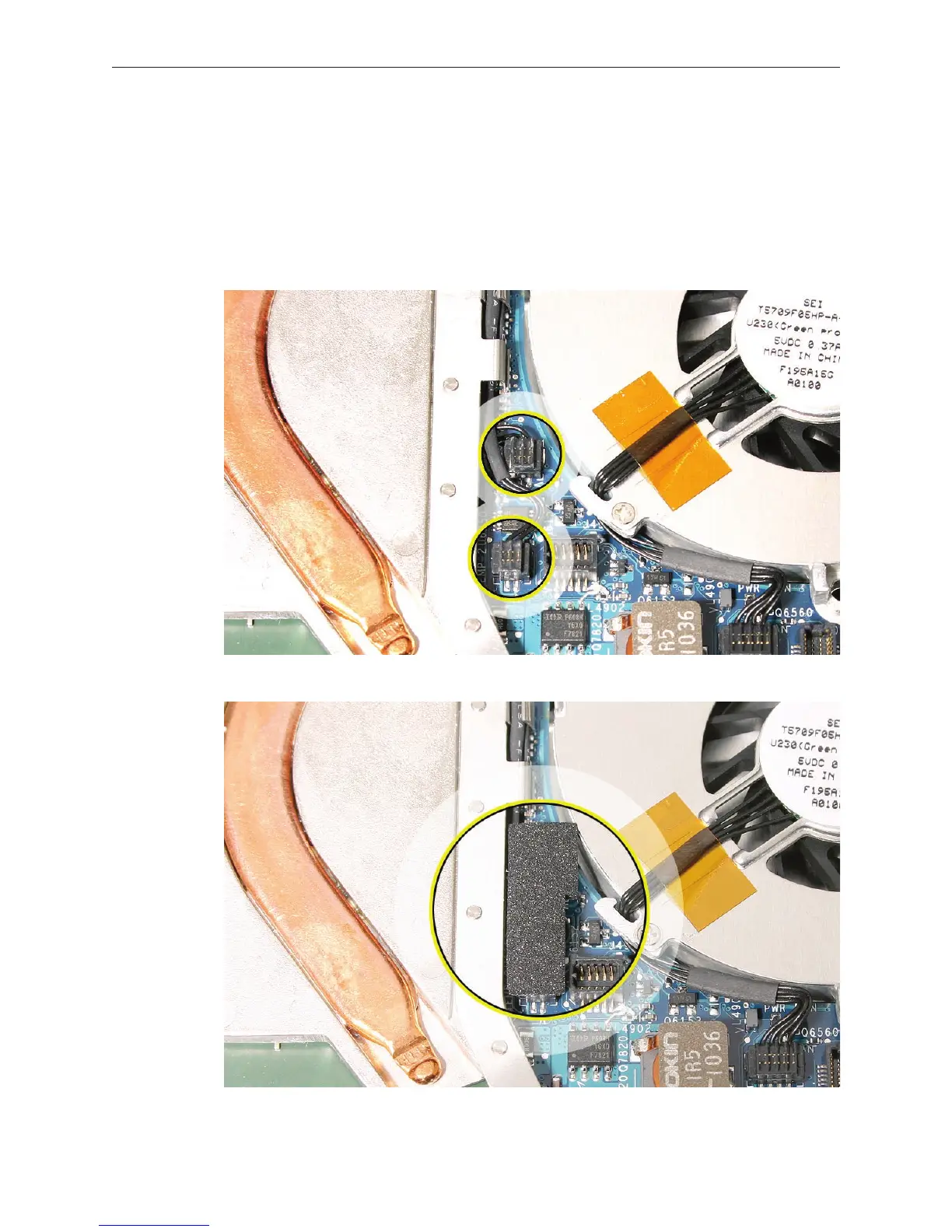
Replacement Note: If you replaced the heatsink from a kit that includes the thermal sponge,
install the thermal sponge over the two thermistor connectors.
Make sure the connectors are fully seated.
Remove the adhesive backing from the sponge, and place the sponge adhesive side
down over the two connectors.
Make sure the sponge sticks to and completely covers both connectors. (The actual
color and appearance of the sponge may vary slightly from what is included in the kit.)
9.
•
•
•



 To Next Page