MacBook (13-inch) Take Apart — Bluetooth Holder 87
Warning: To prevent damage to the optical drive, do not touch or press anywhere else
on the drive.
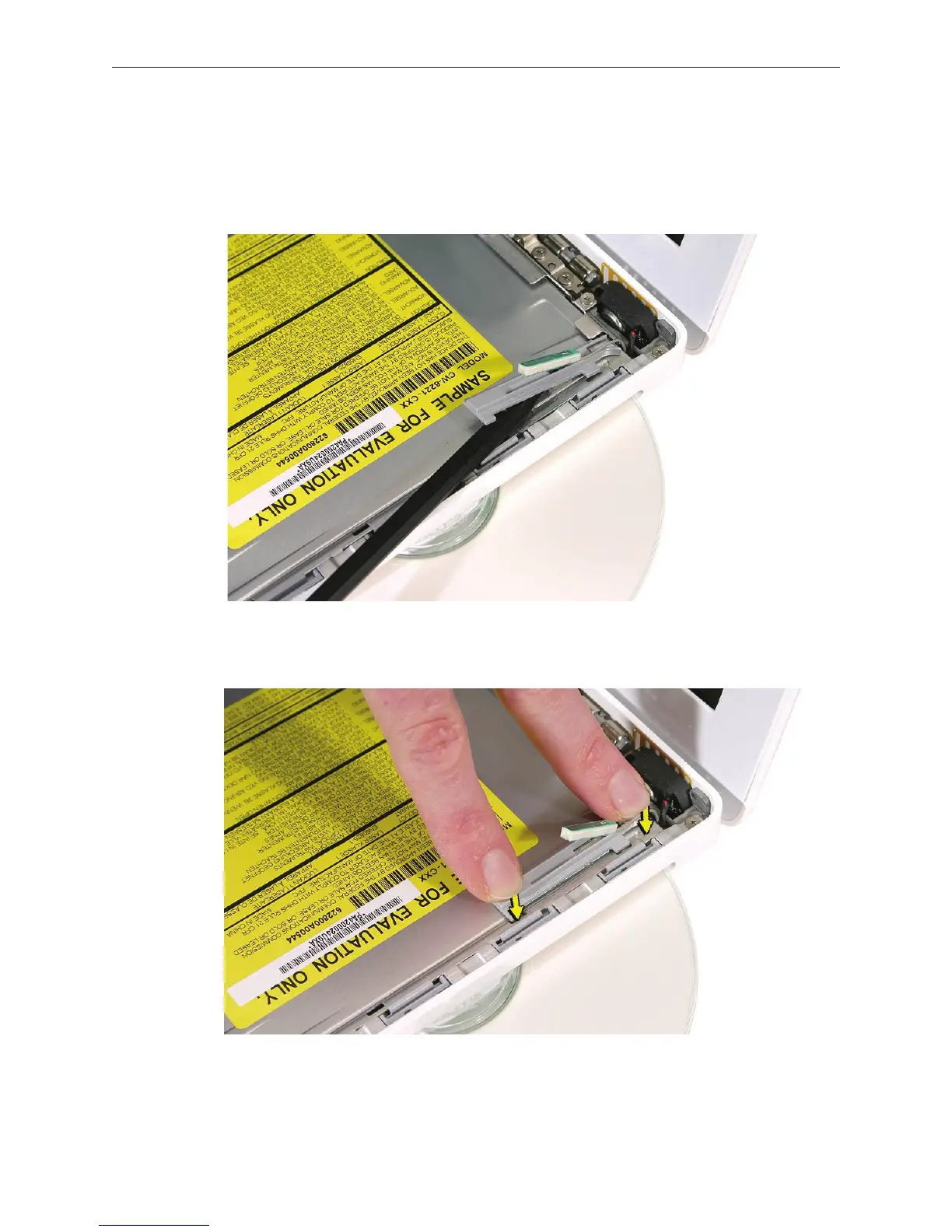
Use a black stick to carefully pry up the Bluetooth holder from the top of the optical drive.
Make sure you use as little pressure as possible to prevent damage to the drive.
Replacement Note: Peel o the adhesive backing from the Bluetooth holder and apply it to
the drive where shown. Press the holder lightly to make sure it adheres to the drive.
3.
4.



 To Next Page