EasyManua.ls Logo

Apple MB570Z - Page 3

Apple MB570Z
4 pages
Print Icon
To Next Page IconTo Next Page
To Previous Page IconTo Previous Page
Loading...
Mini DisplayPort to DVI Adapter
Operating Temperature
0 to +70
Operating
H
umidity
10%
to
85
% RH (no condensation)
Storage Temperature
-10 to +80
Storage Humidity
5%
to
90
% RH (no condensation)
Power Requirement
External Power Supply
No
external
power needed
Power consumption (Max)
3W
R
egula
tory A
pprovals
Converter Unit
FCC,CE,UL
Power Supply
UL,CE,FCC
Accessories Adapter
User Manual
Note: Specifications are subject to change without notice.
3.0 Package Contents
Before attempting to use this unit, please check the packaging and make sure the
following items are contained in the shipping carton:
Main unit
User's Manual
4.0 PANEL DESCRIPTIONS
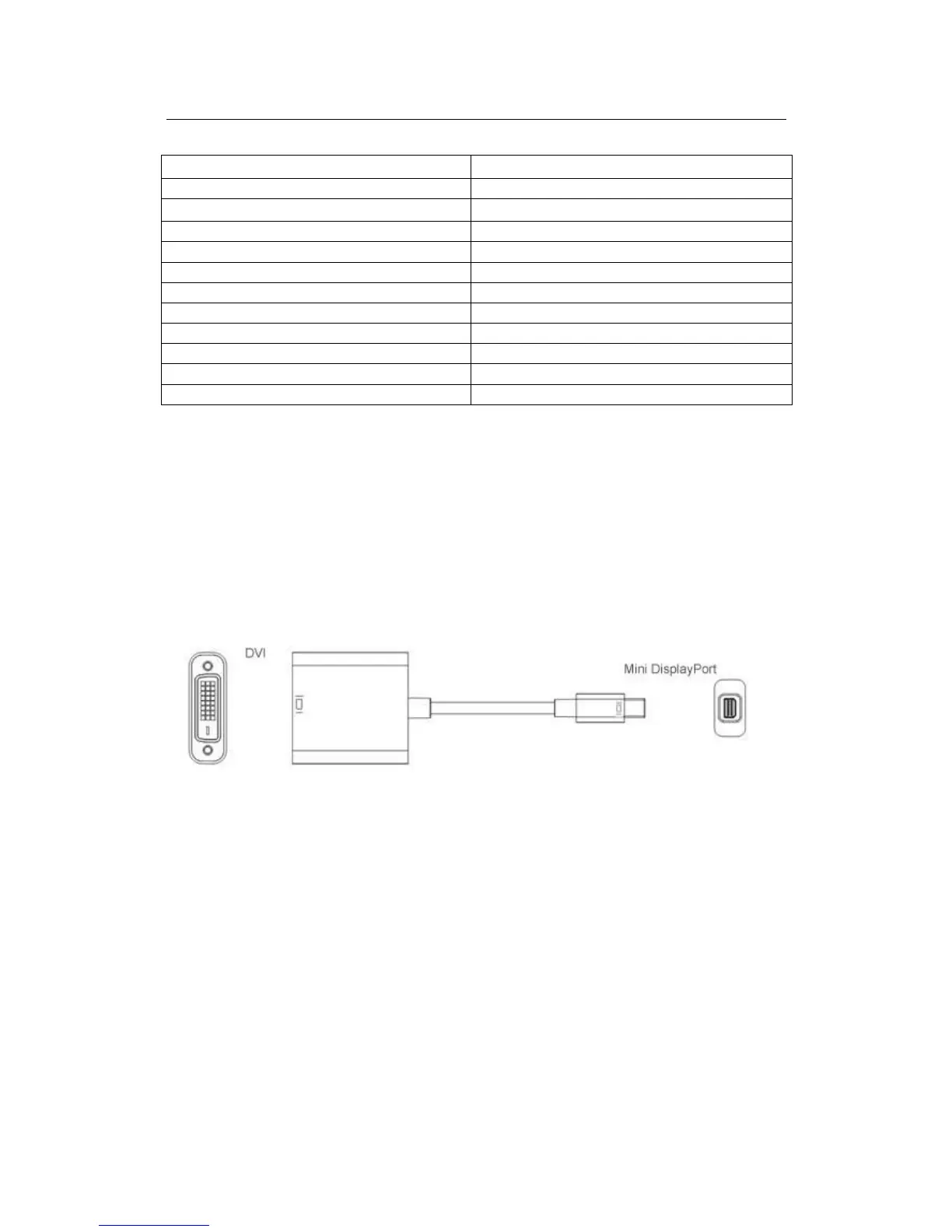
5.0 CONNECTION AND OPERATION
1) Connect the Mini DisplayPort male to Mini DisplayPort source device.
2) Connect the DVI female to display by DVI M/M cable.
Attention: Insert / Extract cable gently.
5.1 CONNECTION DIAGRAM


Related product manuals