Setting up Apple Fax
The first time you open Apple Fax a setup window appears
for you to choose your modem.
If you have a Performa: If you have a Performa computer,
Apple Fax is already set up for you. You can skip to the next
section, “Faxing a Document.”
Starting and configuring for the first time
To start Apple Fax
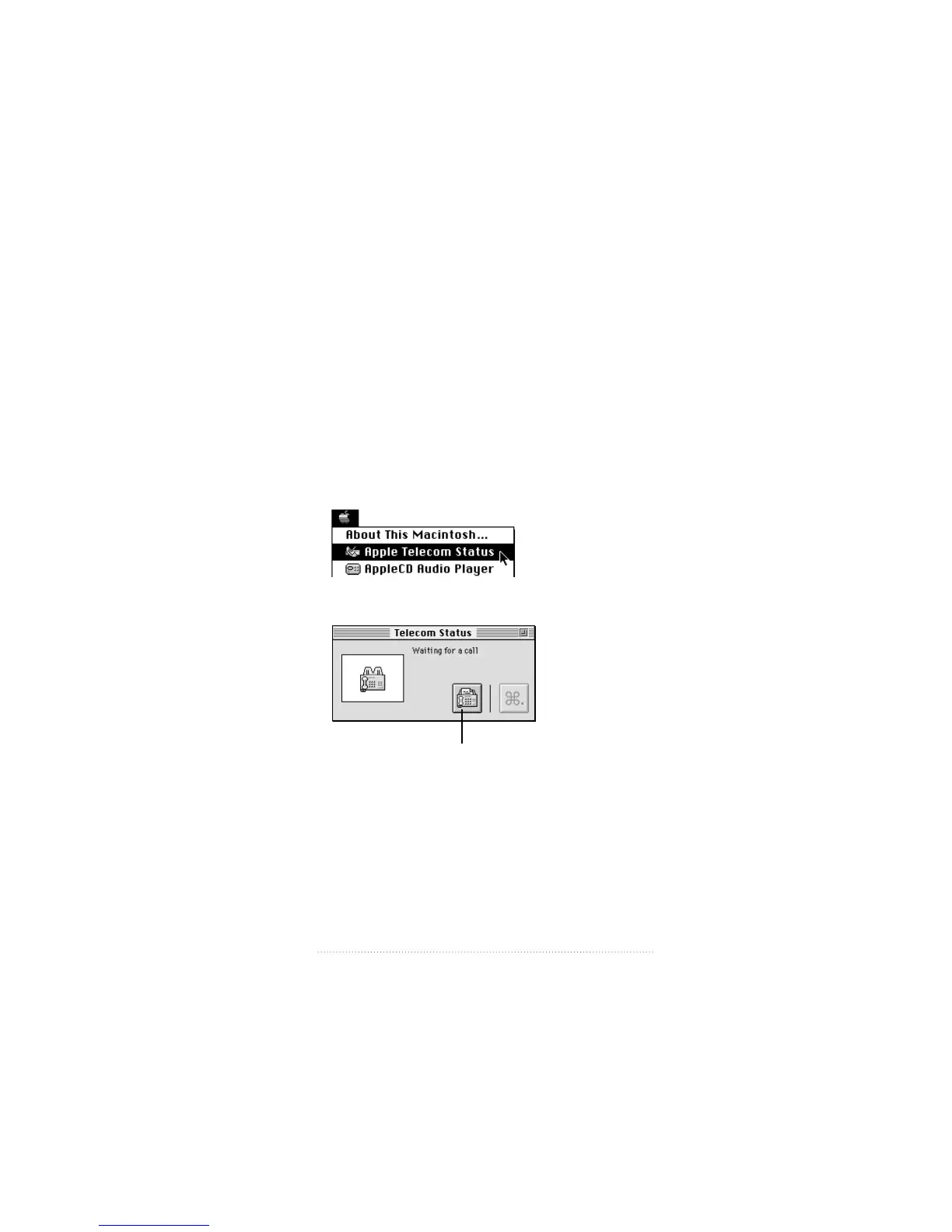
1 Choose Apple Telecom Status from the Apple (K) Menu.
Apple Telecom Status appears.
2 Click the Apple Fax icon, or choose Open Apple Fax from
the File menu.
21
Setting Up the Apple Telecom Software
Apple Fax icon



 To Next Page