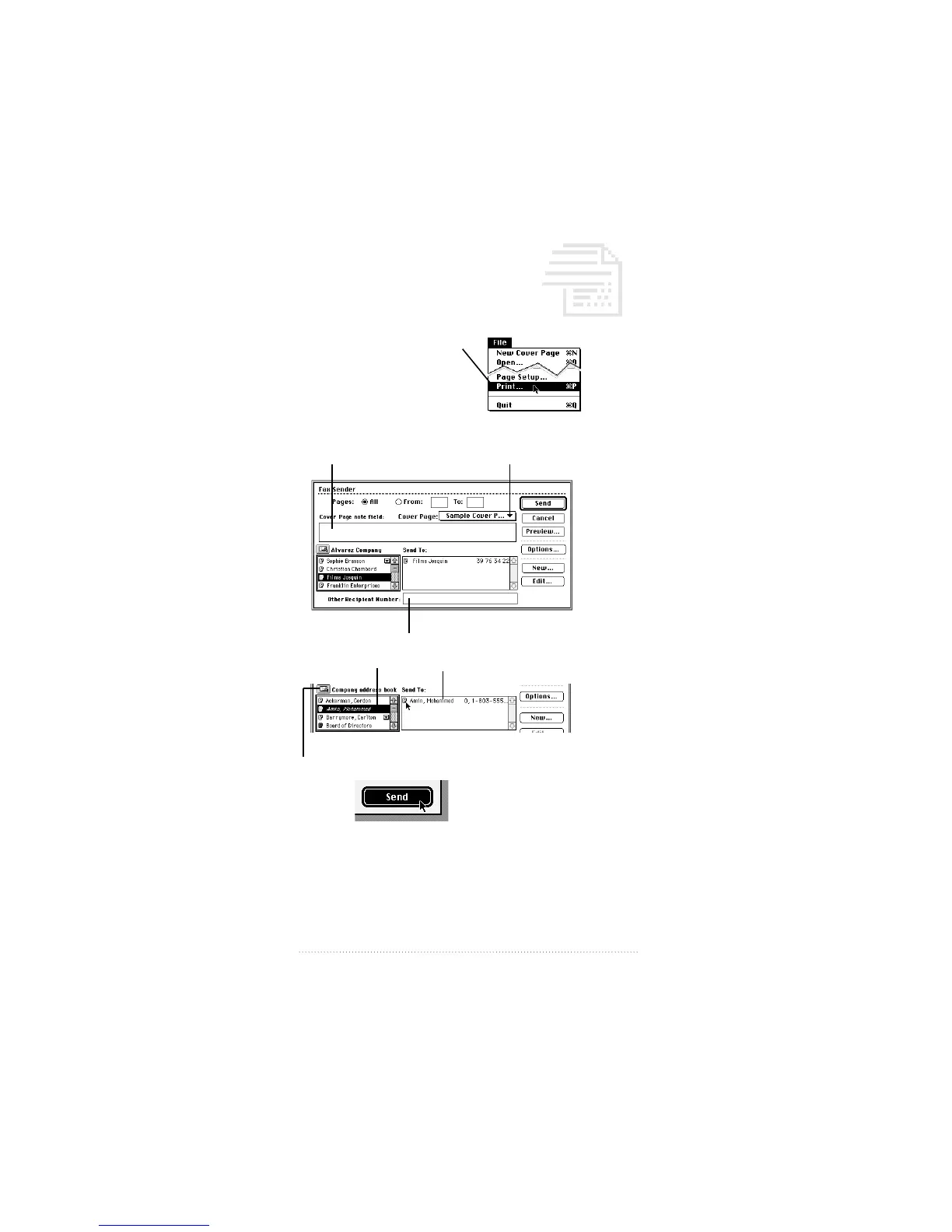
Sending a document as a fax
1 Open the document you wish to fax.
2 Type Control-Shift (ç) and
3 Prepare the Fax Sender dialog
4 Click
88
Quick Reference Guide
1 Choose a cover page.
2 Add a note to the cover page.
3 Type a fax number here, or...
...drag and drop recipients from the address book.
Click here to choose another address book.



 To Next Page