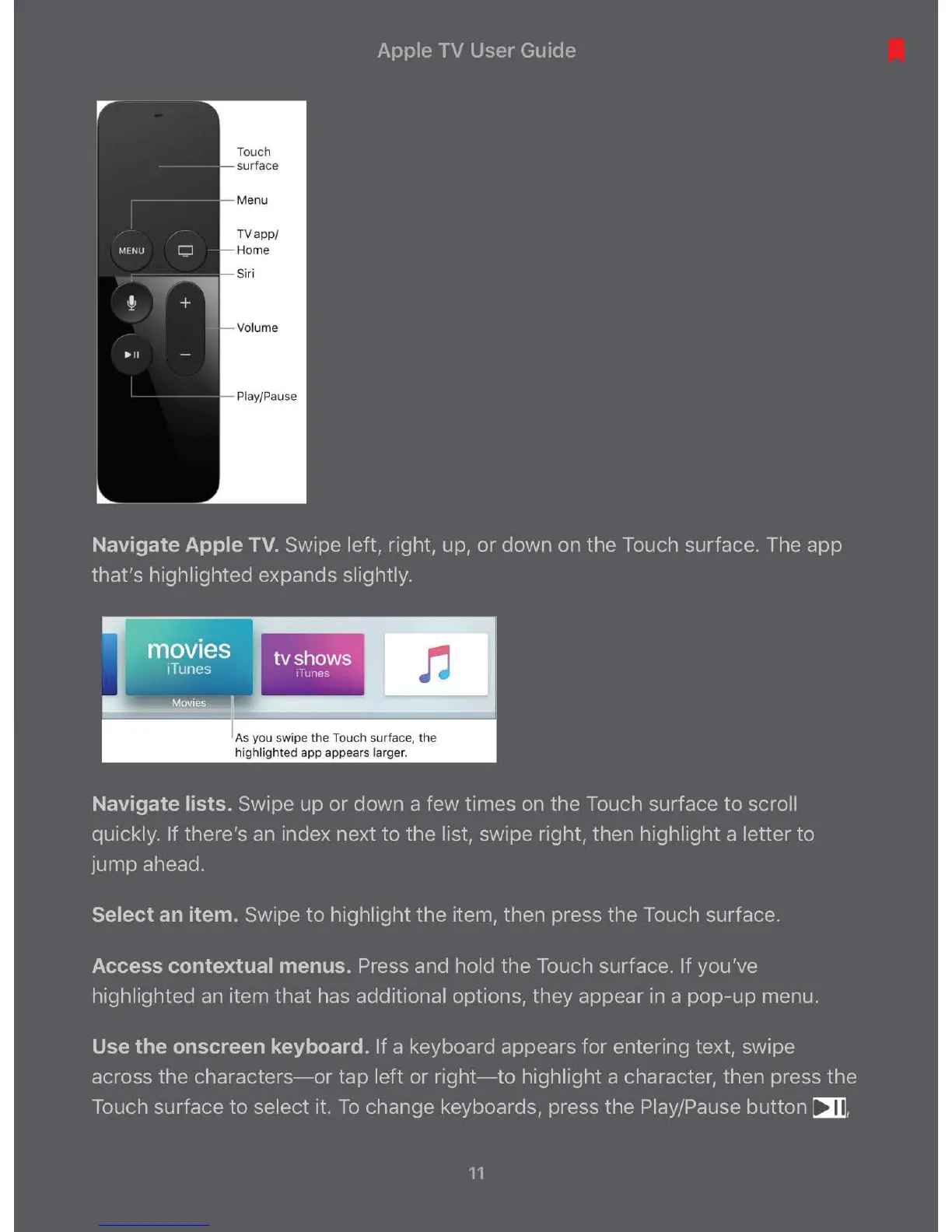
Touch
TVapp /
1-- Volume
As you swipe the Touch surface, the
highlighted app appears larger.
Navigate lists. Swipe up or down a few times on the Touch surface to scroll
quickly. If there's an index next to the list, swipe right, then highlight a letter to
jump ahead.
Select an item. Swipe to highlight the item, then press the Touch surface.
Access contextual menus. Press and hold the Touch surface. If you've
highlighted an item that has additional options, they appear in a pop-up menu.
Use the onscreen keyboard. If a keyboard appears for entering text, swipe
across the characters-or tap left or right-to highlight a character, then press the
Touch surface to select it. To change keyboards, press the Play/Pause
button ~ '
11



 To Next Page