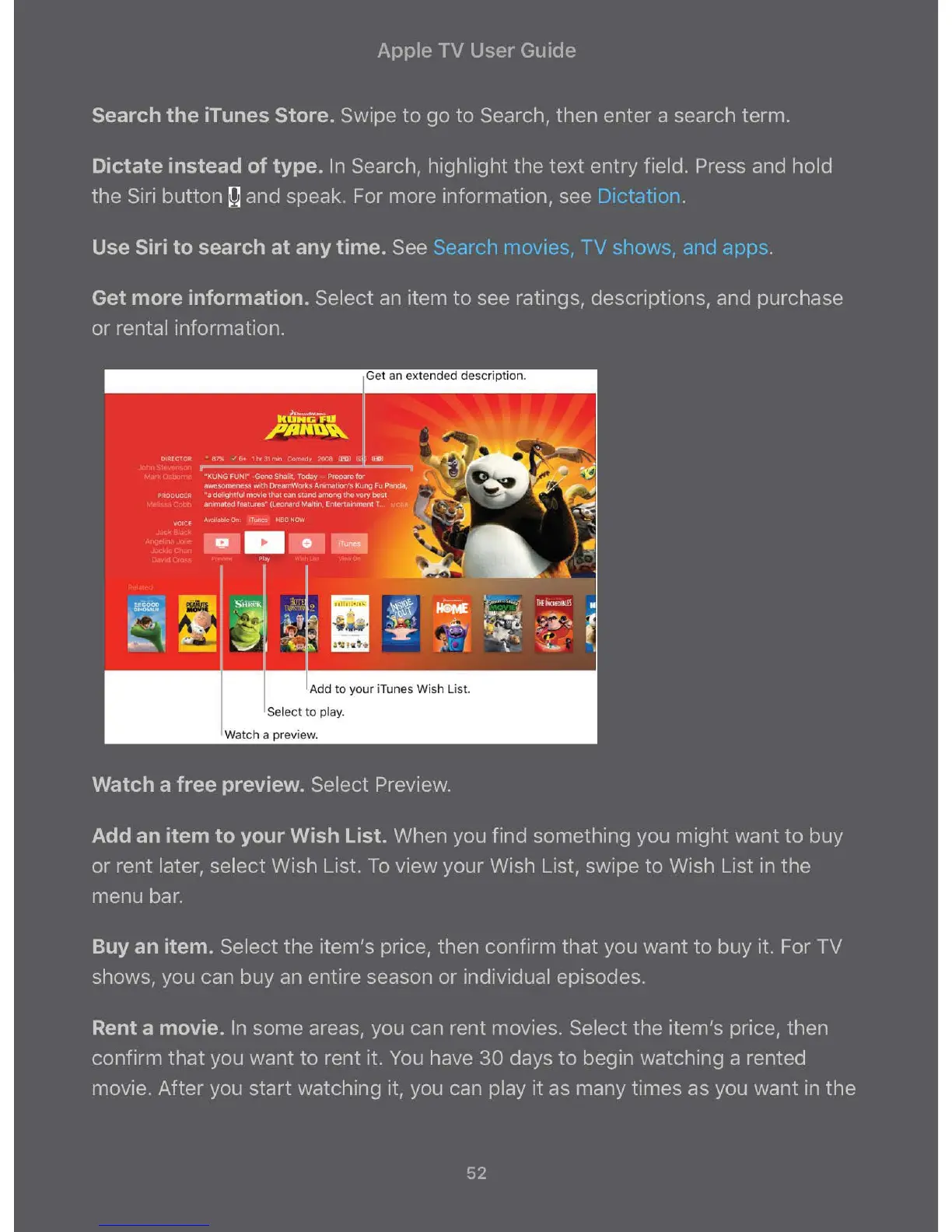
Add to your iTunes Wish List.
Select to play.
Watch a preview.
Watch a free preview. Select Preview.
Add an item to your Wish List. When you find something you might want to buy
or rent later, select Wish List. To view your Wish List, swipe to Wish List in the
menu bar.
Buy an item. Select the item's price, then confirm that you want to buy it. For TV
shows, you can buy an entire season or individual episodes.
Rent a movie. In some areas, you can rent movies. Select the item's price, then
confirm that you want to rent it. You have 30 days to begin watching a rented
movie. After you start watching it, you can play it as many times as you want in the
52



 To Next Page