Note: You may want to pair your other Apple Remote compatible devices with
otherremotes,sotheremoteyouusewithyourDockdoesn’taectthosedevices.
For instructions, see the documentation that came with those devices.
To reset the Dock to work with other Apple Remotes:
Follow steps 1 and 2 above. Then press and hold both » and ] on the Apple Remote
for about six seconds.
The Dock now works with any Apple Remote.
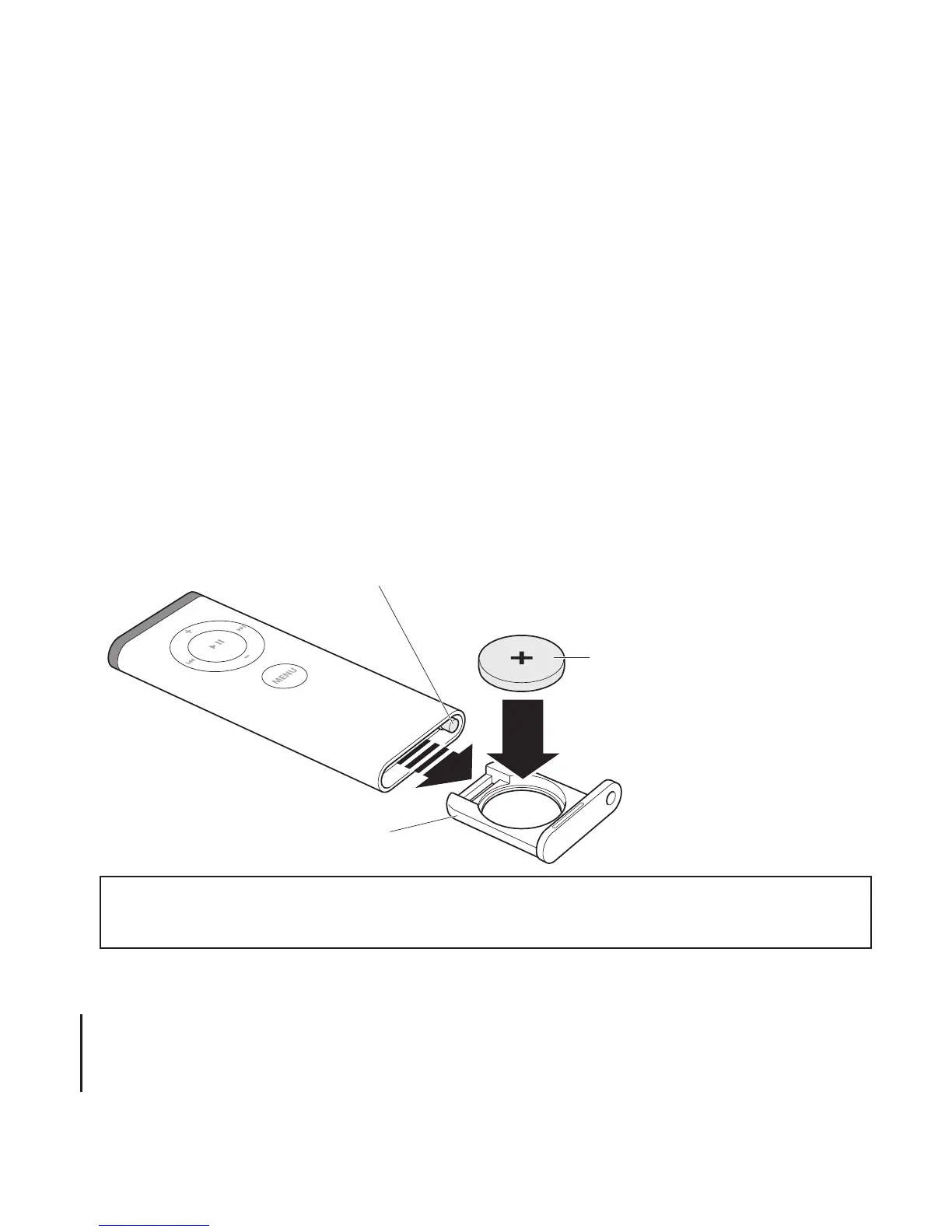
To change the battery:
The Apple Remote includes a battery. When needed, you can replace it with a CR2032
battery.
WARNING: There is a risk of explosion if the battery is replaced with an incorrect type.
Dispose of used batteries according to your local environmental laws and guidelines.
12



 To Next Page