Put your apps in handy order. L2%,&3)%&=22"%&>'3()&'22&#,&+G)#,%J&3'2&F/&>'3()J
3)%,&3'2&I#(8C&1'2&Z0+3J&3)%,&0*'-&3)%&*%#*0%*&B433#,$&3#&*%'**',-%&3)%5C
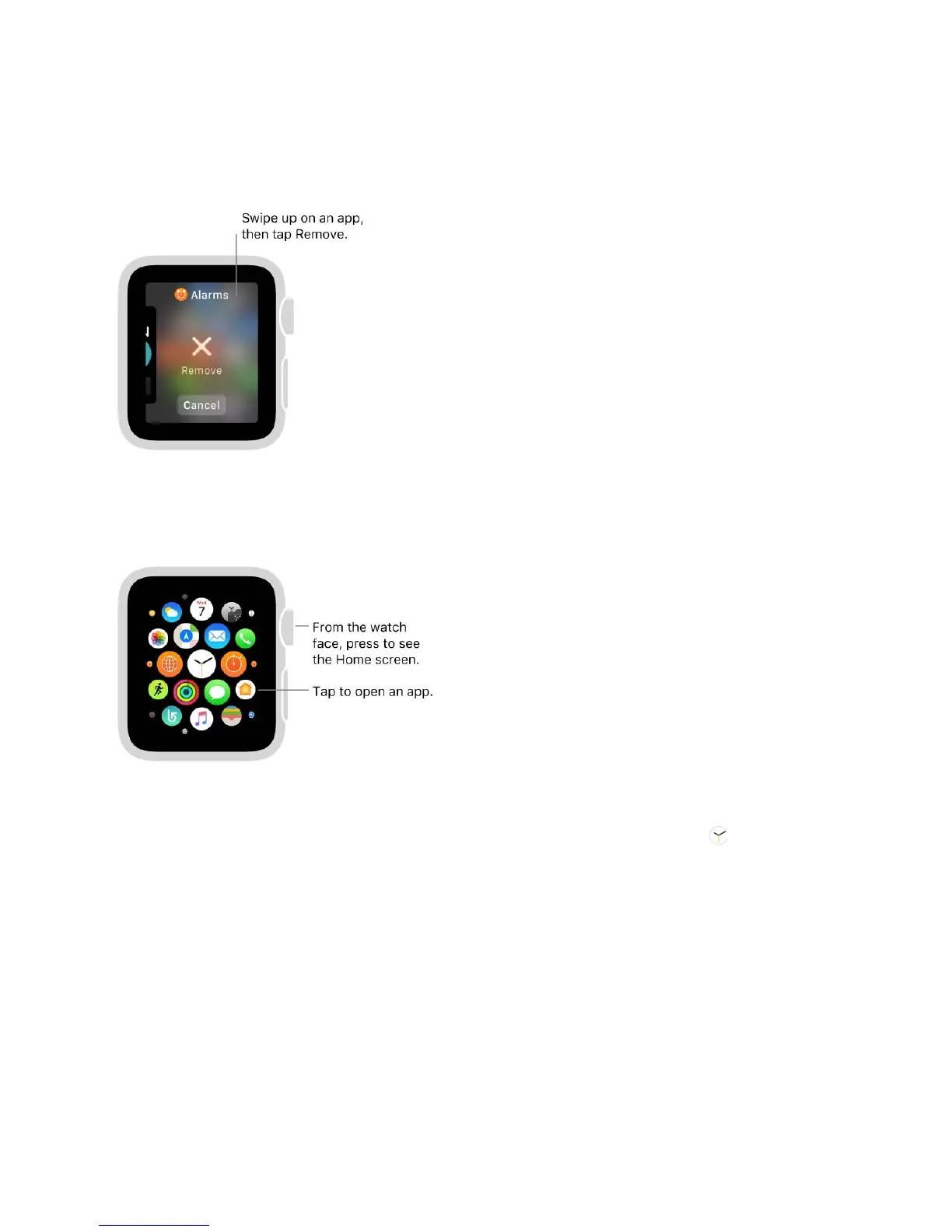
Remove an app from the Dock. G*%$$&3)%&$+0%&B433#,J&3)%,&$7+2%&3#&3)%&'22&/#4&7',3
3#&*%5#.%C&67+2%&42&#,&3)%&'22J&3)%,&3'2&H%5#.%C
Open an app from the Home screen. E*#5&3)%&7'3()&@'(%J&2*%$$&3)%&I+-+3'"&!*#7,&3#
-#&3#&3)%&9#5%&$(*%%,J&3)%,&3'2&3)%&'22&+(#,C&Y@&/#4W*%&'"*%'0/&"##8+,-&'3&3)%&9#5%
$(*%%,J&/#4&(',&34*,&3)%&I+-+3'"&!*#7,&3#%,&3)%&'22&3)'3W$&+,&3)%&(%,3%*&#@&3)%&0+$2"'/C
Tip: I#4B"%?("+(8&3)%&I+-+3'"&!*#7,&3#&X4+(8"/%,&3)%&"'$3&'22&/#4&4$%0C
Return to the watch face. G*%$$&3)%&I+-+3'"&!*#7,J&#*&3'2&3)%&7'3()&+(#,& &#,&3)%
9#5%&$(*%%,C
Organize and get more apps
=22"%&>'3()&+,("40%$&'22$&@#*&'&.'*+%3/&#@&(#554,+('3+#,J&)%'"3)J&@+3,%$$J&',0
3+5%8%%2+,-&3'$8$C&S#4&(',&'"$#&()##$%&3#&+,$3'""&3)+*0?2'*3/&'22$&/#4&)'.%&#,&/#4*
+G)#,%J&',0&-%3&,%7&'22$&@*#5&3)%&=22&63#*%C&=""&/#4*&'22$&'*%&#,&'&$+,-"%&9#5%&$(*%%,J
7)%*%&/#4&(',&'**',-%&3)%5&'$&/#4&"+8%C


 To Next Page
 Loading...