Pan and zoom. 1#&2',&3)%&5'2J&0*'-&7+3)&#,%&@+,-%*C&1#&N##5&+,&#*+J&34*,&3)%&I+-+3'"
!*#7,C&S#4&(',&'"$#&0#4B"%?3'2&3)%&5'2&3#&N##5&+,&#,&3)%&$2#3&/#4&3'2C&1'2&3)%
1*'(8+,-&B433#,&+,&3)%&B#33#5&"%@3&3#&-%3&B'(8&3#&/#4*&(4**%,3&"#('3+#,C
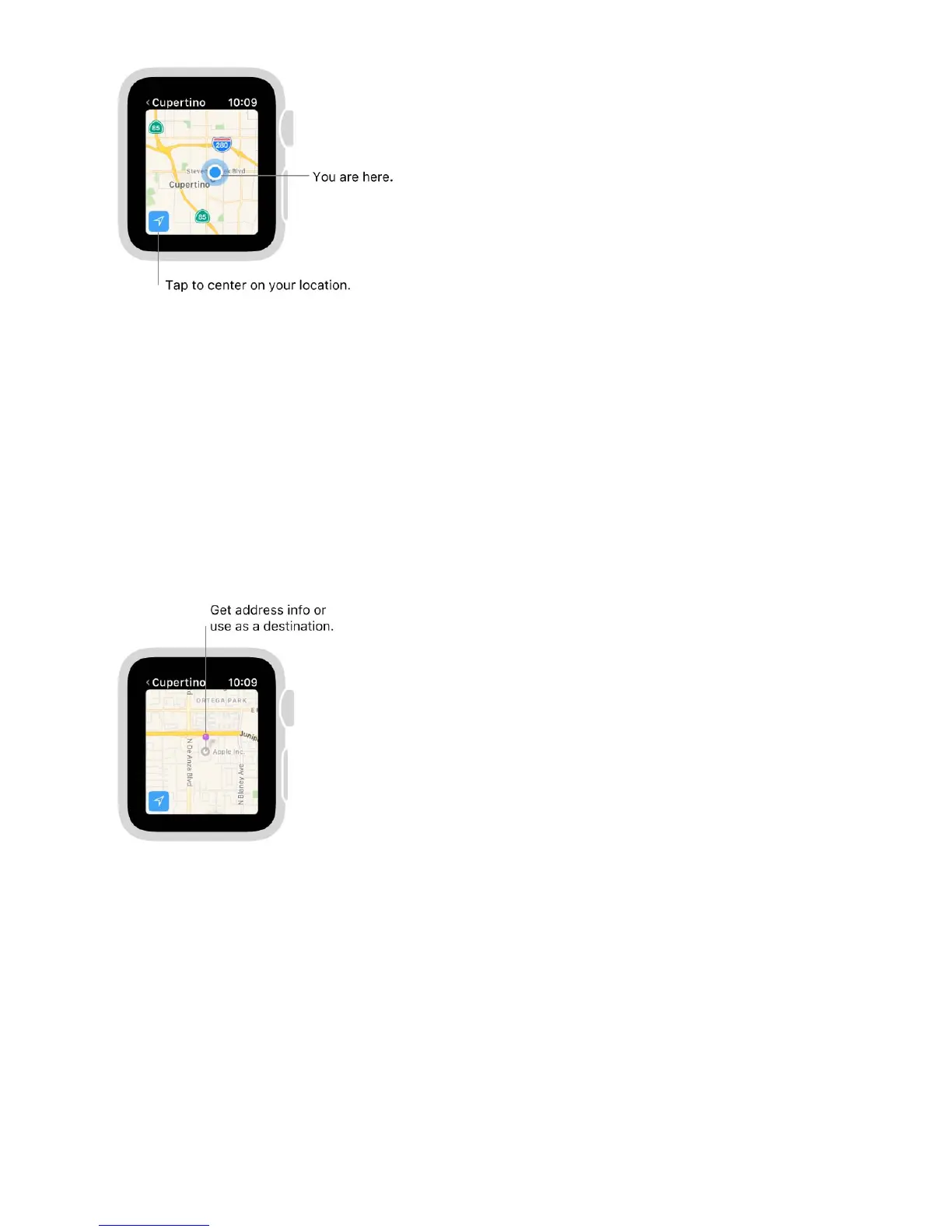
Get info about a landmark or marked location. 1'2&3)%&"#('3+#,&5'*8%*&#,&3)%&5'2J
3)%,&34*,&3)%&I+-+3'"&!*#7,&3#&$(*#""&3)%&+,@#*5'3+#,C&1'2&r&+,&3)%&3#2&"%@3&3#&*%34*,&3#&3)%
5'2C
Drop a pin. 1#4()&',0&)#"0&3)%&5'2&7)%*%&/#4&7',3&3)%&2+,&3#&-#J&7'+3&@#*&3)%&2+,&3#
0*#2J&3)%,&"%3&-#C&A#7&/#4&(',&3'2&3)%&2+,&@#*&'00*%$$&+,@#*5'3+#,J&#*&4$%&+3&'$&'
0%$3+,'3+#,&@#*&0+*%(3+#,$C&1#&5#.%&3)%&2+,J&O4$3&0*#2&'&,%7&#,%&+,&3)%&,%7&"#('3+#,C
Find the approximate address of any spot on the map. I*#2&'&2+,&#,&3)%&"#('3+#,J&3)%,
3'2&3)%&2+,&3#&$%%&'00*%$$&+,@#C
Call a location. 1'2&3)%&2)#,%&,45B%*&+,&3)%&"#('3+#,&+,@#C&1#&$7+3()&3#&+G)#,%J&$7+2%&42
#,&3)%&G)#,%&+(#,&+,&3)%&B#33#5?"%@3&(#*,%*&#@&3)%&<#(8&$(*%%,J&3)%,&3'2&3)%&-*%%,&B'*&'3
3)%&3#2&#@&3)%&$(*%%,C
See a contactʼs address on the map. >)+"%&.+%7+,-&3)%&5'2J&@+*5"/&2*%$$&3)%&0+$2"'/J
3'2&!#,3'(3$J&34*,&3)%&I+-+3'"&!*#7,&3#&$(*#""J&3)%,&3'2&3)%&'00*%$$C


 To Next Page
 Loading...