EasyManua.ls Logo

Approx appLS06OMNI - User Manual

Approx appLS06OMNI
16 pages
Go to English
Print Icon
To Next Page IconTo Next Page
Loading...
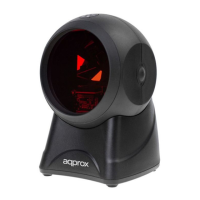
appLS06OMNI
Omnidirectional
Barcode Scanner

Questions and Answers

  • D
    David FowlerAug 10, 2025
    Why is the scanning data from my Approx Barcode Reader not displaying correctly on my computer?
    • J
      Jacob LeeAug 10, 2025
      If the scanning data from your Approx Barcode Reader isn't displaying correctly on your computer, it might be due to an input method error. Ensure that the input method is set to the standard English input. Alternatively, other parameters may have been set for the scanner. In this case, revert the scanner parameters to the factory settings.
  • B
    Brian RobinsonAug 21, 2025
    What to do if my Approx Barcode Reader displays a scan line but cannot read barcodes?
    • M
      Mike ArmstrongAug 21, 2025
      If your Approx Barcode Reader displays a scan line but can't read, there are several possible reasons. First, the barcode system might not be enabled; try opening the code system by adjusting the settings. Second, the barcode itself may be damaged; try scanning a similar barcode. Third, the barcode may be too far from the scanner; move it closer. Finally, the code height might be insufficient, preventing the laser line from fully covering it; make sure the laser line fully covers the code.
  • J
    jordan78Aug 30, 2025
    How to fix Approx appLS06OMNI Barcode Reader not showing full scan mode after installing the interface cable?
    • D
      duartealbertAug 30, 2025
      If your Approx Barcode Reader doesn't show the full scan mode after properly installing the interface cable, the scanner might not be energized. Ensure the host is powered on, especially when using a USB interface. Plug the USB cable directly into the USB interface on the computer's mainboard, avoiding extended USB interfaces or lines. Also, check the interface cable connection to ensure it is not loose.

Approx appLS06OMNI Specifications

General IconGeneral
BrandApprox
ModelappLS06OMNI
CategoryBarcode Reader
LanguageEnglish