13
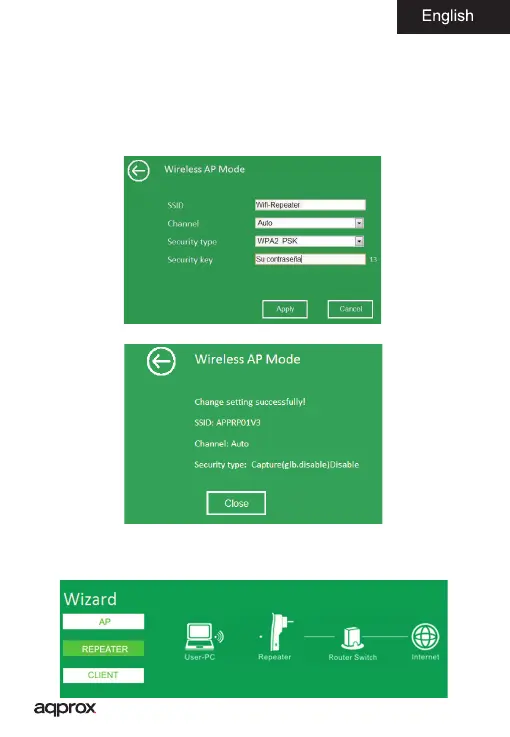
2. Type a name for your wireless network in the SSID eld
3. Let the channel (Channel) as Auto
4. In Security Type select a wireless security type for your device and set a
password.
5. Click the Apply button to nish
6. A message like the following will appear, click the Close
Repeater Mode (Repeater Mode)
1. Select Repeater within the Wizard



 To Next Page