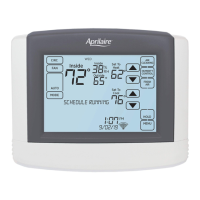
THERMOSTAT OPERATION
SELECT SYSTEM MODE
1. Touch MODE to open the Thermostat
Mode screen.
2. Select the desired mode.
3. Touch Done to save any changes.
Touch Back to discard your changes.
The thermostat will automatically
discard your changes if one minute
elapses without touching Done.
Note: Em Heat (Emergency Heat) is only
applicable to heat pump installations.
CHANGE TEMPERATURE SETPOINT
1. Touch the or arrows to adjust
the temperature setpoint. The Set
Temporary Hold pop-up will appear.
2. Touch Done to save your changes.
See page 19 for information on temporary
and permanent holds.
10
2
3
1
2
1



 To Next Page
 Loading...