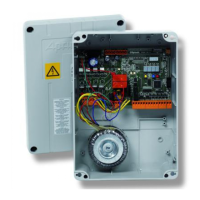
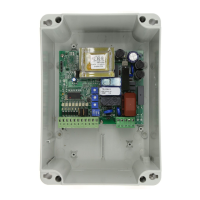
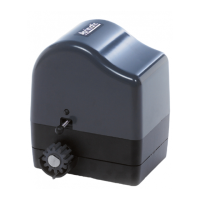
SC 230
CONNECTIONS
Description
19 24
18 -24
Accessory power supply 24 V DC
17 OPEN It controls the opening if the gate is stopped.
If the gate is closing, it inverts the movement.
16 PED/C
L
It controls the pedestrian opening if the gate is closed.
It controls the closing if the gate is opened or stopped.
15 SEQ It controls the opening if the gate is closed.
It controls the closing if the gate is stopped.
14 STOP It controls the stopping of every movement and, if enabled, it prevents any movement.
13 PH1 Photocell 1 input: during closing, it inverts the movement and, if enabled, it prevents
closing.
12 PH2 Photocell 2 input: it stops any movement. If enabled it prevents any movement. When
disabled: opening.
11 SAF Input for safety edge.
10 COM Common inputs
9 +AUX Remote warning light of automation status:
• flashing fast during closing;
• flashing slow during opening;
• fixed light: swing gates NOT closed;
• light off: swing gates closed
M1
8 +TST If dip 9 ON: Safety devices Test Out
If dip 9 OFF: LED flashing light Out
7 MCL Motor Closing Winding
6 MOP Motor Opening Winding
5 MCOM Motor Common
4 L Line 230 V AC
M2
3 N Neutral 230 V AC
2 PE Earth 230 V AC
M3
1 PE Earth 230 V AC
20 GND Radio Antenna Ground Connection
M4
21 ANT Radio Antenna Pole
25 CLL Closed gate limit switch
24 OPL Open gate limit switch
23 -24 Common inputs
M5
22 24 Accessory power supply +24 V DC
CN1
Encoder connector
CN2
Additional module connector for second channel output
K3
Three-pin connector for accessories insertion; UNICO receiving radio board connection (alternative to
the integrated receiving unit) - Access control decoder.
Operating logic sequences
Dip Switch DSW1 Configuration
DIP1 DIP2 LOGIC NOTES
ON OFF AUTOMATIC Use OPEN input (Terminal 17)
OFF ON STEP - STEP Use SEQ input (Terminal 15)
ON ON SUPER AUTOMATIC Use SEQ input (Terminal 15)
ON OFF AUTOMATIC WITH STOP Use SEQ input (Terminal 15)
OFF OFF STEP - STEP WITH STOP Use SEQ input (Terminal 15)
12



 To Next Page
 Loading...