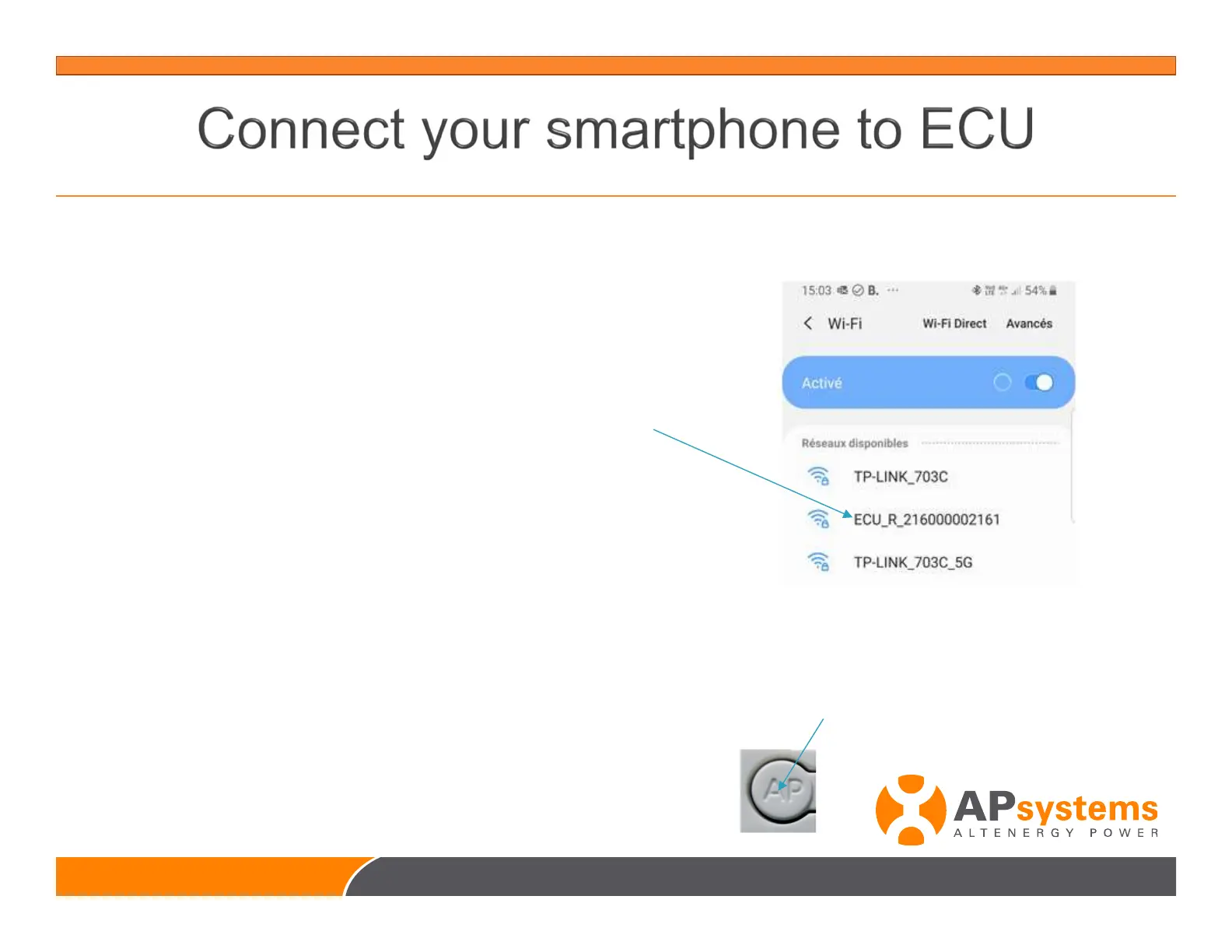
Open Settings/connections/Wi-Fi
in your smartphone
select ECU hot spot
for ECU-R : ECU_R_216000XXXXXX
for ECU-C : ECU-WIFI_XXXX
216000XXXXXX = ECU-R ID
XXXX = 4 last digits of ECU-C ID
Warning : If your ECU has a button “AP” on the side of the casing,
the Wifi hotspot is activated for 1 hour after the ECU is powered.
To activate the Wifi hotspot for 1 hour again, press the “AP” button



 To Next Page