English
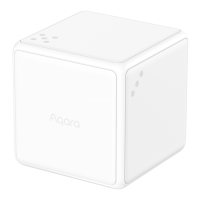
Model: MFKZQ01LM
Dimensions: 45 × 45 × 45 mm (1.77 × 1.77 × 1.77 in.)
Wireless Protocol: Zigbee
Battery: CR2450
Operating Temperature:-10° - +50°C (14° - 122°F)
Specications
Quick Setup
If the connection fails, please move the accessory closer to the Hub
and try again.
*
Before activating the accessory, please make sure you
have the Aqara Home app downloaded and Aqara hub installed.
1.
2.
Please open the app, tap “Home” and then tap “+” in the
top right corner to enter “Add Device (Accessory)” page.
Select “Cube”, and add it according to instructions.
Eective Range Test: Single swing the Cube or single press the
reset button in the Cube. If the Hub makes voice prompts, it
indicates that the Cube can communicate eectively with the
Hub.
Avoid metal surface to maximize signal strength.
*


 To Next Page