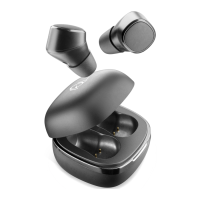
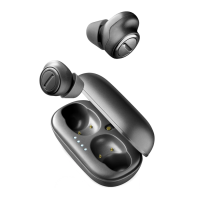
2
1
5
3
4
EN - INFORMATION ON THE STATUTORY WARRANTY
Our products are covered by a statutory warranty against conformity defects in
accordance with applicable national consumer protection laws.
For more information, please see the following page
www.cellularline.com/_/warranty
EN - Using the device may, in some cases, interfere with the correct functioning of
medical devices (e.g. pacemakers).
Prolonged exposure to high volume and prolonged use may cause permanent
damage to hearing.
Do not use the device in places where being unable to hear external noises could
prove dangerous (e.g. railway crossings, train platforms)
If used when driving, comply with the regulations in force in the relevant country.
Children should be supervised when using the device and all accessories and packa
-
ging should be kept out of their reach.
Do not expose the device for prolonged periods to damp, dust, soot, steam,
direct sunlight, and excessively high or low temperatures, which could result in
it malfunctioning
Use only suitable chargers for charging
Regularly charge the product (at least once every 3 months).
EN - INSTRUCTIONS FOR THE DISPOSAL OF DEVICES FOR DOMESTIC USE (Applicable
in countries in the European Union and those with separate waste collection systems)
This mark on the product or documentation indicates that this product must not
be disposed of with other household waste at the end of its life. To avoid any
damage to health or the environment due to improper disposal of waste, the
user must separate this product from other types of waste and recycle it in a
responsible manner to promote the sustainable re-use of the material resources.
Domestic users should contact the dealer where they purchased the product
or the local government office for all information regarding separate waste
collection and recycling for this type of product. Corporate users should contact
the supplier and verify the terms and conditions in the purchase contract.
This product must not be disposed of along with other commercial waste.
This product has a battery than cannot be replaced by the user. Do not attempt
to open the device to remove the battery as this could cause malfunctions and
seriously damage the product. When disposing of the product, please contact the
local waste disposal authority to remove the battery. The battery inside the device
was designed to be able to be used during the entire life cycle of the product.
For more information, visit the website http://www.cellularline.com
EN
Description:
1 MF (multifunction) button
2 LED
3 Led Charging Case
4 USB-C charging port
5 USB to USB-C charging cable
ISTRBTEVADETWS
EN
WIRELESS STEREO BLUETOOTH® HEADSET WITH
CHARGING CASE
AURICOLARI BLUETOOTH® STEREO SENZA FILI CON
CUSTODIA DI RICARICA
IT
ÉCOUTEURS BLUETOOTH® STÉRÉO SANS FILS AVEC ÉTUI
DE CHARGE
FR
LADEHÜLLE
DE
AURICULARES BLUETOOTH® ESTÉREO INALÁMBRICOS
CON FUNDA DE RECARGA
ES
RU
TR
DRAADLOZE STEREO BLUETOOTH® HEADSET MET
OPLAADSTATION
NL
FI
EN - PRELIMINARY OPERATIONS
Recharge Charging Case: Charging Case has an internal battery which
allows the earbuds to be recharged without being plugged in to a mains
charger. The Charging Case must therefore be charged before recharging
the batteries of the devices.
Connect the charging cable to a USB port then connect the other end to
the USB-C charging port (4); the four LEDs will gradually turn on (3) to
show the battery charge level.
Once you have finished recharging, disconnect the Charging Case from
the power supply.
Recharging the earbuds: insert the devices in their respective docks
and close the Charging Case flap, charging will start automatically. The
red LED (2) turns on when charging is in progress. The LED (2) turns off
when charging is complete.
Connection: before connecting EVADE to the phone, it is necessary to
establish a connection between the two earbuds.
Remove the individual earbuds from the charging dock. Both will
automatically turn on and the LEDs (2) will begin to flash. They will
connect with each other within a few seconds.
Once the TWS connection has been established, the LED (2) on one of the
earbuds will flash quickly, indicating that pairing mode is active. Follow
the instructions displayed on the phone to search for the unit.
Turn on Bluetooth® on your phone to run a search for devices and select
EVADE when it is detected.
Important: if the earbuds or mobile phone have been turned off or
placed out of range, in order to pair them again, it may be necessary to
access the mobile phone menu or simply press the MFB button (1) as if
you were answering a call.
USING THE DEVICE IN STEREO MODE:
Switching on: hold down the MFB button (1) for about 2 seconds or
remove the devices from the Charging Case.
Switching off: hold down the MFB button (1) for about 2 seconds or
insert the devices in the Charging Case.
To answer a call: you can answer calls from both earbuds by pressing
the MF button (1). If both earbuds are inside the Charging Case when
there is an incoming call, take out the right or left earbud, wait for the
connection and then answer by pressing the MF button.
To end a call: press the MF button (1) briefly.
Refuse an incoming call: press the MFB button for 1 second when there
is an incoming call.
Voice assistant: press the MFI button (1) three times
Dial the last number: press the MFI button (1) four times
Play/Pause: press the MF button (1)
FF: keep the MFB button (1) on the right earbud pressed for one second.
Rew: keep the MFB button (1) on the left earbud pressed for one second.
Increase the volume: press the MFB button (1) on the right earbud
twice.
Decrease the volume: press the MFB button (1) on the left earbud twice.
Flat battery indicator: if the LED flashes red, the battery is flat.
Reset: if the device does not work properly, it is possible to carry out a
reset to restore factory settings.
- Take the devices out of the Charging Case and turn them off by pressing
the buttons until the LEDs blink red. Release the buttons.
flash white, and then they will flash red and white alternately and then
red and white together. Release the buttons.
- After this last flash, the devices will switch off. Return them to the dock
and repeat the phone pairing procedure.
HEADSET TECHNICAL SPECIFICATIONS:
Supported profiles: Headset – Handsfree – A2DP - AVRCP
Bluetooth® frequency range: 2.4GHz-2.48GHz
Battery voltage: 3.7V
Micro-USB port voltage (V): 5V
ERP output: -1.5bBm
SAR: 1.5W/kg
Talk time: 5 hours
Playback time: 5 hours
Charging the earbuds: about 1.5 hours
Charging Case Charge: about 2 hrs
Weight: 41g
EVADE
- INFORMAZIONI SULLA GARANZIA LEGALE
I nostri prodotti sono coperti da garanzia legale per i difetti di conformità secondo
quanto previsto dalle leggi nazionali applicabili a tutela del consumatore.
Per ulteriori informazioni consultare la pagina:
www.cellularline.com/_/warranty
IT - ISTRUZIONI PER LO SMALTIMENTO DI APPARECCHIATURE PER UTENTI DOMESTICI
(Applicabile in paesi dell’Unione Europea e in quelli con sistemi di raccolta
differenziata)
Il marchio riportato sul prodotto o sulla sua documentazione indica che il prodotto
non deve essere smaltito con altri rifiuti domestici al termine del ciclo di vita.
Per evitare eventuali danni all’ambiente o alla salute causati dall’inopportuno
smaltimento dei rifiuti, si invita l’utente a separare questo prodotto da altri tipi
di rifiuti e di riciclarlo in maniera responsabile per favorire il riutilizzo sostenibile
delle risorse materiali.
Gli utenti domestici sono invitati a contattare il rivenditore presso il quale e stato
acquistato il prodotto o l’ufficio locale preposto per tutte le informazioni relative alla
raccolta differenziata e al riciclaggio per questo tipo di prodotto. Gli utenti aziendali
sono invitati a contattare il proprio fornitore e verificare I termini e le condizioni
del contratto di acquisto. Questo prodotto non deve essere smaltito unitamente
ad altri rifiuti commerciali.
Questo prodotto ha all’interno una batteria non sostituibile dall’utente, non tentare
di aprire il dispositivo o rimuovere la batteria, questo può causare malfunzionamenti
e danneggiare seriamente il prodotto. In caso di smaltimento del prodotto si prega
di contattare il locale ente di smaltimento rifiuti per effettuare la rimozione della
batteria. La batteria contenuta all’interno del dispositivo e stata progettata per
poter essere utilizzata durante tutto il ciclo di vita del prodotto.
Per ulteriori informazioni visitare il sito web http://www.cellularline.com
IT - L’utilizzo del dispositivo può in alcuni casi interferire con il corretto funzionamen
-
to di dispositivi medicali (es. Pacemaker)
L’esposizione prolungata a un volume elevato ed un utilizzo prolungato possono
provocare danni permanenti all’udito.
Non utilizzare il dispositivo in luoghi in cui potrebbe risultare pericoloso non sentire i
suoni ambientali (es. passaggi a livello, sulle banchine delle stazioni dei treni)
In caso di utilizzo durante la guida attenersi alle normative vigenti nei rispettivi paesi
Sorvegliare i bambini quando utilizzano il dispositivo, inoltre, tenere fuori dalla loro
portata accessori o parti di packaging
Non collocare il dispositivo in luoghi esposti a umidità, polvere, fuliggine, vapore,
luce solare diretta, temperature troppo elevate o troppo basse, in caso contrario
potrebbero verificarsi malfunzionamenti
Per la ricarica utilizzare esclusivamente caricabatterie idonei
Ricaricare regolarmente il prodotto (almeno una volta ogni 3 mesi).
IT
Descrizione:
1 Tasto MFB
2 Led
3 Led Charging Case
4 Presa di ricarica USB-C
5 Cavo USB di ricarica to USB-C
IT - OPERAZIONI PRELIMINARI
Ricarica Charging Case: Charging Case è dotata di batteria interna e
consente la ricarica dei dispositivi anche senza alimentazione diretta.
È necessario pertanto caricare la Charging Case prima di ricaricare le
batterie dei dispositivi.
Inserire il cavo di ricarica ad una porta USB e collegare il connettore alla
presa di ricarica USB-C (4), l’accensione progressiva dei led indica (3) lo
stato di ricarica della batteria.
Una volta completata la ricarica, disconnettere Charging Case
dall’alimentazione.
Ricarica Auricolari: inserire i dispositivi nei rispettivi alloggiamenti
e richiudere lo sportellino della Charging Case, la ricarica si attiverà
automaticamente. L’accensione del led rosso (2) indica la carica in corso,
al completamento della ricarica il led (2) si spegnerà.
Connessione: prima di collegare EVADE al telefono, è necessario stabilire
la connessione tra i due auricolari.
Estrarre i dispositivi dal supporto di ricarica, automaticamente entrambi
i dispositivi si accenderanno e i led (2) inizieranno a lampeggiare e dopo
pochi secondi si connetteranno tra loro.
Una volta stabilita la connessione TWS, il led (2) di uno dei due auricolari
lampeggerà velocemente indicando la modalità di pairing attiva. Seguire
le indicazioni riportate dal display del telefono per effettuare la ricerca
del dispositivo.
Attivare il Bluetooth del telefono per effettuare la ricerca dispositivi e
selezionare EVADE quando verrà rilevato.
Attenzione: se l’auricolare o il telefono sono stati spenti o messi fuori
portata, per connetterli nuovamente potrebbe essere necessario agire
sul menu del telefono o semplicemente sul tasto MFB (1) come se si
dovesse rispondere a una chiamata.
UTILIZZO DEL DISPOSITIVO IN MODALITÀ STEREO:
Accensione: mantenere premuto il tasto MFB (1) per circa 2 secondi o
estrare i dispositivi dal charging case.
Spegnimento: mantenere premuto il tasto MFB (1) per circa 2 secondi o
inserire i dispositivi nel charging case.
Rispondere a una chiamata: è possibile rispondere alle chiamate da
entrambi gli auricolari premendo il tasto MFB (1). Se all'arrivo di una
chiamata entrambi gli auricolari sono riposti all'interno della Charging
case, estrarre l'auricolare destro o sinistro, attendere la connessione e
poi rispondere premendo il tasto MFB.
Terminare una chiamata: premere brevemente il tasto MFB (1).
Rifiutare una chiamata: premere per 1 secondo il tasto MFB all’arrivo
di una chiamata.
Assistente vocale: premere 3 volte il tasto MFB (1)
Richiamo ultimo numero: premere 4 volte il tasto MFB (1).
Play/Pausa: premere il tasto MFB (1)
FF: mantenere premuto il tasto MFB (1) dell’auricolare destro per un
secondo.
Rew: mantenere premuto il tasto MFB (1) dell’auricolare sinistro per
un secondo.
Aumentare il volume: premere due volte il tasto MFB (1) dell’auricolare
destro.
Diminuire il volume: premere due volte il tasto MFB (1) dell’auricolare
sinistro.
Indicatore di batteria scarica: il lampeggio rosso del led indica
l’esaurimento della carica della batteria.
Reset: nel caso in cui si presentino delle anomalie sul funzionamento
del dispositivo, è possibile effettuare un reset per ripristinare il
funzionamento iniziale.
- Estrarre i dispositivi dalla Charging Case e spegnerli tenendo premuto i
pulsanti fino al lampeggio rosso dei led. Rilasciare la pressione.
inizialmente i led lampeggeranno bianco, per poi passare al lampeggio
rosso e bianco alternato e infine rosso e bianco contemporaneamente.
Rilasciare la pressione.
- Dopo quest’ultimo lampeggio i dispositivi si spegneranno, quindi
riporli nell’alloggiamento e ripetere la procedura di connessione con
il telefono.
SPECIFICHE TECNICHE AURICOLARI:
Profili supportati: Headset – Handsfree – A2DP - AVRCP
Bluetooth Frequency Range: 2.4 GHz-2.48 GHz
Battery Voltage: 3.7V
MicroUSB port Voltage (V): 5V
Potenza ERP: -1.5bBm
SAR: 1.5W/kg
Talk Time: 5 ore
Play Time: 5 ore
Ricarica auricolari: 1.5ore circa
Ricarica Charging Case: 2h circa
Peso: 41g
EN -Cellularline S.p.A. declares that this bluetooth headset with charging case com-
The full text of the EU Declaration of conformity is available at the following Internet
address: www.cellularline.com/_/declaration-of-conformity.
Cellularline S.p.A. also declares that this bluetooth headset with charging case
IT - Cellularline S.p.A dichiara che questo auricolare bluetooth con custodia di
Il testo completo della dichiarazione di conformità è disponibile al seguente indirizzo
internet : www.cellularline.com/_/declaration-of-conformity.
Cellularline S.p.A dichiara altresì che questo auricolare bluetooth con custodia di
FR - Cellularline S.p.A déclare que cette oreillette bluetooth avec étui de chargement
L'intégralité du texte de la déclaration de conformité UE est disponible à l'adresse
Internet suivante : www.cellularline.com/_/declaration-of-conformity.
Cellularline S.p.A déclare également que cette oreillette bluetooth avec étui de
DE - Cellularline S.p.A erklärt, dass dieses Bluetooth-Headset mit Ladebox der
Internetadresse verfügbar: www.cellularline.com/_/declaration-of-conformity.
Cellularline S.p.A erklärt außerdem, dass dieses Bluetooth-Headset mit Ladebox
aktualisiert wurde.
ES - Cellularline S.p.A declara que este auricular Bluetooth con funda de recarga
El texto completo de la declaración de conformidad se encuentra disponible en la
siguiente dirección de Internet: www.cellularline.com/_/declaration-of-conformity.
Cellularline S.p.A. también declara que este auricular Bluetooth con funda de recarga
www.cellularline.com/_/declaration-of-conformity.
NL - Cellularline S.p.A verklaart dat deze Bluetooth-headset met oplaadcassette
De volledige tekst van de EU-conformiteitsverklaring is beschikbaar op de volgende
website: www.cellularline.com/_/declaration-of-conformity.
Cellularline S.p.A verklaart tevens dat deze Bluetooth-headset met oplaadcassette
FI - Cellularline S.p.A vakuuttaa, että tämä bluetooth-kuulokenappi latauskotelolla
Vaatimustenmukaisuusvakuutuksen täydellinen teksti on saatavissa seuraavasta
Internet-osoitteesta: www.cellularline.com/_/declaration-of-conformity.
FR - INFORMATIONS SUR LA GARANTIE LÉGALE
Nos produits sont couverts par la garantie légale de conformité selon les lois natio
-
nales applicables en matière de protection du consommateur.
Pour en savoir plus, consulter la page www.cellularline.com/_/warranty
FR - INSTRUCTIONS CONCERNANT L'ÉLIMINATION DES APPAREILS POUR LES
UTILISATEURS À DOMICILE (Applicable dans les pays de l'Union Européenne et dans
ceux appliquant le système de collecte sélective)
Le symbole figurant sur le produit ou sur la documentation correspondante, indique
que le produit ne doit pas être éliminé comme déchet ordinaire au terme de sa
durée de vie. Pour éviter d'éventuels dommages à l’environnement ou à la santé dus
à l'élimination incorrecte des déchets, nous invitons l'utilisateur à séparer ce produit
d'autres type de déchets et de le recycler de façon responsable pour en favoriser la
réutilisation des ressources matérielles.
Les particuliers sont priés de prendre contact avec le revendeur du produit ou
les services locaux compétents pour obtenir les informations nécessaires quant
à la collecte sélective et au recyclage de ce type de produit. Les entreprises sont
également priées de contacter leur fournisseur et de vérifier les conditions visées
dans le contrat d’achat. Le produit en question ne doit pas être éliminé avec d'autres
déchets commerciaux.
Ce produit contient une batterie non remplaçable. N’essayez pas d’ouvrir le produit ou
d’enlever la batterie car cela endommagerait le produit. Veuillez contacter le centre de
recyclage le plus proche pour collecter la batterie. La batterie contenue à l'intérieur du
dispositif a été conçue pour durer autant que le produit.
Pour plus d’informations, veuillez consulter le site web http://www.cellularline.com
FR- L’utilisation du dispositif peut, dans certains cas, interférer avec le bon fonction
-
nement d’appareils médicaux (pacemaker par ex.).
Une exposition à un volume élevé et une utilisation prolongée peuvent provoquer
des lésions permanentes à l’ouïe.
Ne pas utiliser le dispositif dans des lieux où le fait de ne pas entendre les bruits
environnants peut être dangereux (par ex : passages à niveau, quais de gares).
En cas d’utilisation pendant la conduite, respecter les règlementations en vigueur
dans les pays d’utilisation.
Surveiller les enfants quand ils utilisent le dispositif et garder les accessoires et les
emballages hors de leur portée.
Ne pas mettre le dispositif dans des endroits exposés à l’humidité, à la poussière, à
la suie, à la vapeur, à la lumière directe du soleil, à des températures trop élevées
ou trop basses, car ces conditions peuvent provoquer de mauvais fonctionnements
Pour la charge, utiliser exclusivement des chargeurs appropriés
Recharger le produit régulièrement (au moins une fois tous les 3 mois).
FR
Description :
1 Touche MFB
2 Voyant
3 Voyant Charging Case
4 Prise de charge USB-C
5 Câble de charge USB vers USB-C
FR - OPÉRATIONS PRÉALABLES
Charge du Charging Case : Le Charging Case est doté d’une batterie
interne et permet de charger des dispositifs y compris sans alimentation
directe. Aussi, il est nécessaire de charger le Charging Case avant de
charger les batteries des dispositifs. Brancher le câble de charge à
un port USB et brancher le connecteur à la prise de charge USB-C (4)
; l’allumage progressif des voyants (3) indique l’état de charge de la
batterie. Une fois la charge terminée, débrancher le Charging Case de
l’alimentation.
Charge des écouteurs : placer les dispositifs dans leurs logements
respectifs puis refermer le couvercle du Charging Case : la charge
démarre ensuite automatiquement. L'allumage du voyant rouge (2)
indique que la charge est en cours. Une fois que la charge est terminée,
le voyant (2) s'éteint.
Connexion : avant de brancher EVADE au téléphone, il est nécessaire
d’établir la connexion entre les deux écouteurs.
Retirer les dispositifs du support de charge : les deux dispositifs
s’allument automatiquement et les voyants (2) se mettent à clignoter
puis, au bout de quelques secondes, ils se connectent l’un à l’autre.
Une fois la connexion TWS établie, le voyant (2) d’un des deux écouteurs
clignote rapidement pour indiquer que la modalité de couplage est
active. Suivre les instructions qui s'affichent sur l'écran du téléphone
pour effectuer la recherche du dispositif. Activer le Bluetooth® du
téléphone pour effectuer la recherche des dispositifs et sélectionner
EVADE une fois qu’il est détecté.
Attention : si l'écouteur ou le téléphone a été éteint ou placé hors de
portée, pour les reconnecter, il peut s'avérer nécessaire d'intervenir de
nouveau dans le menu du téléphone ou d'appuyer simplement sur la
touche MFB (1) comme pour répondre à un appel.
UTILISATION DU DISPOSITIF EN MODE STÉRÉO :
Allumage : maintenir enfoncée la touche MFB (1) pendant 2 secondes
environ ou extraire les dispositifs du Charging Case.
Extinction : maintenir enfoncée la touche MFB (1) pendant 2 secondes
environ ou mettre en place les dispositifs dans le Charging Case.
Répondre à un appel : il est possible de répondre aux appels depuis
les deux écouteurs en appuyant sur la touche MFB (1). Dans le cas où à
l’arrivée d’un appel, les deux écouteurs seraient rangés dans le Charging
Case, extraire l’écouteur droit ou gauche, attendre la connexion puis
répondre en appuyant sur la touche MFB.
Mettre fin à un appel : appuyer brièvement sur la touche MFB (1).
Refuser un appel : appuyer pendant 1 seconde sur la touche MFB à
l’arrivée d’un appel.
Assistant vocal : appuyer 3 fois sur la touche MFB (1).
Rappel dernier numéro : appuyer 4 fois sur la touche MFB (1).
Play/Pause : appuyer sur la touche MFB (1).
FF (avance) : maintenir enfoncée la touche MFB (1) de l’écouteur droit
pendant une seconde.
Rew (retour) : maintenir enfoncée la touche MFB (1) de l’écouteur
gauche pendant une seconde.
Augmenter le volume : appuyer deux fois sur la touche MFB (1) de
l’écouteur droit.
Baisser le volume : appuyer deux fois sur la touche MFB (1) de l’écouteur
gauche.
Indicateur de batterie déchargée : le clignotement rouge du voyant
indique que la charge de la batterie est presque épuisée.
RÉINITIALISATION : en cas d’anomalie de fonctionnement du dispositif,
il est possible d’effectuer une réinitialisation pour en rétablir le
fonctionnement initial.
- Extraire les dispositifs du Charging Case et les éteindre en maintenant
Relâcher la pression.
secondes ; initialement, les voyants se mettent à clignoter en blanc
puis alternativement en rouge et blanc et enfin en rouge et blanc
simultanément. Relâcher la pression.
- À l’issue de ce dernier clignotement, les dispositifs s’éteignent ; les
replacer dans le logement et répéter la procédure de connexion au
téléphone.
CARACTÉRISTIQUES TECHNIQUES DES ÉCOUTEURS :
Profils supportés : Écouteur – Mains libres – A2DP – AVRCP
Plage de fréquence Bluetooth® : 2,4 GHz - 2,48 GHz
Tension de la batterie : 3,7 V
Tension port Micro USB (V) : 5 V
Puissance PAR : -1,5 bBm
DAS : 1,5 W/kg
Autonomie en conversation : 5 heures
Autonomie en reproduction : 5 heures
Charge des écouteurs : 1,5 h environ
Charge du Charging Case : 2 h environ
Poids : 41 g
DE
DE - INFORMATIONEN ZUR GESETZLICH VORGESCHRIEBENEN GARANTIE
gedeckt.
Weitere Informationen finden Sie auf der Website
www.cellularline.com/_/warranty
DE - ANWEISUNGEN ZUR ENTSORGUNG VON GERÄTEN FÜR PRIVATHAUSHALTE
Das auf dem Produkt oder den Unterlagen aufgeführte Zeichen weist darauf hin, dass
das Produkt am Ende seiner Betriebszeit nicht mit dem normalen Hausmüll entsorgt
werden darf. Damit Umwelt- und Gesundheitsschäden durch das unsachgemäße
Entsorgen von Abfall vermieden werden, muss dieses Produkt vom anderen Müll
getrennt und verantwortungsvoll recycelt werden. Hierdurch wird die nachhaltige
Wiederverwertung von Materialressourcen unterstützt.
Für Informationen zur Abfalltrennung und der Wiederverwertung dieser Art von
Produkt, sollten Privatpersonen das Geschäft kontaktieren, in dem das Gerät
diesbezüglich prüfen. Dieses Produkt darf nicht zusammen mit anderen
Gewerbeabfällen entsorgt werden.
Die im Produkt enthaltene Batterie kann nicht durch Nutzende ersetzt werden.
gewandt werden, um die Batterie zu entfernen. Die Batterie des Geräts ist so
konzipiert, dass sie während der gesamten Betriebszeit des Produkts genutzt werden
kann.
Für weitere Informationen besuchen Sie unsere Internetseite http://www.
cellularline.com
DE -Die Benutzung des Gerätes kann in einigen Fällen mit dem korrekten
Funktionieren von medizinischen Geräten (z.B. Herzschrittmacher) interferieren
Die lang andauernde Aussetzung durch hohe Lautstärke und ein andauernder
Landes zu beachten
Teile der Verpackung außer deren Reichweite aufbewahren.
Das Gerät nicht an Orten platzieren, die Feuchtigkeit, Staub, Ruß, Dampf, direktes
Sonnenlicht, zu hohe oder zu niedrige Temperaturen ausgesetzt sind, andernfalls
Zum Aufladen ausschließlich geeignete Akkuladegeräte verwenden
Das Produkt regelmäßig laden (mindestens einmal alle 3 Monate).
Beschreibung:
1 MFB-Taste
2 LED
3 LED Charging Case
4 USB-C-Ladebuchse
5 Ladekabel USB auf USB-C
DE - VORBEREITENDE EINGRIFFE
Laden des Charging Case: Das Charging Case ist mit einem internen Akku
ausgestattet und erlaubt das Aufladen der Geräte auch ohne direkte
Stromversorgung. Das Charging Case muss stets aufgeladen werden,
bevor der Akku anderer Geräte damit aufgeladen wird.
Das Ladekabel an eine USB-Buchse anschließen und den Steckverbinder
mit der USB-C-Ladebuchse (4) verbinden. Das progressive Einschalten
der LEDs (3) zeigt den Ladezustand des Akkus an. Nachdem das Gerät
vollständig geladen wurde, Charging Case von der Stromversorgung
trennen.
Aufladen des Headsets: Die Geräte in die dafür vorgesehenen Fächer
beginnt automatisch. Das Einschalten der roten LED (2) zeigt an, dass
der Ladevorgang läuft. Nach Abschluss des Ladevorgangs schaltet sich
die LED (2) aus.
Verbindung: Bevor EVADE an das Telefon angeschlossen wird, muss die
Verbindung zwischen den beiden Headsets hergestellt werden.
Die Geräte aus ihrem Ladefach nehmen. Beide Geräte schalten sich
automatisch ein. Die LEDs (2) beginnen zu blinken und nach wenigen
Sekunden verbinden sich die beiden Geräte.
Nach der Herstellung der TWS-Verbindung blinkt die LED (2) eines der
beiden Headsets schnell und zeigt damit an, dass der Pairing-Modus
aktiv ist. Die Anleitungen auf dem Display des Telefons befolgen, um die
Suche nach dem Gerät durchzuführen.
Das Bluetooth® des Telefons aktivieren, um die Gerätsuche zu starten
und EVADE anwählen, sobald es erfasst wird.
Achtung: Wenn das Headset oder das Telefon ausgeschaltet wurden
sein, auf das Menü des Telefons zuzugreifen oder einfach die MFB-Taste
(1) wie bei der Rufannahme zu betätigen, um die beiden Geräte wieder
zu verbinden.
GEBRAUCH DES GERÄTS IM STEREO-MODUS:
Einschalten: Die MFB-Taste (1) ungefähr 2 Sekunden gedrückt halten
oder die Geräte aus dem Charging Case nehmen.
Ausschalten: Die MFB-Taste (1) ungefähr 2 Sekunden gedrückt halten
oder die Geräte in das Charging Case einsetzen.
Einen Anruf entgegennehmen:
Drücken der Taste MFB (1) Anrufe entgegennehmen. Wenn bei Eingang
dann Anruf durch Drücken der MFB-Taste entgegennehmen.
Beenden eines Anrufs: Die MFB-Taste (1) kurz drücken.
Ablehnen eines Anrufs: Die MFB-Taste bei einem eingehenden Anruf 1
Sekunde lang drücken.
Sprachassistent: Die MFB-Taste (1) dreimal drücken
Rufwiederholung der letzten Nummer: Die MFB-Taste (1) viermal
drücken
Play/Pause: Die MFB-Taste (1) drücken.
FF: Die MFB-Taste (1) des rechten Headsets eine Sekunde lang drücken.
Rew: Die MFB-Taste (1) des linken Headsets eine Sekunde lang drücken.
Erhöhen der Lautstärke: Die MFB-Taste (1) des rechten Headsets
zweimal drücken.
Verringern der Lautstärke: Die MFB-Taste (1) des linken Headsets
zweimal drücken.
Anzeige entladener Akku: Eine blinkende rote LED zeigt an, dass der
Akku fast leer ist.
RÜCKSETZEN: Wenn Anomalien beim Betrieb des Geräts festgestellt
werden, kann eine Rücksetzung vorgenommen werden, um den
ursprünglichen Betrieb wiederherzustellen.
- Geräte aus dem Charging Case herausnehmen und ausschalten,
indem die Tasten so lange gedrückt werden, bis die LEDs rot blinken.
Tasten loslassen.
LEDs weiß, um dann auf das abwechselnd rote und weiße Blinken und
anschließend auf das gleichzeitige rote und weiße Blinken zu wechseln.
Tasten loslassen.
- Nach diesem letzten Blinken schalten sich die Geräte aus und müssen
wieder in ihr Fach eingesetzt werden, um den Verbindungsvorgang mit
dem Telefon zu wiederholen.
TECHNISCHE SPEZIFIKATIONEN DES HEADSETS:
Unterstützte Profile: Headset – Handsfree – A2DP – AVRCP
Bluetooth®-Frequenzbereich: 2,4 GHz-2,48 GHz
Akkuspannung: 3,7 V
Spannung Micro-USB-Buchse (V): 5 V
Leistung ERP: -1,5 bBm
SAR: 1,5 W/kg
Autonomie im Gesprächsmodus: 5 Stunden
Autonomie im Wiedergabemodus: 5 Stunden
Aufladen des Headsets: ca. 1,5 Stunden
Laden des Charging Case: ca. 2 Stunden
Gewicht: 41 g
ES - INFORMACIÓN SOBRE LA GARANTÍA LEGAL
Nuestros productos están cubiertos por una garantía legal por defectos de confor-
midad, conforme a lo dispuesto en las leyes nacionales aplicables para la protección
del consumidor.
Para más información, consulte la página: www.cellularline.com/_/warranty
ES - INSTRUCCIONES PARA LA ELIMINACIÓN DE APARATOS PARA USO DOMÉSTICO
(Aplicable en los países de la Unión Europea y en los que tienen sistemas de recogida
diferenciada)
La marca que figura en el producto o en la documentación indica que el producto
no debe ser eliminado con otros residuos dométicos cuando finalice su ciclo de
vida. Para evitar eventuales daños al medio ambiente o a la salud causados por la
eliminación inoportuna de los residuos se invita al usuario a separar este producto
de otros tipos de residuos y a reciclarlo de forma responsable para favorecer
la reutilización sostenible de los recursos materiales. Se invita a los usuarios
domésticos a contactar el distribuidor al que se ha comprado el producto o la oficina
local para obtener la información relativa a la recogida diferenciada y al reciclado
para este tipo de producto. Se invita a los usuarios empresariales a contactar con
su proveedor y verificar los términos y las condiciones del contrato de compra. Este
producto no debe ser eliminado con otros residuos comerciales. Este producto
lleva en su interior una batería que el usuario no puede sustituir, no intente abrir
el dispositivo ni quitar la batería ya que ello podría causar un mal funcionamiento o
dañar seriamente el producto. En caso de eliminación del producto le rogamos que
contacte el ente local de eliminación de residuos para efectuar la remoción de la
batería. La batería que se encuentra en el interior del dispositivo ha sido proyectada
para poder ser utilizada durante todo el ciclo de vida del producto.
Para mayor información visite el sitio web http://www.cellularline.com
ES - En algunos casos, el uso del dispositivo puede interferir en el correcto funciona
-
La exposición prolongada a un volumen elevado así como el uso prolongado pueden
causar daño permanente de la audición.
No utilice este dispositivo en lugares donde la imposibilidad de oír los sonidos
estaciones de trenes)
Si utiliza el dispositivo mientras conduce, cumpla las normas vigentes en los
respectivos países
Vigile a los niños cuando utilizan el dispositivo, además mantenga fuera de su alcance
No coloque el dispositivo en lugares expuestos a humedad, polvo, hollín, vapor, luz
podría provocar un funcionamiento incorrecto del dispositivo
Para cargar el producto, use un cargador adecuado.
Cargue el producto con regularidad (al menos una vez cada 3 meses).
ES
Descripción:
1 Botón multifunción
2 LED
3 LED Charging Case
4. Puerto de carga USB-C
5. Cable de carga de USB a USB-C
ES - OPERACIONES PRELIMINARES
Carga del Charging Case: el Charging Case (estuche de carga) dispone
de una batería interna y permite cargar los auriculares incluso sin
alimentación directa. Así pues, es necesario cargar antes el Charging
Case para poder cargar las baterías de los dispositivos.
Inserte el cable de carga en un puerto USB y conecte el conector al
puerto de carga USB-C (4); el encendido progresivo de los ledes (3)
indica el estado de carga de la batería. Una vez completada la carga,
desconecte el Charging Case de la alimentación.
Carga de los auriculares: inserte los dispositivos en los respectivos
en curso; una vez completada la carga, el LED (2) se apagará.
Conexión: antes de conectar EVADE con el teléfono, es necesario
establecer la conexión entre los dos auriculares. Extraiga los
dispositivos del soporte de carga; ambos dispositivos se encenderán
automáticamente y los LEDs (2) comenzarán a parpadear. Tras unos
segundos se conectarán entre sí. Una vez establecida la conexión TWS,
el LED (2) de uno de los dos auriculares parpadeará rápidamente, lo que
que aparecen en la pantalla del teléfono para efectuar la búsqueda del
dispositivo. Active el Bluetooth® del teléfono para efectuar la búsqueda
de dispositivos y seleccione EVADE cuando haya sido detectado.
Atención: si el auricular o el teléfono se han apagado o puesto fuera
de alcance, para volver a conectarlos puede ser necesario actuar en el
menú del móvil o simplemente en el botón multifunción (1) como para
contestar a una llamada.
USO DEL DISPOSITIVO EN MODO ESTÉREO:
Encendido: mantenga pulsado durante unos 2 segundos el botón
multifunción (1) o extraiga los dispositivos del Charging Case.
Apagado: mantenga pulsado durante unos 2 segundos el botón
multifunción (1) o introduzca los dispositivos en el Charging Case.
Contestar una llamada: es posible contestar las llamadas desde ambos
auriculares pulsando el botón multifunción (1). Si al producirse una
llamada entrante los dos auriculares se encuentran guardados dentro
del Charging Case, extraiga el auricular derecho o izquierdo, espere a
que se produzca la conexión y conteste pulsando el botón multifunción.
Finalizar una llamada: pulse brevemente el botón multifunción (1).
Rechazar una llamada: pulse durante 1 segundo el botón multifunción
con una llamada entrante.
Asistente de voz: pulse 3 veces el botón multifunción (1).
Marcar último número: pulse 4 veces el botón multifunción (1).
Reproducción/pausa: pulse el botón multifunción (1).
FF (avance): mantenga pulsado el botón multifunción (1) del auricular
derecho durante un segundo.
Rew (retroceso): mantenga pulsado el botón multifunción (1) del
auricular izquierdo durante un segundo.
Subir el volumen: pulse dos veces el botón multifunción (1) del
auricular derecho.
Bajar el volumen: pulse dos veces el botón multifunción (1) del auricular
izquierdo.
Indicador de batería descargada:
indica que la carga de la batería se está agotando.
Restablecimiento: en caso de que se presenten anomalías de
funcionamiento del dispositivo, es posible restablecer los valores
de fábrica.
- Extraiga los dispositivos del Charging Case y apáguelos manteniendo
- Tras este último parpadeo, los dispositivos se apagarán; a continuación,
póngalos en el Charging Case y repita el procedimiento de conexión
con el teléfono.
ESPECIFICACIONES TÉCNICAS DE LOS AURICULARES:
Perfiles admitidos: Headset – Handsfree – A2DP – AVRCP
Campo de frecuencia Bluetooth®: 2,4 GHz-2,48 GHz
Tensión de la batería: 3,7 V
Tensión puerto MicroUSB (V): 5 V
Potencia ERP: -1,5 dBm
SAR: 1,5 W/kg
Autonomía en conversación: 5 horas
Autonomía en reproducción: 5 horas
Carga de los auriculares: 1,5 h aprox.
Carga del Charging Case: 2 h aprox.
Peso: 41 g
RU
RU
com
RU
Описание:
Charging Case
RU - ПРЕДВАРИТЕЛЬНЫЕ ОПЕРАЦИИ
Зарядка Charging Case:
Зарядка наушников:
Соединение:
Внимание:
ЭКСПЛУАТАЦИЯ УСТРОЙСТВА:
Включение:
Выключение:
Ответ на звонок:
Завершение звонка:
Отклонение звонка:
Голосовой помощник:
Воспроизведение/Пауза:
FF:
Rew:
Увеличение громкости:
Уменьшение громкости:
Индикатор разряженной аккумуляторной батареи
СБРОС:
ТЕХНИЧЕСКИЕ ХАРАКТЕРИСТИКИ НАУШНИКОВ:
TR
Daha fazla bilgi almak için http://www.cellularline.com web sitesini ziyaret edin.
TR
hasarlara yol açabilir.
-
hareket edin.
TR
TR NL
Tanım:
2 Led
3 Led Charging Case
Beschreibung:
1 Toets MFB
2 Led
3 Led-Oplaadcase
4 USB-C-laadaansluiting
5 USB-USB-C-laadkabel
TR - BAŞLANGIÇ İŞLEMLERİ
Charging Case yeniden şarj edilmesi: Charging Case dahili bir pil ile
Kulak içi kulaklıkların yeniden şarj edilmesi:
Bağlanma:
bilgileri izleyin.
Dikkat:
AYGITIN STEREO MODUNDA KULLANILMASI:
Açma:
Kapama:
Gelen bir çağrıyı cevaplama:
Bir çağrıyı sonlandırma:
Gelen bir çağrıyı reddetme:
Sesli asistan:
Son numarayı tekrar arama:
Play/Pausa:
FF:
Rew:
tutun.
Ses düzeyini yükseltmek için:
Ses düzeyini azaltmak için:
Boş pil göstergesi :
RESET:
mümkündür.
edin.
KULAK IÇI KULAKLIKLARIN TEKNIK ÖZELLIKLERI:
– A2DP - AVRCP
MicroUSB port gerilimi (V): 5V
ERP Gücü: -1.5bBm
SAR: 1.5W/kg
Müzik çalma süresi: 5 saat
FI - ESITOIMENPITEET
Charging Case lataaminen: Charging Case on varustettu sisäisellä akulla
Tämän vuoksi on tarpeen ladata Charging Case-latauskotelo ennen
Kuulokkeiden lataaminen:
Charging Case luukku, lataus käynnistyy automaattisesti uudelleen.
Punaisen (2) led-valon syttyminen osoittaa, että lataus on käynnissä.
Led-valo (2) sammuu kun lataus on päättynyt.
Yhdistäminen: ennen EVADEN liittämistä puhelimeen, muodosta yhteys
kahden kuulokkeen välille.
Ota laitteet pois lastausalustalta. Molemmat laitteet käynnistyvät
kuluttua niiden välille muodostuu yhteys.
nopeasti osoittaen aktiivista pairing-tapaa. Noudata puhelimen
valitse EVADE kun se havaitaan.
Varoitus:
ulkopuolella, niiden yhdistämiseksi uudelleen voi olla tarpeen käyttää
puhelimen valikkoa tai yksinkertaisesti näppäintä MFB (1) puheluun
vastaamisen tapaan.
Laitteen käyttö stereo-tavassa:
Käynnistäminen: pidä painettuna näppäintä MFB (1) noin 2 sekunnin
Käynnistäminen: pidä painettuna näppäintä MFB (1) noin 2 sekunnin
Puheluun vastaaminen: voit vastata puheluihin molemmista
molemmat kuulokkeet on asetettu Charging case -kotelon sisälle, ota
Puhelun lopettaminen: paina MFB-näppäintä (1) lyhyesti.
Puhelun hylkääminen:
puhelu saapuu.
Ääniavustaja: paina näppäintä MFB (1) 3 kertaa
Viimeisen numeron haku: paina näppäintä MFB (1) 4 kertaa
Play/Pause: paina näppäintä MFB (1)
FF: pidä painettuna oikeanpuoleisen kuulokkeen näppäintä MFB (1)
sekunnin verran.
Rew: pidä painettuna vasemmanpuoleisen kuulokkeen näppäintä MFB
(1) sekunnin verran.
Äänenvoimakkuuden lisääminen: paina kaksi kertaa oikeanpuoleisen
kuulokkeen näppäintä MFB (1).
Äänenvoimakkuuden vähentäminen: paina kaksi kertaa
vasemmanpuoleisen kuulokkeen näppäintä MFB (1).
Tyhjän akun osoitin: led-valon vilkkuminen punaisena osoittaa akun
latauksen loppumista.
NOLLAUS:
voidaan suorittaa alkuperäisen toiminnan palauttamiseksi.
pitämällä niitä painettuna, kunnes led-valot vilkkuvat punaisena.
Vapauta painike.
Vapauta painike.
Kuulokkeiden tekniset tiedot:
Tuetut profiilit: Headset – Handsfree – A2DP - AVRCP
ERP-teho: -1.5bBm
SAR: 1.5W/kg
Puheluaika: 5 tuntia
Charging Case lataaminen: noin 2 h
Paino: 41g
NL
volgens de toepasbare nationale wetgeving voor consumentenbescherming.
Voor meer informatie kunt u surfen naar de pagina www.cellularline.com/_/warranty
NL - INSTRUCTIES VOOR DE VERNIETIGING VAN APPARATUUR VOOR
(Van toepassing in de landen van de Europese Unie en in landen met systemen voor
gescheiden inzameling)
als gevolg van een ongeschikte vernietiging van afval te voorkomen, wordt de
gebruiker verzocht dit product van andere soorten afval te scheiden en het op een
te bevorderen.
informatie inzake de gescheiden inzameling en de recycling voor dit type product.
de regels en voorwaarden van het koopcontract te controleren. Dit product mag niet
storingen en ernstige schade van het product kan veroorzaken. In geval van
vernietiging van het product wordt u verzocht contact op te nemen met het
levensduur van het product.
Ga voor meer informatie naar ons website http://www.cellularline.com
NL - Het gebruik van het apparaat kan in enkele gevallen interfereren met de correcte
Een langdurige blootstelling aan een hoog volume en een langdurig gebruik kan
permanente gehoorschade veroorzaken.
Gebruik het apparaat niet in omgevingen waar het uitsluiten van omgevingsgeluiden
geldende regelgevingen in acht worden genomen.
accessoires of delen van de verpakking buiten het bereik van kinderen.
Plaats het apparaat niet op plekken blootgesteld aan vochtigheid, stof, roet,
stoom, direct zonlicht, te hoge of te lage temperaturen, omdat dit defecten ten
gevolge kan hebben
laad het product regelmatig op (minstens één keer in de 3 maanden).
NL - VOORAFGAANDE HANDELINGEN
Oplaadcase laden:
voor het opladen van apparaten, ook zonder directe voeding. Het is dus
apparaten worden opgeladen.
Plaats de laadkabel in een USB-poort en sluit de connector aan op de
USB-C (4) laadaansluiting, de progressieve verlichting van de leds (3)
Zodra het opladen is voltooid, moet de oplaadcase losgekoppeld worden
van de stroomtoevoer.
Oordopjes opladen:
automatisch starten. De rode led (2) gaat branden om aan te geven dat
het opladen is begonnen en de led (2) zal uitgaan zodra het opladen
is voltooid.
Verbinding: voordat EVADE aan de telefoon gekoppeld wordt, moeten
automatisch in en de leds (2) zullen knipperen. Na enkele seconden
Zodra de TWS verbinding tot stand is gebracht zal de led (2) van één
te zoeken.
Activeer de Bluetooth® van de telefoon om apparaten te zoeken en
selecteer EVADE wanneer dit wordt gedetecteerd.
Opgelet:
verbinden, via het menu van de telefoon of door op de toets MFB (1) te
drukken, alsof een oproep moet beantwoord worden.
GEBRUIK VAN HET APPARAAT IN STEREOMODUS:
Aanzetten: houd de toets MFB (1) gedurende 2 seconden ingedrukt, of
haal de apparaten uit de oplaadcase.
Uitzetten: houd de toets MFB (1) gedurende 2 seconden ingedrukt, of
plaats de apparaten in de oplaadcase.
Een oproep beantwoorden:
antwoord vervolgens door op de toets MFB te drukken.
Een oproep beëindigen: druk kort op de toets MFB (1).
Een oproep weigeren:
inkomend gesprek.
Assistente vocale: druk 3 maal op de toets MFB (1)
Laatste nummer terugbellen: druk 4 maal op de toets MFB (1).
Play/Pauze: druk op de toets MFB (1)
FF:
houden.
Rew:
houden.
Volume harder zetten: druk tweemaal op de toets MFB (1) van het
Volume zachter zetten: druk tweemaal op de toets MFB (1) van het
Indicator batterij leeg:
RESET: in geval van storingen van het apparaat kunt u een reset
uitvoeren om de initiële werking te herstellen.
- Haal de apparaten uit de oplaadcase en zet ze uit door de toetsen
ingedrukt te houden totdat de leds rood knipperen. Laat de knop los.
begin zullen de leds eerst wit knipperen, vervolgens afwisselend rood en
- Na de laatste knippering zullen de apparaten uitgaan, leg ze vervolgens
weer in de case en herhaal de procedure voor pairing met de telefoon.
TECHNISCHE SPECIFICATIES OORDOPJES:
Bluetooth® frequentie: 2.4 GHz-2.48 GHz
Spanning MicroUSB poort (V): 5V
Vermogen ERP: -1.5bBm
SAR: 1.5W/kg
Autonomie in gesprek: 5 uur
Oplaadcase laden: ong. 2 uur
Gewicht: 41g
FI
Tuotteillamme on lakisääteinen takuu koskien virheitä, sovellettavien valtakunnalli-
FI
tarkistamaan myyntisopimuksen ehdot. Tätä tuotetta ei saa hävittää muiden
on hävitettävä. Laitteen sisällä oleva paristo on suunniteltu kestämään tuotteen
FI
sydämentahdistinten) oikeaoppista toimintaa.
-
-
mattomissa
Lataa yksinomaan sopivia latureita käyttämällä
FI
Kuvaus:
1 MFB-näppäin
2 Led-valo
3 Latauskotelon led-valo
4 USB-C -latausliitin


 To Next Page
 Loading...