

EasyManua.ls Logo

Aqua LCD Heater Pro 200W - User Manual

Aqua LCD Heater Pro 200W
2 pages
Print Icon
To Next Page IconTo Next Page
Loading...
2 Year
GUARANTEE
COLDWATER
C
TROPICAL
T
MARINE
M
SHATTER-PROOF
GLASS
EXTERNAL
THERMOSTAT
CONTROL
LCD Heater Pro 200W
Submersible Heater And Thermostat
With LCD Temperature Display
User Manual
Safety
1. The ambient temperature outside
of the aquarium may impact the
efficiency of the heater. If the
ambient temperature is either
low or fluctuates dramatically,
it may be advisable to upgrade
your heater to a larger wattage to
ensure that it is able to maintain
the required tank temperature.
Avoid setting an unnecessarily
high temperature on the
thermostat in order to achieve
the correct temperature inside
the aquarium.
2. Read user manual carefully
before use.
3. Only suitable for indoor
aquarium use.
4. Ensure voltage shown on the
label matches the mains supply
voltage.
5. Do not insert the plug in the
socket when the heater is not in
the water.
6. Do not remove the heater from
the water when the plug is in the
socket.
7. Before removing the heater from
the tank remove the plug from
socket and let the heater cool
down for 15 minutes.
8. The water level must be at least
at or above the minimum water
level mark on the heater.
9. Always check the temperature of
the water with a thermometer.
The temperature setting on the
heater may vary.
10. In the event of damage to the
cord or plug do not use the
heater and discard it.
11. Always disconnect all power to
the aquarium before placing your
hands in the aquarium water.
Installation
1. Place the heater in the aquarium,
attaching it to the glass using
the suction cups and ensuring
the heater is fully submerged
as per fig 1 below and not partly
submerged as per fig 2. The heater
should be positioned either next
to the filter or where there is good
water flow so that the heated
water can be distributed evenly
throughout the aquarium.
Fig 1 Fig 2
12. In the event of the heater glass
becoming cracked or leaks
occurring, firstly remove the plug
from the socket then remove the
heater from the aquarium.
13. Cracking of the heater glass is not
covered by the guarantee. It is not
possible to repair cracked glass.
14. This appliance is not intended
for use by persons (including
children) with reduced physical,
sensory or mental capabilities,
or lack of experience and
knowledge, unless they have
been given supervision or
instruction concerning use of the
appliance by a person responsible
for their safety. Special care
should be taken with the use of
electrical equipment by or near
children.
2. Leave the heater in the water for
at least 5 minutes before plugging
the heater into the socket. This
allows the unit to adjust to the
temperature of the aquarium
before operation.
3. Plug the heater into the socket,
taking care to ensure that water
or splashes of water cannot reach
the socket. It is advisable to add
an anti drip-loop in the cable to
prevent possible water return.
After 2 seconds the temperature
of the aquarium water will show
on the display.
4. Press and hold down the in-line
switch for 2 seconds. The LCD
display will start flashing to
display the ‘Set Temperature’.
By pressing the in-line switch
thereafter repeatedly, the
required temperature can be
set. The temperature value will
increase by 1°C increments (from
17°C to 34°C). When the required
temperature has been reached,
let go of the switch and after a
further 3 seconds the display will
stop flashing and once again
display the current aquarium
temperature.
5. If at any time you wish to check
the ‘Set Temperature’ press and
hold the in-line switch for one
second. The ‘Set Temperature’
will display for 3 flashes and
then return to display the static
aquarium temperature once
more.
6. Special care should be taken with
the use of electrical equipment by
or near children.
LCD Heater PRO 200W Manual A5.indd 1 12/05/2017 15:26
Question and Answer IconNeed help?

Do you have a question about the Aqua LCD Heater Pro 200W and is the answer not in the manual?

Overview

The Aqua LCD Heater Pro 200W is a submersible heater and thermostat with an LCD temperature display, designed for indoor aquarium use. It comes with a 2-year guarantee covering materials and manufacturing defects.

Function Description

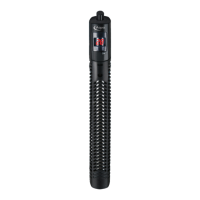
This device serves as an aquarium heater and thermostat, maintaining a stable water temperature within the aquarium. The LCD display shows the current aquarium temperature and allows users to set a desired temperature. It is suitable for various aquarium types, including tropical, marine, and coldwater setups, as indicated by the "TROPICAL," "MARINE," and "COLDWATER" labels on the device. The heater features an external thermostat control for precise temperature adjustments.

Important Technical Specifications

The manual provides specifications for different wattage models:

  • 200W model: Suitable for aquariums up to 200 litres, with a length of 27cm.
  • 300W model: Suitable for aquariums up to 300 litres, with a length of 27cm.
  • 500W model: Suitable for aquariums up to 500 litres, with a length of 30cm.

The heater operates within a temperature range of 17°C to 34°C, adjustable in 1°C increments. It is designed with shatter-proof glass for durability. The device requires a mains supply voltage that matches the voltage shown on its label.

Usage Features

Safety Precautions:

  • Ambient Temperature: The efficiency of the heater can be affected by the ambient temperature outside the aquarium. In low or fluctuating ambient temperatures, a higher wattage heater might be advisable to maintain the desired tank temperature. Avoid setting an unnecessarily high temperature on the thermostat.
  • Read Manual: Users must read the manual carefully before use.
  • Indoor Use Only: The heater is strictly for indoor aquarium use.
  • Voltage Match: Ensure the voltage on the label matches the mains supply.
  • Submersion: Never insert the plug into the socket when the heater is not in the water. Similarly, do not remove the heater from the water when it is plugged in.
  • Cool-down Period: Before removing the heater from the tank, unplug it from the socket and allow it to cool down for 15 minutes.
  • Water Level: The water level must always be at or above the minimum water level mark on the heater.
  • Temperature Verification: Always check the water temperature with a separate thermometer, as the heater's temperature setting may vary slightly.
  • Damage: If the cord or plug is damaged, do not use the heater; discard it.
  • Power Disconnection: Always disconnect all power to the aquarium before placing hands in the water.
  • Cracked Glass: If the heater glass cracks or leaks, first unplug it, then remove the heater from the aquarium. Cracked glass is not covered by the guarantee and cannot be repaired.
  • Child Safety: This appliance is not intended for use by persons with reduced physical, sensory, or mental capabilities, or lack of experience and knowledge, unless supervised or instructed by a responsible person. Special care should be taken when electrical equipment is used by or near children.

Installation:

  1. Placement: Place the heater in the aquarium, securing it to the glass with the suction cups. Ensure it is fully submerged; partial submersion is not allowed. Position the heater near the filter or in an area with good water flow to ensure even heat distribution.
  2. Acclimation: Leave the heater in the water for at least 5 minutes before plugging it in. This allows the unit to adjust to the aquarium's temperature.
  3. Power On: Plug the heater into the socket, ensuring no water or splashes reach the socket. An anti-drip loop in the cable is recommended to prevent water return. After 2 seconds, the aquarium water temperature will appear on the display.
  4. Setting Temperature: Press and hold the in-line switch for 2 seconds until the LCD display flashes "Set Temperature." Repeatedly pressing the in-line switch will increase the temperature value by 1°C increments (from 17°C to 34°C). Once the desired temperature is reached, release the switch. After 3 seconds, the display will stop flashing and show the current aquarium temperature.
  5. Checking Set Temperature: To check the set temperature, press and hold the in-line switch for one second. The "Set Temperature" will display for three flashes before returning to the static aquarium temperature.

Important Note on Auto Shut-Off: The LCD Heater PRO does not have an Auto Shut Off function. It is crucial to switch off the heater when performing water changes or removing it from the aquarium. Failure to do so can cause the heater to malfunction or crack, leading to dangerous aquarium temperatures. This type of damage is not covered by the warranty.

Maintenance Features

  • Cleaning: Dirt, limescale deposits, and algae can accumulate on the heater's glass. Clean the heater regularly using a sponge and a descaling agent. After cleaning, rinse it thoroughly with tap water before returning it to the aquarium.
  • Condensation: A small amount of condensation visible within the heater glass is normal due to the manufacturing process and does not affect the heater's operation.

Recycling Information

The product is marked with a barred bin symbol, indicating it must be collected separately from other waste when no longer operational. Users should take it to a proper rubbish collection centre for electrical and electronic devices. Alternatively, it can be returned to the seller when purchasing a new unit, on a one-to-one basis. Correct refuse collection is environmentally friendly and aids in material recycling. Any other collection procedure is unlawful.

Warranty

The warranty is valid for up to 2 years for material or manufacturing defects from the date of purchase. Only units with a fully completed warranty slip and original till receipt are valid. In case of a warranty claim, the entire unit with accessories must be supplied. The manufacturer will then determine if the unit will be repaired or replaced. The warranty does not cover damage resulting from incorrect use or breakages not due to defects.
Aqua LCD Heater Pro 200W Specifications

General IconGeneral
BrandAqua
ModelLCD Heater Pro 200W
CategoryAquariums
LanguageEnglish