9
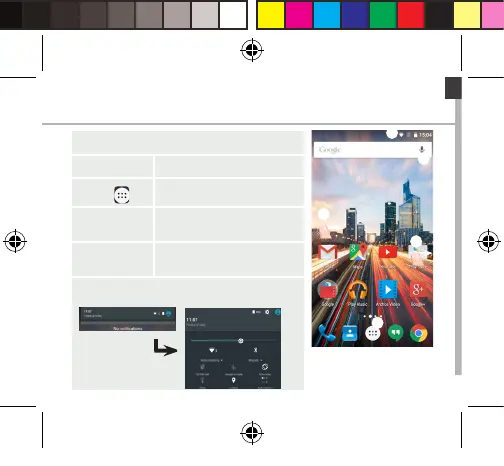
On your homescreen
1. Swipe right to access Google Now
2. Press
to access all your apps
3. Hold your
nger on an app
to move it right and create a new
homescreen.
4. Say “Ok
Google”
to launch the search page.
5. Touch and pull down the status bar to display it.
Touch again the bar to reveal the quick settings.
ARCHOS 55 Helium Plus book.indd 9 01/07/2015 11:49:47









 To Next Page