1010
english
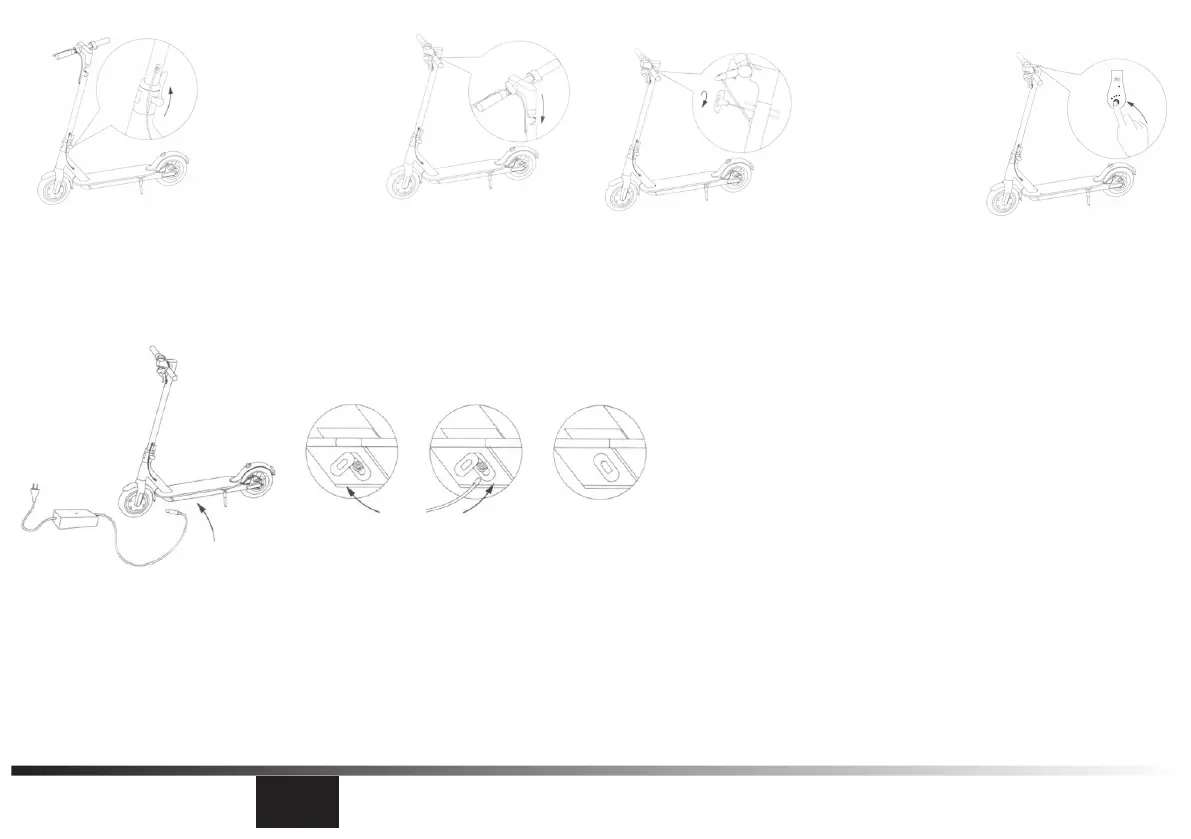
1. Fix the steering column and open the kickstand.
2. Install the handlebar on the steering column.
3. Use the hexagon spanner which is in the packing box to
lock the screws on both sides.
4. Test the power on/o after the installation.
Charging
Only use the charger that was included with your product
1. Connect the charger to a power supply rst.
2. Then connect the charger to the DC-IN Port of the vehicle.
Please, strictly follow this order to charge your device.
During the charging process:
- The red light means charging.
- The green light means that the device is charged.
Assembling


 To Next Page