NORMAL SOUNDS
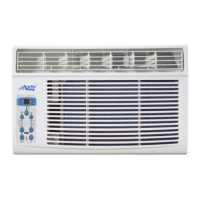
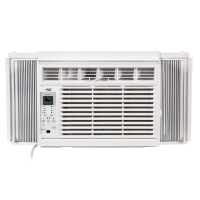
All the illustrations in this manual are for explanation purpose only. Your air
conditioner may be slightly different. The actual shape shall prevail.
NOTE:
AIR CONDITIONER FEATURES
Before you beg in, thoroughly familiarize yourself with the control panel as shown below and all its
functions, then follow the symbol for the functions you desire. The unit can be controlled by the unit
control alone or with the remote.
ELECTRONIC CONTROL OPERATING INSTRUCTIONS
TO TURN UNIT ON OR OFF:
Pre ss ON/OFF button to turn unit on or off.
NOTE:Th e u ni t wi ll i ni ti a te automatically the Energy
Saver function under Cool, Dry,Auto(only Auto-Cooling
and Auto-Fan) modes.
Sound of Ru shing Air
At the front of the unit, you ma y
hear the sound of rushing air
being moved by t he fan
High Pitch ed Ch atter
Hi gh efficiency compressor s
ma y have a hig h pitched ch atter
during the cool ing cycle.
Gurgle/His s
Gur gling or hissing noise ma y
be h eard due to refrigerant
pas sing through evaporator
duri ng normal op eration.
Pinging or Sw itching
Droplets of water hittin g condense r
during no rmal operatio n may cause
pinging or switching sounds.
Vib ration
Unit may vibrate and mak e noise
because of p oor wal l or w indow
construction or incorrect installation.
S lee p
Check
Fi lte r
Fol low
Me
Au to
On /off
Fan
High
Med
Low
En er g y
Saver
on off
Ti mer
Au to
Fa n
Cool
Dry
Mode
TEMP/ TIMER
TEMP/ TIMER
Heat
Sl ee p
Check
Fi lte r
Fol low
Me
Au to
On/o f f
Fan
High
Med
Low
En ergy
S aver
on off
Timer
Au to
Fan
Cool
Dry
Mo d e
TEMP/TIMER
TEMP/TIMER
(Cooling Only Models)
(Electric Heating Models)
TO CHANGE TEMPERATURE SETTING:
Pre ss / UP/DOWN button to change
temper ature setting.
NOTE:Press or hold either UP( ) or DOWN ( ) button
until the desired temperature is seen on the display.
This temperature will be automatically maintained
anywhere between 62 F(17 C) and 86 F(30 C). If
you want the display to read the actual room
temperature, see To Operate on Fan Only section.
O O O O
18


 To Next Page
 Loading...