EasyManua.ls Logo

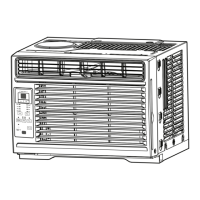
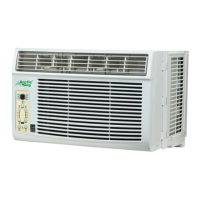
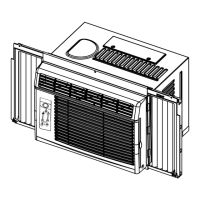
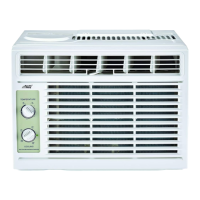
Arctic King WWK05CM91N - User Manual

Arctic King WWK05CM91N
63 pages
Print Icon
To Next Page IconTo Next Page
Loading...
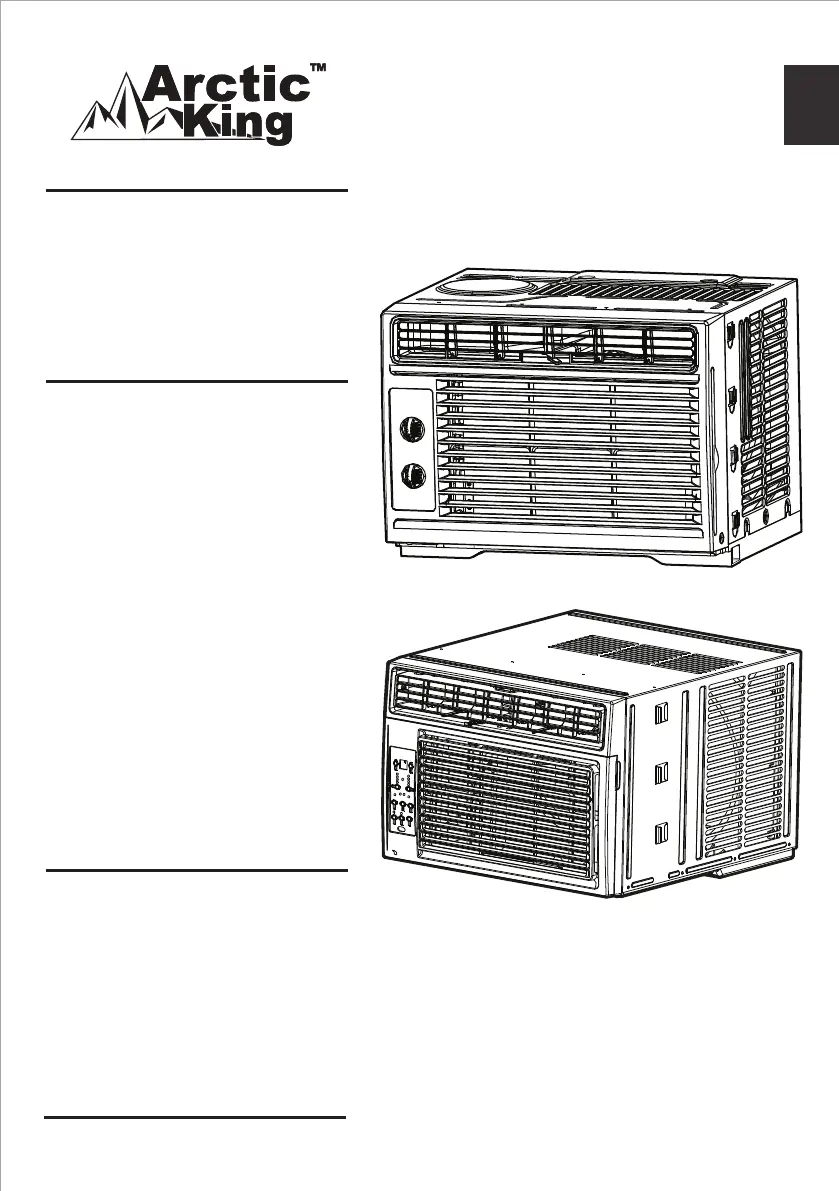
Window Type
version A - 09 - 2018
WWK05CM91N
WWK05CR91N
WWK06CR91N
WWK08CR91N
WWK10CR91N
WWK12CR91N
www.midea.com
USER MANUAL
en
WWK
Warning notices: Before using
this product, please read this
manual carefully and keep it
for future reference.
The design and specifications
are subject to change without
prior notice for product
improvement. Consult with
your dealer or the manufacturer
for details.
Frequency: 60Hz
Capacity: 5000 ~ 12000BTU/h
version A - 09 - 2018

Questions and Answers

  • A
    Anthony Gray MDAug 15, 2025
    Why Arctic King WWK05CM91N Air Conditioner cooling, but room is too warm, with no ice forming?
    • A
      Amy RiveraAug 16, 2025
      There might be several reasons why your Arctic King air conditioner is cooling, but the room remains too warm, and no ice is forming on the cooling coil: * The air filter may be dirty, consider cleaning it. * The temperature might be set too high, so try setting it to a lower temperature. * The air directional louvers might be positioned improperly, consider repositioning them for better air distribution. * The front of the unit might be blocked by drapes, blinds, furniture, etc., restricting air distribution, so clear any obstructions. * Doors, windows, or registers might be open, causing cold air to escape, so close them. * If the unit was recently turned on in a hot room, allow additional time to remove 'stored heat' from walls, ceiling, floor, and furniture.
  • L
    Laurie VaughnAug 18, 2025
    Why is my Arctic King WWK05CM91N Air Conditioner cooling, but room is too warm and ice is forming?
    • J
      Jordan MarshallAug 19, 2025
      If your Arctic King air conditioner is cooling, but the room is too warm and ice is forming on the cooling coil, consider the following: * If the outdoor temperature is below 64°F (18°C), set the unit to FAN ONLY mode to defrost the coil. * A dirty air filter can cause this issue. Clean the filter and set the unit to FAN ONLY mode to defrost it. * If the thermostat is set too cold for night-time cooling, set the unit to FAN ONLY mode to defrost the coil, and then set the temperature to a higher setting.
  • S
    Sharon CherryAug 21, 2025
    Why is there noise when my Arctic King WWK05CM91N Air Conditioner is cooling?
    • A
      Alexis BeanAug 21, 2025
      The noise you hear when your Arctic King air conditioner is cooling could be due to: * Normal air movement sound; if it's too loud, try setting the FAN to a slower speed. * Window vibration caused by poor installation; in this case, refer to the installation instructions or check with the installer.
  • A
    Ashley ShortAug 25, 2025
    What to do if my Arctic King WWK05CM91N does not start?
    • A
      Andrew NobleAug 25, 2025
      If your Arctic King air conditioner isn't starting, here are a few things to check: * Make sure the wall plug is firmly pushed into the wall outlet. * Check if a house fuse has blown or a circuit breaker has tripped; replace the fuse with a time-delay type or reset the circuit breaker. * If the unit has a plug current device, check if it has tripped and press the RESET button. * Ensure that the power is turned on and set to the desired setting. * If the unit was recently turned off and then on quickly, turn it off and wait 3 minutes before restarting.
  • G
    griffinmariaAug 27, 2025
    Why does my Arctic King Air Conditioner turn on and off rapidly?
    • R
      Richard ClarkAug 27, 2025
      Your Arctic King air conditioner might be turning on and off rapidly due to: * A dirty air filter restricting airflow, so try cleaning the air filter. * Extremely hot outside temperatures; in this case, set the FAN speed to a higher setting to circulate air past the cooling coils more frequently.
  • J
    Jacob LaraAug 30, 2025
    Why Arctic King Air Conditioner air from unit does not feel cold enough?
    • W
      Wendy ParkerAug 30, 2025
      If the air from your Arctic King air conditioner doesn't feel cold enough, it could be due to these reasons: * If the room temperature is below 62°F (17°C), cooling may not occur until the room temperature rises above this level. * The temperature sensing element might be touching the cold coil behind the air filter; if so, straighten the tube away from the coil. * Consider resetting to a lower temperature. * If the compressor shut off by changing modes, wait approximately 3 minutes and listen for the compressor to restart when set in the COOL mode.
  • R
    Robert SnyderSep 2, 2025
    Why is my Arctic King Air Conditioner room too cold?
    • D
      Dave FloresSep 2, 2025
      If your Arctic King air conditioner is making the room too cold, it's likely that the temperature setting is too low. Try increasing the temperature setting.
  • T
    Thomas GreenSep 5, 2025
    Why is water dripping outside when my Arctic King WWK05CM91N is cooling?
    • A
      Amanda ArmstrongSep 5, 2025
      If water is dripping outside when your Arctic King air conditioner is cooling, it is normal during excessively humid days because the unit is removing a large quantity of moisture from the humid room.
  • E
    Emily DavisSep 9, 2025
    Why is water dripping inside when my Arctic King WWK05CM91N is cooling?
    • N
      Natalie HunterSep 9, 2025
      If water is dripping inside when your Arctic King air conditioner is cooling, it is likely due to improper installation. Tilt the air conditioner slightly to the outside to allow for water drainage.
  • Y
    yvonnesotoSep 12, 2025
    Why is remote sensing deactivating prematurely on my Arctic King WWK05CM91N Air Conditioner?
    • B
      Benjamin ShannonSep 12, 2025
      If the remote sensing is deactivating prematurely on your Arctic King air conditioner, make sure that: * The remote control is located within a 20 feet & 180° radius of the front of the unit. * There are no obstructions blocking the remote control signal; if there are, remove them.

Summary

Safety Precautions

Understanding Safety Symbols

Explains symbols indicating risk levels and appliance warnings.

General Electrical Safety

Covers proper plugging, grounding, and handling of power cords.

Operational and Environmental Safety

Safe Operation Practices

Advises on safe operation, cleaning, and avoiding hazards.

Environmental Considerations

Mentions ventilation for gas appliances and avoiding water contact.

Specific Safety Warnings and Guidelines

General Use and Preservation

Prohibits using the AC for preserving items and advises on extended non-use.

Refrigerant (R32) Safety

Details risks and handling procedures for flammable refrigerants.

Electrical Information and Grounding

Power Cord Safety

Highlights the current detection device and cord damage replacement.

Grounding Requirements

Emphasizes proper grounding for shock and fire hazard prevention.

Accident Prevention and Device Operation

Preventing Accidents

Lists general precautions for fire, shock, and injury.

Operation of Current Device

Explains how to test the power supply cord's current detection device.

Understanding Normal Sounds

Sound of Rushing Air

Describes the fan noise during operation.

High Pitched Chatter

Explains compressor noise during cooling.

Trickling Sound

Describes water droplets hitting the condenser.

Gurgle;Hiss

Explains refrigerant flow noises.

Vibration

Notes unit vibration from installation or construction.

Air Conditioner Operation Guide

Operating Conditions

Lists recommended outdoor and indoor temperatures for cooling and heating.

General Operating Notes

Covers humidity, performance outside temperature range, and control familiarity.

WKK05 CM Unit Control Features

Thermostat Operation

Explains setting room temperature with the thermostat dial.

Cooling Mode Selection

Describes selecting cooling intensity (High Cool, Low Cool).

Fan Mode Selection

Explains choosing fan speeds for air circulation.

Electronic Control Operation

Turning Unit On;Off

How to use the ON/OFF button.

Temperature Setting

How to adjust temperature using UP/DOWN buttons.

Fan Speed Adjustment

How to select fan speed via the FAN button.

Advanced Operating Features

Sleep Feature

How to activate and manage sleep mode for temperature adjustments.

Check Filter Reminder

Explains the filter cleaning reminder function.

Energy Saver Feature

How to use the energy saving mode with fan/compressor cycling.

Operating Modes (Auto, Fan Only, Dry)

Details how to select and use Auto, Fan Only, and Dry modes.

Timer and Error Code Information

Auto Start;Stop Timer

How to set auto start and stop times for the unit.

Display and Error Codes

Explains the display readings and common error codes (AS, ES).

Additional Operating Information

Fresh Air Vent Control

Explains vent operation for recirculating, fresh air, and exhaust.

Air Directional Louvers

How to adjust louvers for up/down and left/right air direction.

Installation Requirements and Tools

Before You Begin Installation

General warnings and important notes before starting installation.

Window Compatibility and Measurements

Details window opening requirements and model measurements.

Tools Needed for Installation

Lists essential and recommended tools for installation.

Window Preparation and Unit Assembly

Preparing the Window Area

Instructions on window opening, airflow, and mounting hardware.

Assembling the Top Rail

Steps for attaching the top rail to the unit for specific models.

Installing Accordion Panels

Attaching Top Rail

Securing the top rail to the unit with screws.

Installing Side Panels

Guides on fitting and securing the accordion side panels.

Securing the Unit in the Window

Unit Placement and Tilt

Positioning the unit in the window and ensuring correct tilt for drainage.

Extending Side Panels

How to extend the side panels to fit the window frame.

Installing Support Bracket

Steps for attaching frame locks and support brackets to the window sill.

Installation Details and Storm Windows

Securing Lower Sash and Foam Seal

Attaching sash locks and inserting foam seal for secure fitting.

Handling Storm Window Obstructions

How to manage storm windows blocking the unit.

Removing AC from Window

Steps for safely removing the air conditioner from the window.

Care and Cleaning Procedures

Air Filter Cleaning

Instructions on checking, removing, washing, or vacuuming the air filter.

Cabinet Cleaning

How to clean the unit's exterior cabinet and controls.

Winter Storage

Guidance on storing the unit during winter.

Troubleshooting Common Issues

Unit Not Starting

Solutions for power issues, tripped breakers, and device errors.

Insufficient Cooling

Addresses issues with room temperature, ice formation, and dirty filters.

Rapid Cycling Issues

Explains why the unit might turn on/off rapidly.

Troubleshooting Noise and Water Issues

Noise During Operation

Explains normal sounds and vibration issues.

Water Dripping Problems

Solutions for water dripping inside or outside the unit.

Remote Sensing Issues

Troubleshooting for remote control range and obstruction.

Room Too Cold

How to adjust temperature when the room becomes too cold.

Remote Control Handling and Battery Replacement

Remote Control Location and Operation

Guidelines for using the remote control and signal reception.

Replacing the Remote Battery

Steps for replacing batteries in the remote control.

Remote Control Specifications and Notes

Technical Specifications

Lists model, voltage, range, and environmental specs for the remote.

Important Notes on Remote Use

Clarifies button design variations and manual precedence.

Remote Control Function Buttons

Basic Operation Buttons

Explains ON/OFF, Mode, Temp Up/Down, Timer, and Speed buttons.

Special Function Buttons

Details Energy Saver, One Touch, and Sleep mode buttons.

Operating Modes with Remote

Auto Operation Guide

How to use Auto mode with the remote, including notes.

Cooling;Fan Operation Guide

How to use Cool and Fan modes with the remote.

Advanced Remote Operations

Dehumidifying Operation Guide

How to use Dry mode with the remote.

Timer Operation Guide

How to set Auto Start/Stop timers using the remote.

Combined Timer Functions

Auto Stop > Auto Start

Setting the unit to stop and then start later.

Auto Start > Auto Stop

Setting the unit to start and then stop later.

Energy Saver Mode Details

Energy Saver Operation Explanation

How the fan and compressor cycle in Energy Saver mode.

Compliance and FCC Notes

Information on FCC compliance and potential interference.

Air Conditioner Limited Warranty

Warranty Coverage and Service

Details the one-year warranty and Midea's service responsibilities.

Consumer Responsibilities and Exclusions

Lists what the consumer must do and what the warranty does not cover.

Obtaining Warranty Service

Provides steps and contact information for warranty service.

Return Policy Information

Product Return Guidelines

Explains the 90-day return policy and warranty coverage after that period.

Customer Assistance

Provides customer service contact for assistance with installation or operation.

Arctic King WWK05CM91N Specifications

General IconGeneral
TypeWindow Air Conditioner
Cooling Capacity5, 000 BTU
Room SizeUp to 150 sq. ft.
Energy Efficiency Ratio (EER)11.0
Voltage115V
Fan Speeds2
Operating ModesCool, Fan
Air FilterWashable
InstallationWindow
ThermostatAdjustable

Related product manuals