23
device switches on in summer ventilation mode (indicator ).
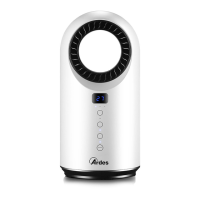
The display (2) will show the room temperature.
- When the device is switched on, press this button to turn it o.
Wait 30 seconds until the fan will stop; then switch o the appliance
by setting the main switch (6) to “0“.
Mode button
When the device is switched on, press this button to change the operating
mode:
- ventilation (indicator );
- minimum heating (indicator );
- maximum heating (indicator ).
Swing button
Press this button to activate or deactivate the automatic swing function
of the device. When the swing function is active, the corresponding
indicator lights up.
Timer button
Press the TIMER button when the device is working to program
automatic switch-o at an interval of between 1 to 12 hours from when it
is programmed. Every time the button is pressed, the interval increases
by one hour.
A few seconds after selecting the timer, the display (2) will show the room
temperature again.
When the timer function is activated, the indicator lights up on
the control panel. To disable the timer function, press the timer button
repeatedly until the display shows “0 0”.
Button
Press one of these buttons to set the desired room temperature
(automatic function); the set temperature will ash on the display (2).


 To Next Page