24
Instructions for use
Place the fan on a at, dry and stable surface, be sure the main switch (8)
is in O position (O) and insert the plug of the fan in a socket.
Turn the product on by pressing the main switch (8) in on position (I); the
unit will emit a short “BIP” sound twice. The unit is now in stand-by mode.
For your convenience the unit can be operated by using control panel in
the main body or using remote control included.
FAN / HEATING OPERATION SWITCHES
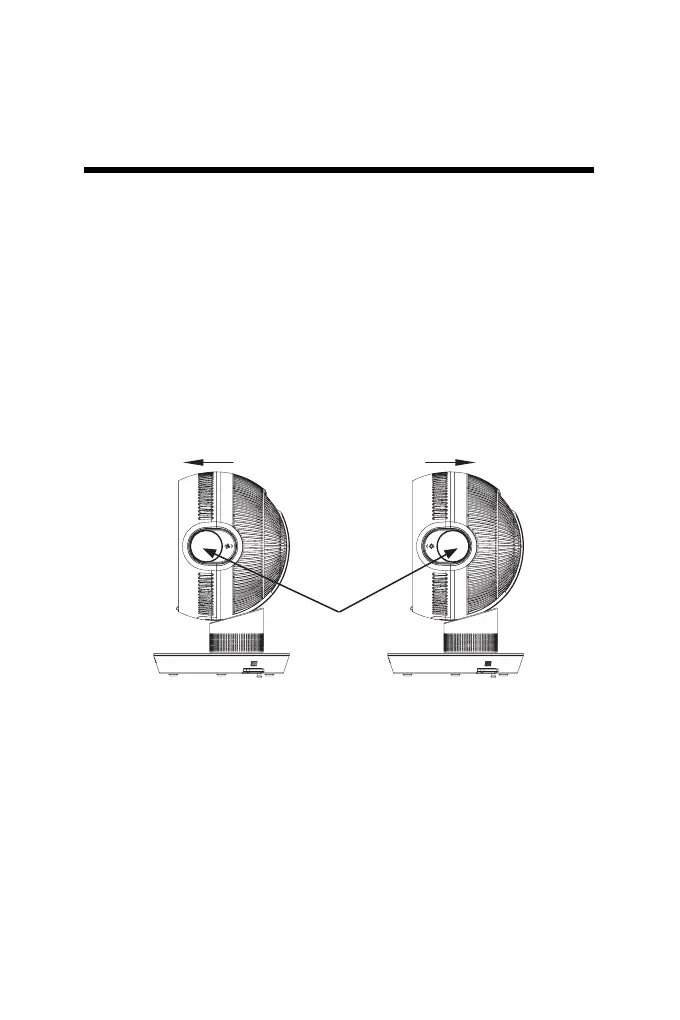
To use the product in the most ecient way it is necessary to move the
switches to the mode you want to use:
-HEATING MODE: pull the switches forward. This will help to reduce
the entry of cold air and make the warm air feel warmer and more
concentrated.
-FAN MODE: push the switches back. This will make the air inlet volume
larger and the noise will be signicantly reduced.
NOTICE: please move both left and right switches together
HEATING MODE FAN MODE
switches



 To Next Page