ARC-5020-3 Installation instructions for MacPro
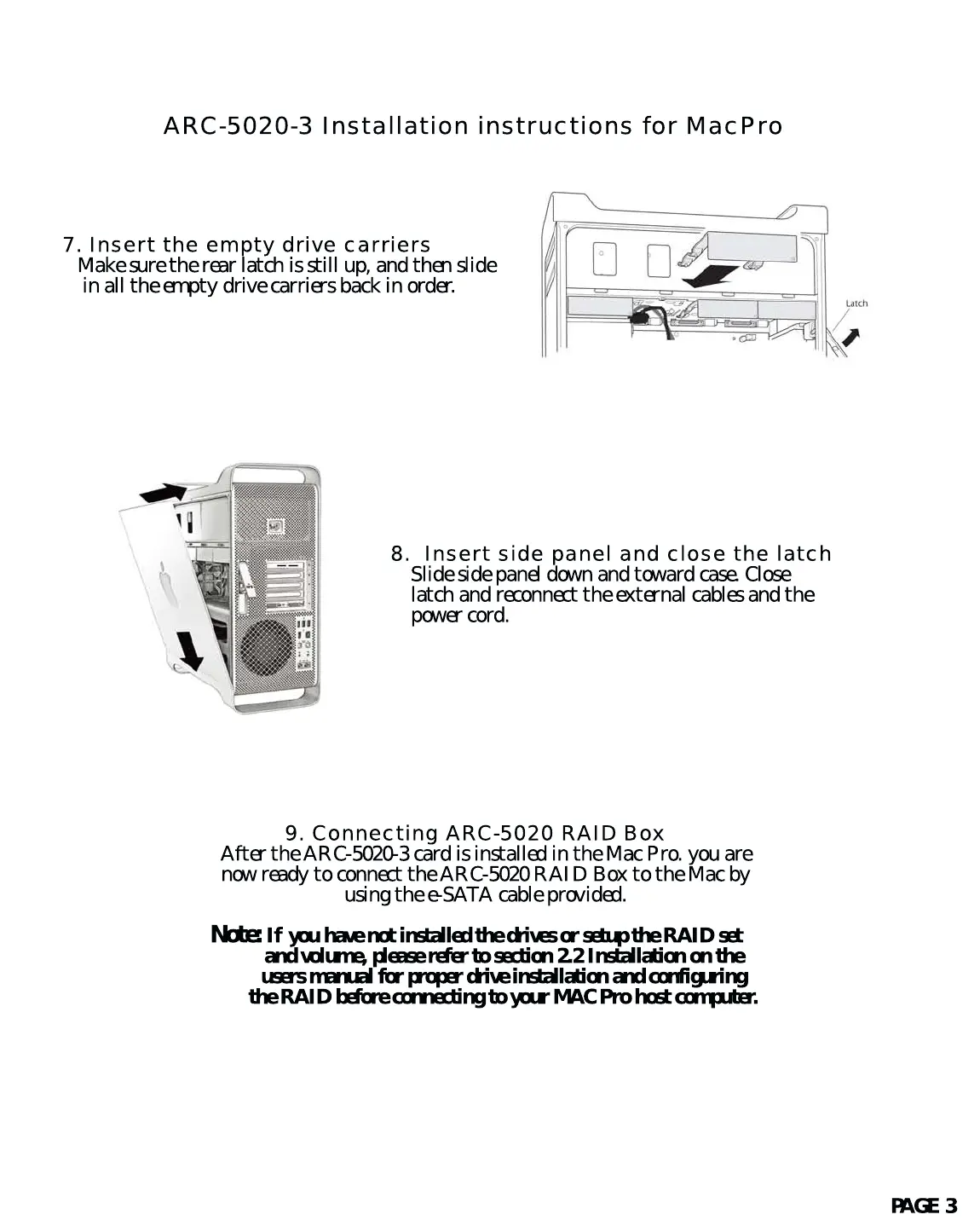
8. Insert side panel and close the latch
Slide side panel down and toward case. Close
latch and reconnect the external cables and the
power cord.
9. Connecting ARC-5020 RAID Box
After the ARC-5020-3 card is installed in the Mac Pro. you are
now ready to connect the ARC-5020 RAID Box to the Mac by
using the e-SATA cable provided.
Note:
If you have not installed the drives or setup the RAID set
and volume, please refer to section 2.2 Installation on the
users manual for proper drive installation and configuring
the RAID before connecting to your MAC Pro host computer.
7. Insert the empty drive carriers
Make sure the rear latch is still up, and then slide
in all the empty drive carriers back in order.
PAGE 3



 To Previous Page