7
AUDIO IN
R
L
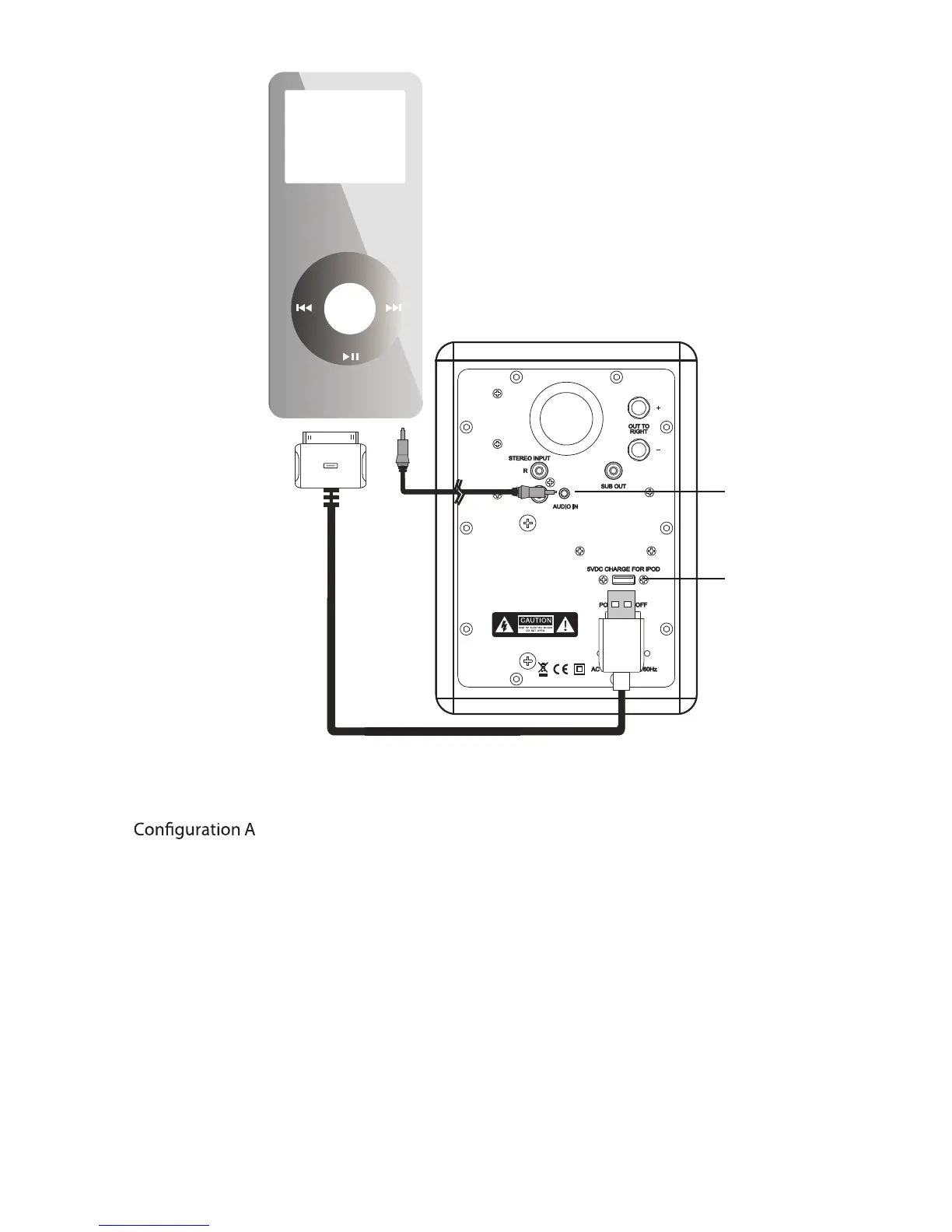
(for use with iPod, mobile phone, PC or other products with mini-jack output):
A1. For charging your iPod while playing, connect the 30 -pin cable from the iPod
to USB jack on the Combo Port. Use a USB extender Cable if
extra cable length is needed (for use on a desktop, for example).
A2. Connect the long 1/8” mini-jack audio cable from iPod headphone jack to the
AUDIO IN jack on the Combo Port.
The mini-jack cable also will be used - typically for connecting to other portable
devices, mobile phones or to a PC.
Notice: for an audio source with mini-jack output, always use the mini-jack input
on the speaker as well. If an adaptor cable from mini-jack to RCA is used, the
sensitivity might be different and the speaker might play at a lower volume.
MENUMENU
AUDIO INPUT
A1
A2
USB CHARGE
BACK VIEW



 To Next Page