
EasyManua.ls Logo

Argos S-168E - User Manual

Argos S-168E
6 pages
Print Icon
To Next Page IconTo Next Page
Loading...
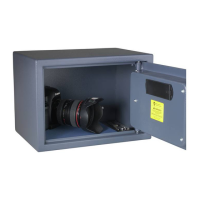
Digital Safe
Always Read the Instruction Manual
NEVER LOCK YOUR SPARE OVERRIDE KEYS OR THE INSTRUCTION MANUAL IN THE SAFE.
ONCE THE BATTERIES DEPLETE, YOU WILL NEED TO USE THE KEYS TO OPEN THE SAFE.
SPARE KEYS ARE UNAVAILABLE!
THIS MANUAL CONTAINS IMPORTANT INFORMATION REGARDING THE
OPERATION AND MAINTENANCE OF THE SAFE READ THE MANUAL
BEFORE SECURING ITEMS IN THE SAFE
SAVE THIS MANUAL FOR FUTURE REFERENCE
MODELS: S-168E
1
4
7
*
Q
GHI
PRS
3
6
9
#
DEF
MNO
WXY
2
5
8
0
ABC
JKL
TUV
Z

Questions and Answers

  • D
    Daniel MeadowsAug 2, 2025
    What to do if my Argos Safe won't open even though the PIN works?
    • S
      Spencer RoyAug 3, 2025
      If your PIN works and the green light illuminates, but the Argos safe still won't open, the batteries may be too low to operate the lock relay. Use the override keys and replace the batteries.
  • A
    Andrew StephensonAug 7, 2025
    How to fix an inoperable keypad on Argos S-168E?
    • S
      Savannah GonzalesAug 7, 2025
      If the keypad on your Argos safe becomes inoperable, it may be due to low or depleted batteries. Use the override keys and replace the batteries.
  • S
    Sarah OrozcoAug 13, 2025
    Why did my Argos Safe reset the code after changing the batteries?
    • S
      Sandra SandersAug 13, 2025
      If your Argos safe resets its code after a battery change, and your original code is no longer valid, it may be because the batteries were completely depleted for more than a day. Try the factory default code 159 or use the override key; then refer to the user manual to reset your original code or to enter a new code.
  • R
    rothdawnAug 17, 2025
    What does it mean when both red and green lights flash on my Argos Safe?
    • C
      Corey ParkerAug 17, 2025
      If the red and green LED lights on your Argos safe illuminate simultaneously when you enter the correct PIN, the batteries are depleted. Immediately replace the batteries.
  • S
    Sharon RaymondAug 23, 2025
    How to fix a stuck backup key in Argos S-168E Safes?
    • D
      Dr. Christian AcevedoAug 23, 2025
      If you're having trouble inserting the backup key into the keyhole of your Argos safe, spray WD40 inside the keyhole, wait a few minutes, and then try again.
  • A
    Aaron PatelAug 27, 2025
    What to do if new batteries don't fit in my Argos Safe?
    • C
      Chris OrtizAug 27, 2025
      If the batteries you bought don't fit your Argos safe, it's because batteries can vary in size. Try another brand.

Summary

Safe Diagram and Components

Diagram of Safe Components

Visual representation of the digital safe's parts including LEDs, keypad, and lock.

Important Information and First-Time Operation

First-Time Operation Steps

Steps to open the safe using the override key and prepare for PIN setting.

Programming and Using Your PIN Number

Programming Your PIN Number

Instructions for setting and changing the safe's PIN code.

Opening the Door Using Your PIN

Procedure for accessing the safe using the programmed PIN.

Alternative Access and Maintenance

Opening with Override Key

How to open the safe using the manual override keys.

Battery Replacement Guide

Guide on replacing the batteries for the digital safe.

Securing Your Safe

Recommendations and steps for mounting the safe to a wall or floor.

Troubleshooting Common Issues

Important Safety Warnings and Guarantee

Key Safety Warning

Critical warning about not locking spare keys or the manual inside the safe.

Product Guarantee and Disclaimer

Information on the product's warranty, usage limitations, and user responsibility.

Argos S-168E Specifications

General IconGeneral
BrandArgos
ModelS-168E
CategorySafes
LanguageEnglish