ARGtek Communication Inc. www.argtek.com
E-Mail:sales@argtek.com Tel:+ 886-2-2999-6958 Fax :+ 886-2-2999-7742
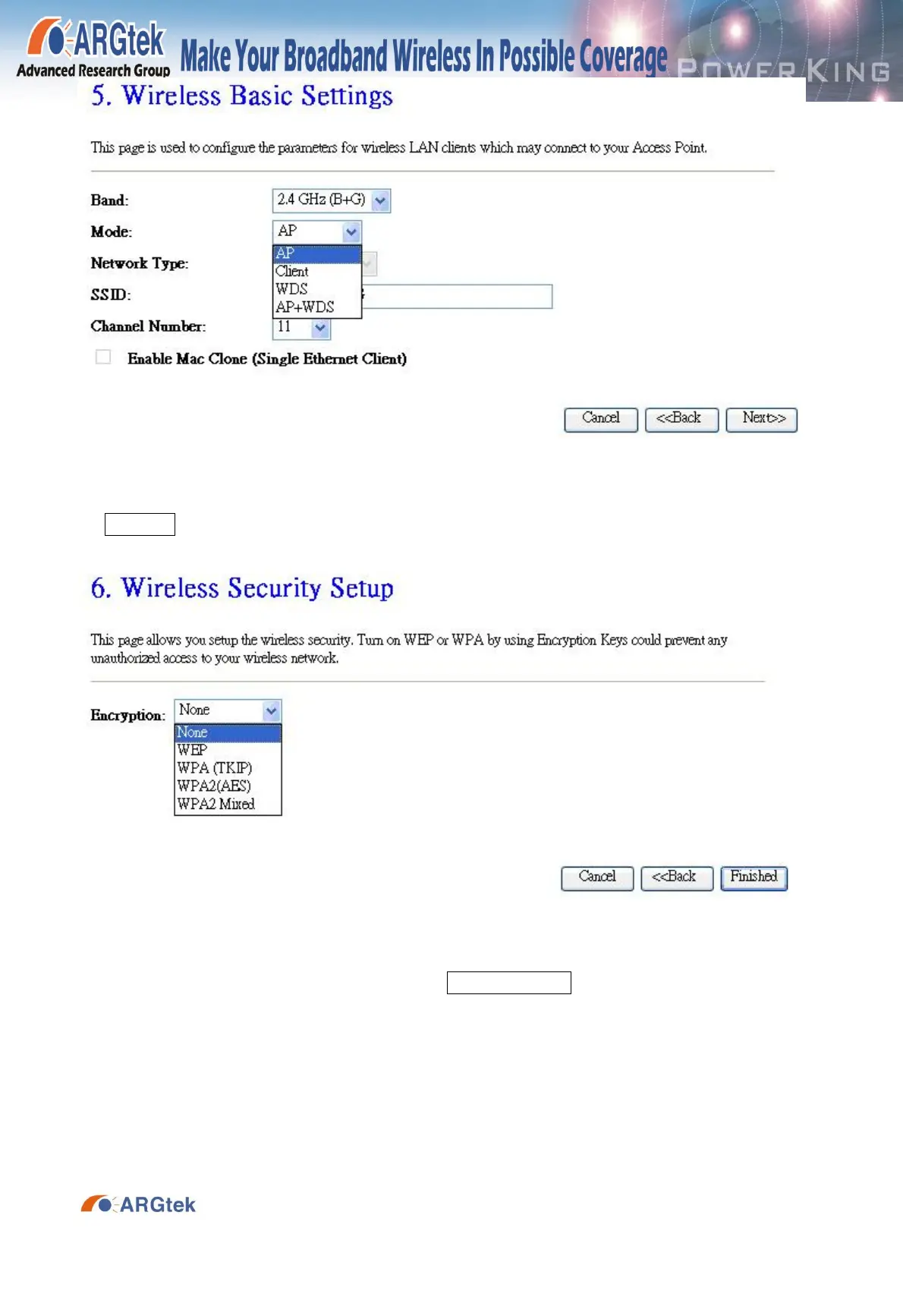
2-9. In Wireless Security, select your setup of wireless security (WEP, WPA) and press
Finished to reboot, and wait for 20 seconds for reboot.
2-10. Select the TCP/IP Settings from left side of setup frame and choice LAN Interface.
Then choosing Disable from DHCP and press Apply Changes to reboot around 20 seconds to
complete the setup.


 To Next Page