ARGtek Communication Inc. www.argtek.com
E-Mail:sales@argtek.com Tel:+ 886-2-2999-6958 Fax :+ 886-2-2999-7742
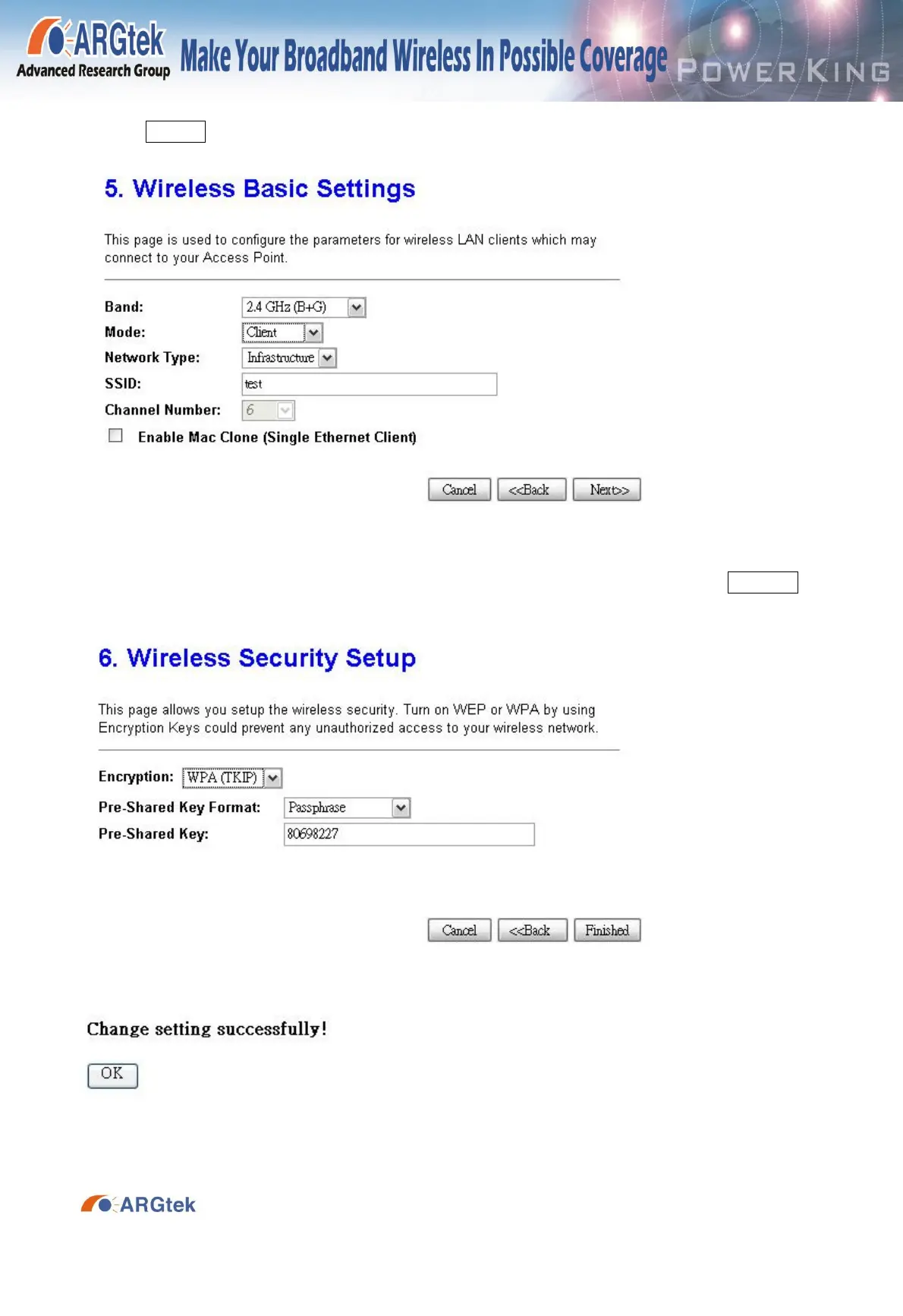
3-8. In Wireless Basic Setting, select Client for your Mode and change your SSID setup, then
press Next>>
3-9. In Wireless Security, select your setup of wireless security (WPA) and press Finished to
reboot around 20 seconds, and wait for 20 seconds for reboot.
Note: Please connect cable line with LAN port when you use WISP Mode.


 To Previous Page