ARGtek Communication Inc. www.argtek.com
E-Mail:sales@argtek.com Tel:+ 886-2-2999-6958 Fax :+ 886-2-2999-7742
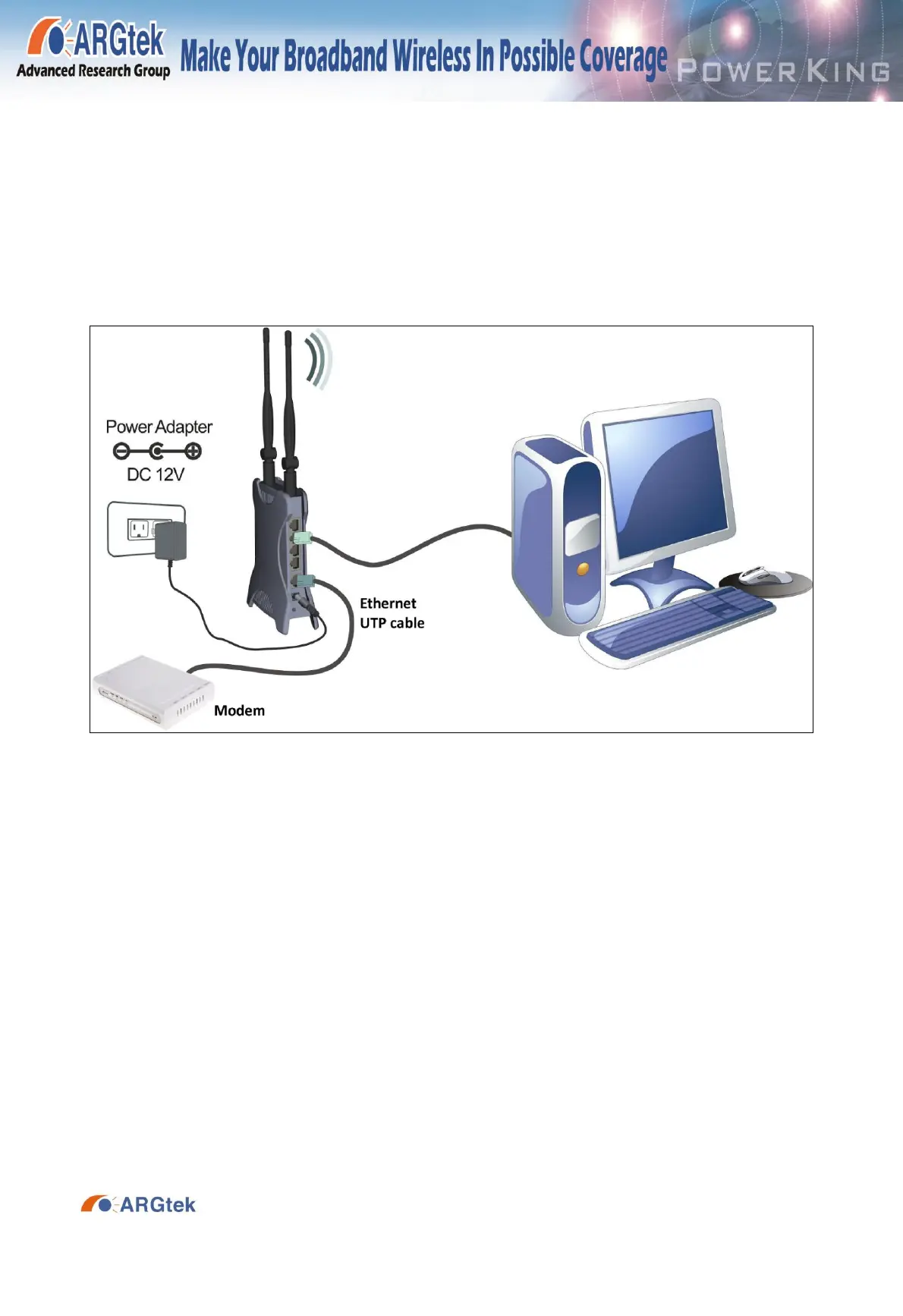
1. Turn off your PC(s), cable/ ADSL modem and the router.
2. Adjust the antenna if needed. Normally, straight up on router is good.
3. Connect the PC(s) and each switch/hub on your local area network to the LAN ports on
the router.
4. Connect the ADSL/DSL/cable modem to the router WAN port.
5. Connect the power adapter between the DC-Jack on the router and an electrical outlet.
The router will start to work automatically.
6. Turn on your PC(s) and the cable/ADSL modem.
.
The front LED indicators


 To Next Page