The AP Router is delivered with the following factory default parameters on the Ethernet LAN interfaces.
Default IP Address: 10.10.10.254
Default IP subnet mask: 255.255.255.0
Web login User Name: admin
Web login Password: admin
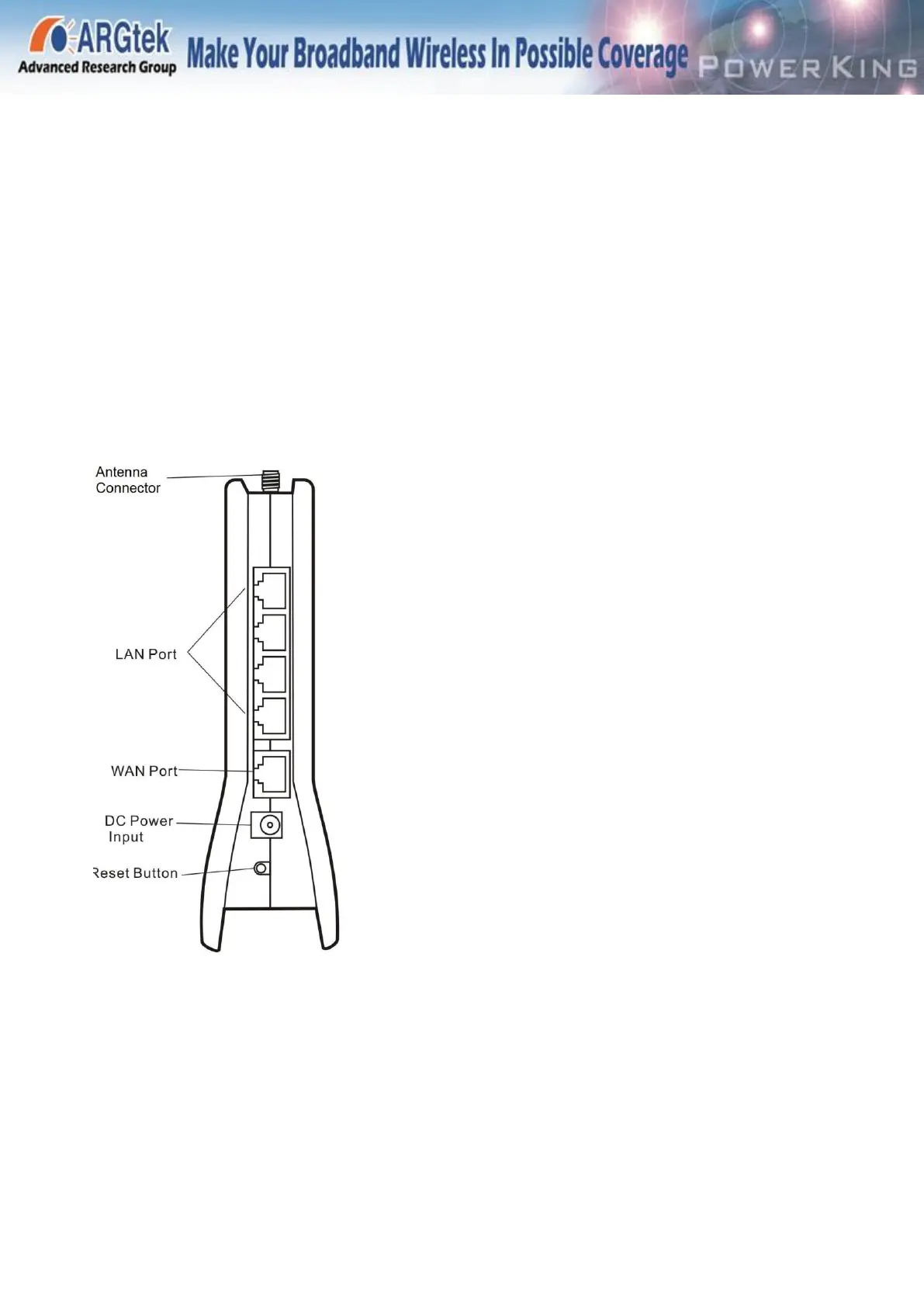
I. Connect Antenna, plug the power adapter, and locate the Ethernet cable to the 1211’s LAN port
(1~4)
And the end port connect to PC or Notebook.
Waiting for like 10~20 to power on.
LAN Port : Four local Ethernet ports for connecting the local computers
WAN port for connecting to a cable or ADSL modem
Reset Button -Factory default reset button
DC Power Intput – Connect Power Adapter



 To Next Page