Arkbird
3. The Receiver’s ID Code matching / Failsafe Protection
Press the SET button on the receiver for 10 seconds, then the receiver enters the ID code waiting
status, LED flickers fast (5 times per second). Now reopen the transmitter to match Code. If succeeded,
the receiver will automatically enter into the FHSS working condition.
Press the SET button of the receiver for 5 seconds, set the failsafe protection. (The LED will
flicker slowly for 3 times after the setting.)
If the receiver is receiving the signal, the status LED will flicker fast, otherwise flicker slowly (one
second one time).
Please place the receiver antenna vertically and away from the interference source such as camera
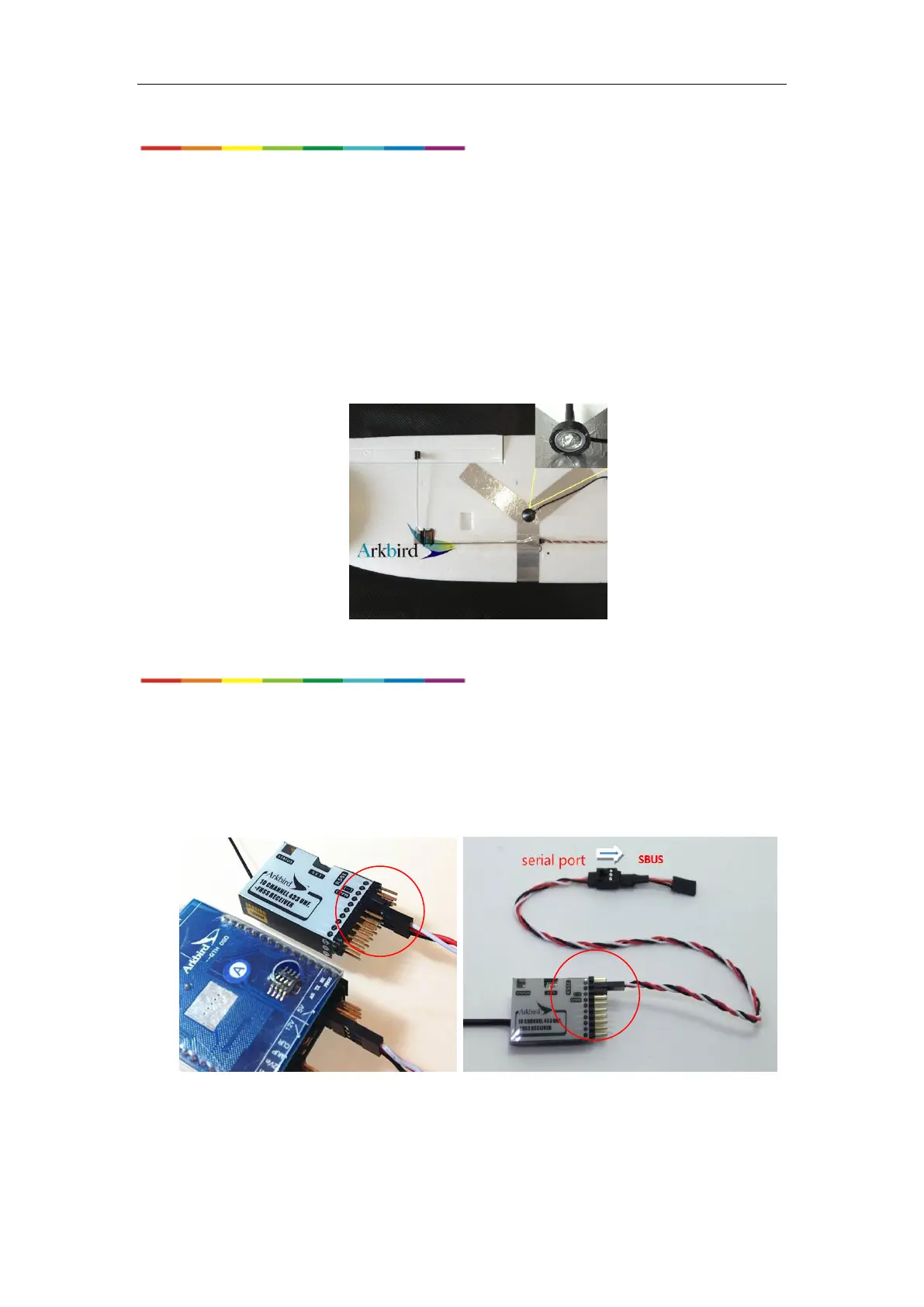
& video TX, make grid antenna with 18cm foil paper, increasing the gain for long-distance flight. (Bottom
of the antenna metal position connected to the grid antenna)
4. Receiver Single-line PPM & RSSI Output , and SBUS function
Make a short circuit between the Channel 8’s signal to the 5V (in the middle row) using jumper cap.
Then channel 7 will output composite PPM signal. It can be connected to Arkbird OSD ’s AR port, and
make single-wire transfer of the 10 channels and RSSI value.
And, the Channel 9, after passing through a SBUS inverter, it can connect with other types of
SBUS controllers.
On the Arkbird OSD 1.0, the original 1-4 channel input ports which used to connect common
receivers, automatically become output ports which will output the controlling value of channel 7-10 of the
remote control.


 To Next Page
 Loading...