5
Remote Control
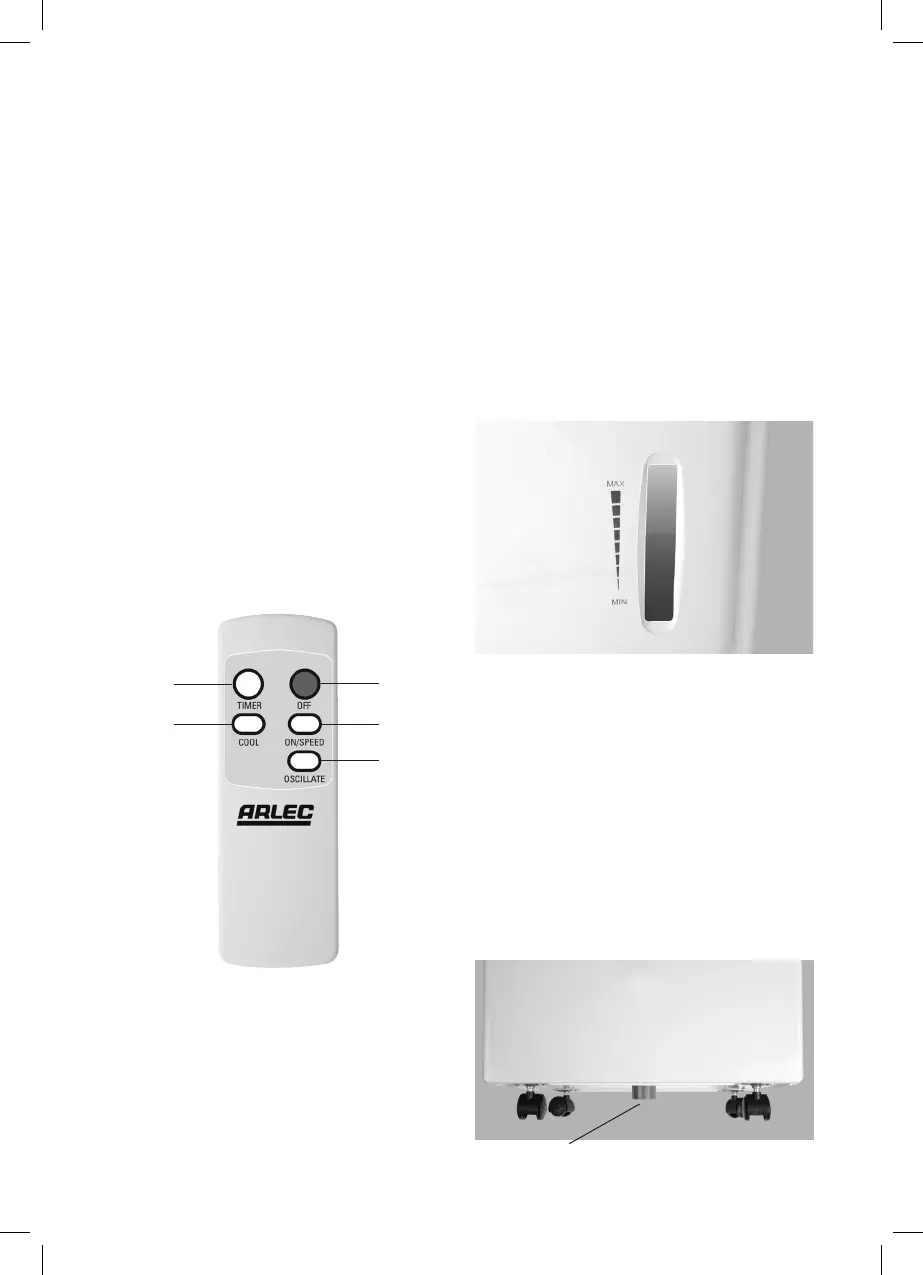
• Thisremotecontrolrequires2XAG13
(LR44) alkaline 1.5V batteries.
• Toinstallthebatteries,remove
the battery cover then insert the
batteries in right polarities (+/-).
Replace the battery cover before
use.
• Theremotecontrolhasallthesame
functions as the buttons on the
control panel of the air cooler.
• Tousetheremotecontrol,make
sure that the air cooler unit is
plugged into the mains supply, then
point the remote at the sensor on
the top of the main unit, and press
the desired button.
• Theremotecontroloperatingrange
is 7 meters. It is ideal not to have
any obstacles between the remote
and the sensor.
STORAGE AND DRAINAGE
Sufficient water needs to be stored in
the storage tank (at the bottom of the
unit) to ensure supply of cool air.
Before storing water in the unit, switch
the unit off and unplug from the
mains supply. Water is poured into
the storage tank through the water
entrance on the side of the unit as
shown below to appropriate level
(from the water level indicator in the
front of the unit).
Make sure that the water storage tank
is re-filled once it runs out.
To drain the water when the unit is not
in use.
1. Position a water tray flat on the floor,
beneath the drain hole.
2. Unscrew the drain cap at the bottom
of the unit and then remove the
water plug from the drain hole,
allowing the water to drain out.
(refer to figure below)
3. When the drain tray is almost full
replace the water plug into the drain
hole and empty the tray.
1. Power ON/OFF
2. Fan Speed
3. Louver Oscillation ON/OFF
4. Timer ON/OFF
5. Cool ON/OFF
1.
2.
3.
4.
5.
Drain cap location


 To Next Page