To start setup, tap Devices and then , and select
Doorbells & Chimes > Video Doorbell 2nd Generation
and follow the prompts.
32
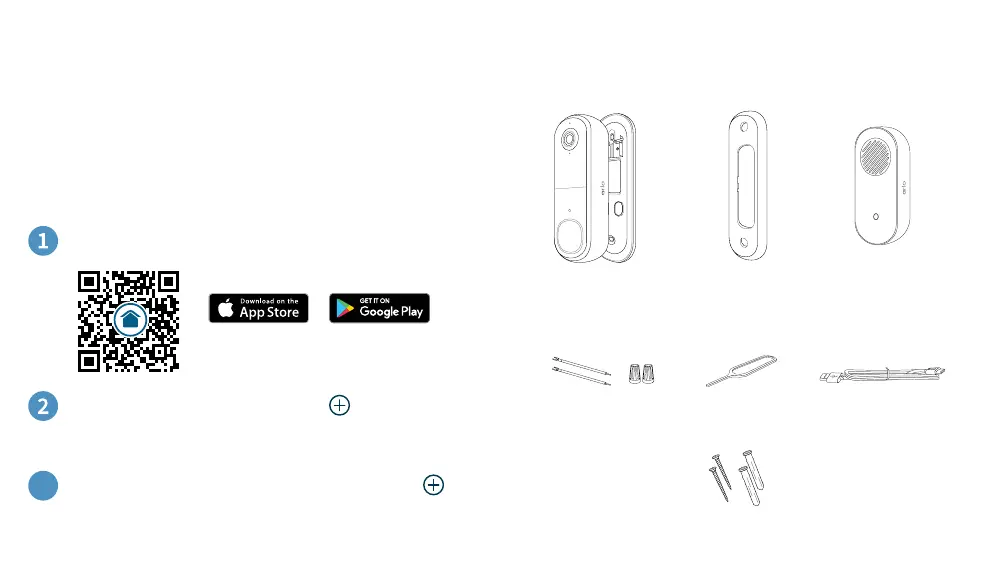
What’s in the boxGet Started
For the best experience: We recommend you fully charge
your battery before setup. Access the charging port by using
the included Release Pin to remove the Mounting Plate
(see page 3). The LED on the front of the video doorbell will
turn solid blue when 100% charged.
Or go to arlo.com/app/secure/
Download the Arlo Secure App:
Aer the doorbell is setup, go to Devices then tap .
Select Doorbells & Chimes > Chimes > Chime 2 and
follow the prompts.
3
USB Charging
Cable
Wire Extension
Kit
Angled Bracket
(Optional)
Release Pin
Arlo Video Doorbell
& Mounting Plate
Screw Kit
Chime 2


 To Next Page
 Loading...