EasyManua.ls Logo

Aroma BREADCHEF ABM-220 - Page 14

Aroma BREADCHEF ABM-220
25 pages
Print Icon
To Next Page IconTo Next Page
To Previous Page IconTo Previous Page
Loading...
OPERATIONS
&
PROCEDURES
THE
OPERATION
BUTTONS
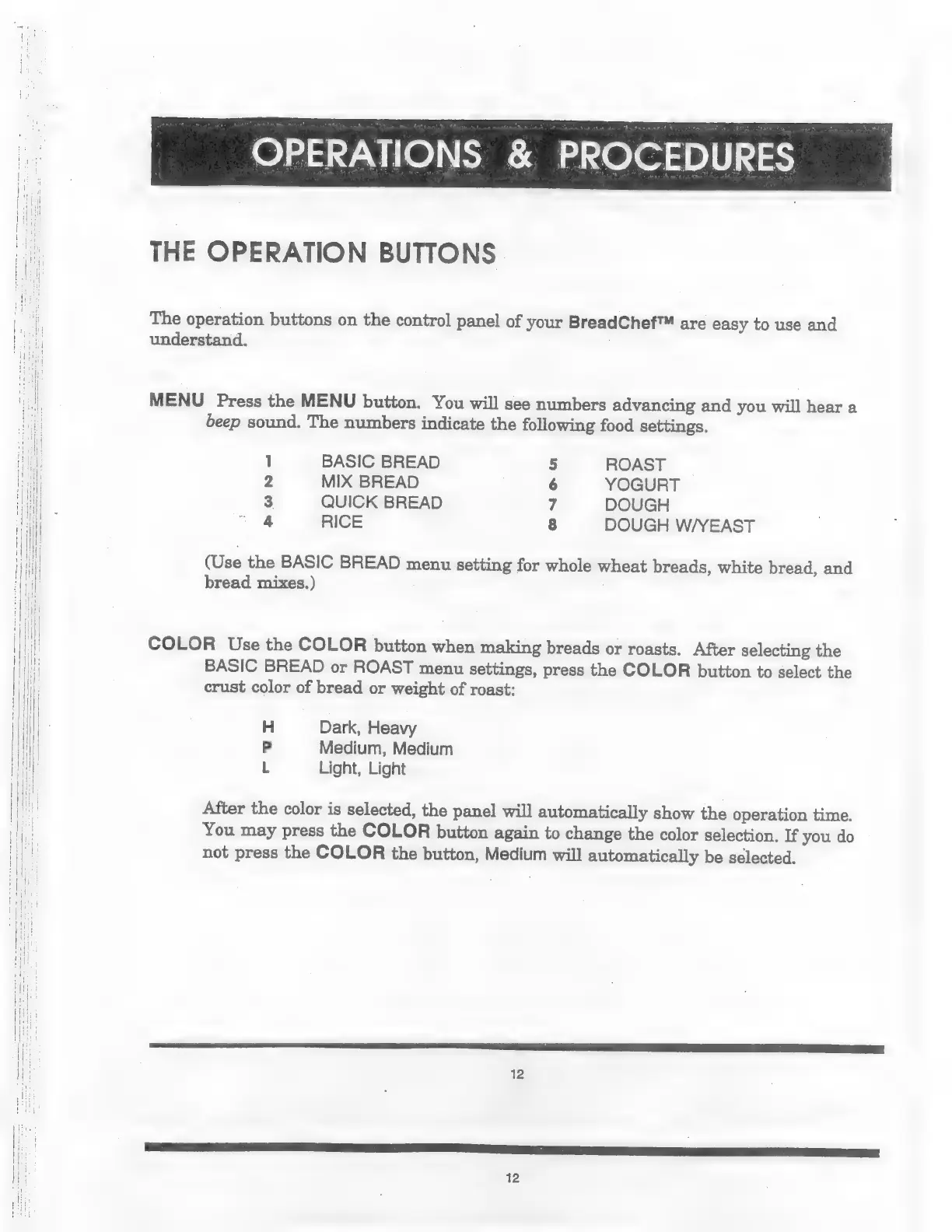
The
operation
buttons
on
the
control
panel
of
your
BreadChef™
are
easy
to
use
and
understand.
MENU
Press
the
MENU
button.
You
will
see
numbers
advancing
and
you
will
hear
a
beep
sound.
The
numbers
indicate
the
following
food
settings.
1
BASIC
BREAD
5
ROAST
2
MIX
BREAD
6
YOGURT
3
QUICK
BREAD
7
DOUGH
4
RICE
8
DOUGH
W/YEAST
Wee
the
BASIC
BREAD
menu
setting
for
whole
wheat
breads,
white
bread,
and
bread
mixes.)
COLOR
Use
the
COLOR
button
when
making
breads
or
roasts.
After
selecting
the
BASIC
BREAD
or
ROAST
menu
settings,
press
the
COLOR
button
to
select
the
crust
color
of
bread
or
weight
of
roast:
H
Dark,
Heavy
Р
Medium,
Medium
L
Light,
Light
After
the
color
is
selected,
the
panel
will
automatically
show
the
operation
time.
You
may
press
the
COLOR
button
again
to
change
the
color
selection.
If
you
do
not
press
the
COLOR
the
button,
Medium
will
automatically
be
selected.
12

Related product manuals