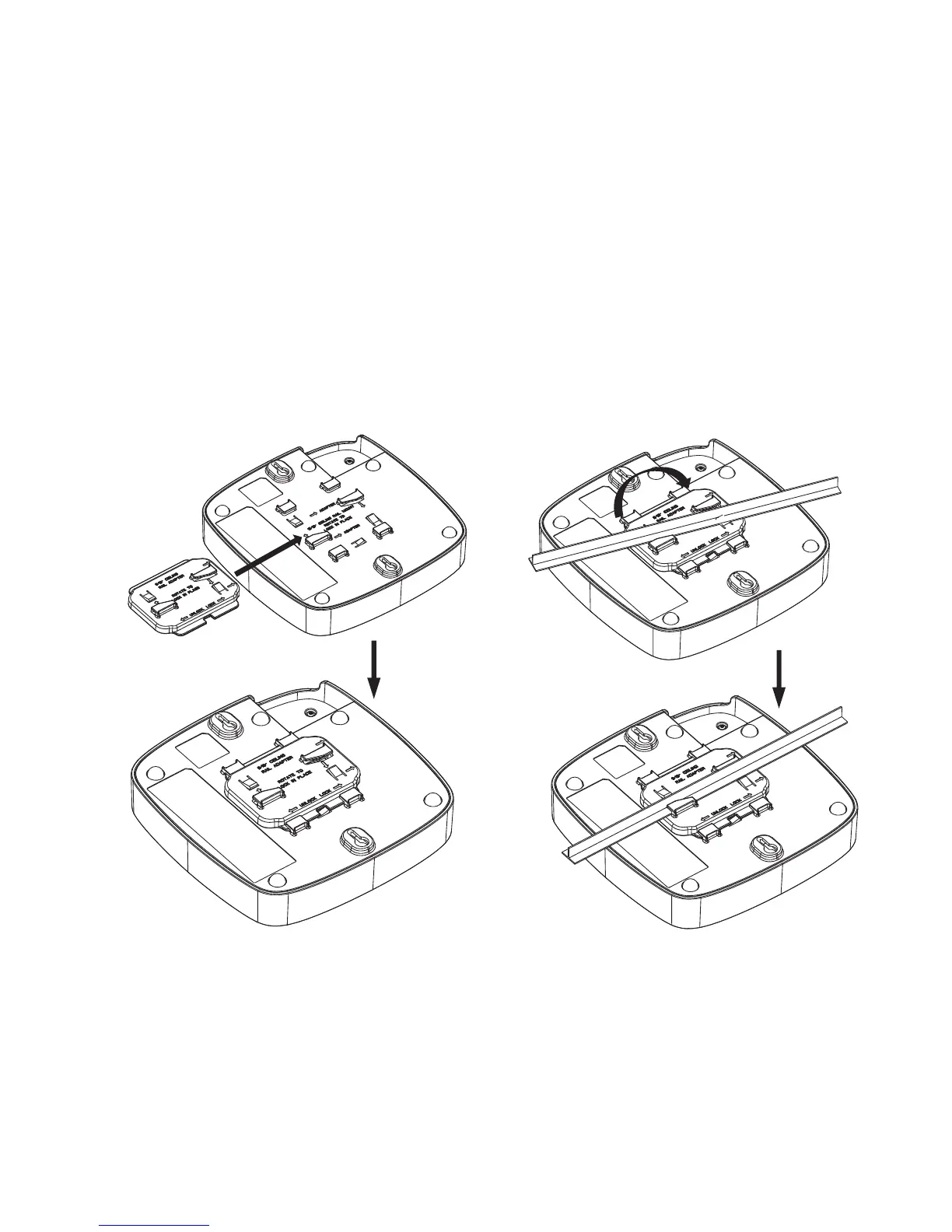
5.3 Ceiling mounting to a 9/16” rail
The figure below shows you how to use the adapter to clip the access point to a 9/16” ceiling
rail. Printed instructions on the back of the unit explain which clips to use.
1. Slide the adapter
into the clips on the
back on the unit.
2. With the adapter in place,
slide the Access Point
diagonally over the rail and
rotate until the unit clicks into
place.
Press these clips and turn to
dismount the Access Point



 To Next Page