Page 31
Orba User Manual
Presets
What are presets?
A preset is a sound, tuning, and set of gestures that apply to one of Orba’s four instru-
ment modes. Note: Presets are mode-specific. For example, a Drum preset could only
be selected while in Drum mode. Changing a preset on Orba is done within the Play tab
in the browse menu in the Orba app. If you want to change your sound, you do this by
selecting a new preset! There are two ways to do this.
To change presets:
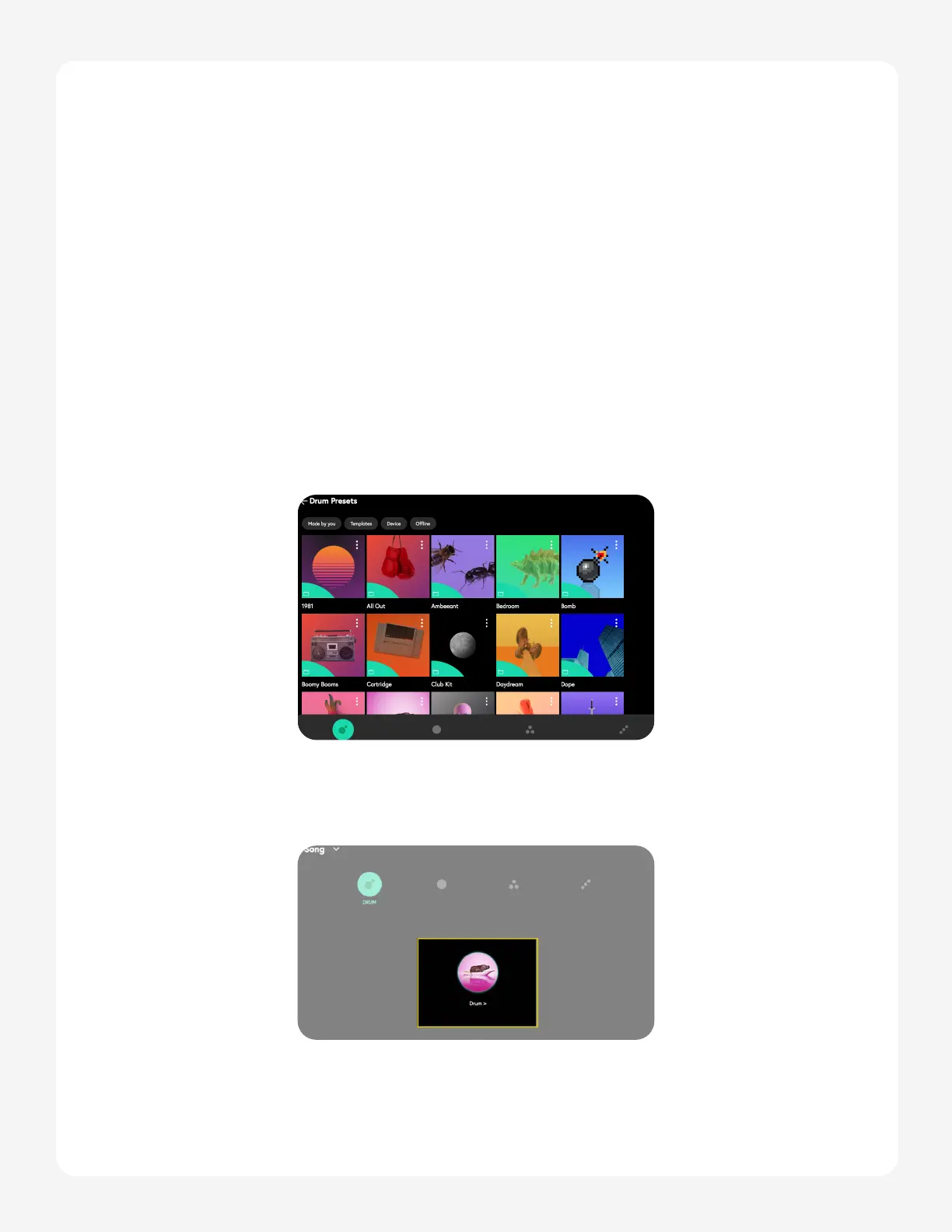
1. The simplest way to change a preset is to Navigate to the Presets tab. Once
the library opens, tap the preset you’d like to load, and select send to Orba.
Tip: you can send Presets to different modes by using the bottom toggle icons.
2. Alternatively, you can load a preset from the Play tab. Simply tap the loaded
preset icon or name in the middle of the screen (this will take you back to the
Presets tab), select the new Preset, and hit “Send to Orba”.


 To Next Page