Page 4
Orba User Manual
Power
Charging Orba
Orba can be charged from any power-charging USB port using the included USB-C cable.
Either a wall charger for your phone or a computer will work perfectly. Orba remains fully
functional while charging, so you can keep playing even while you’re juicing up.
Charging Indicators
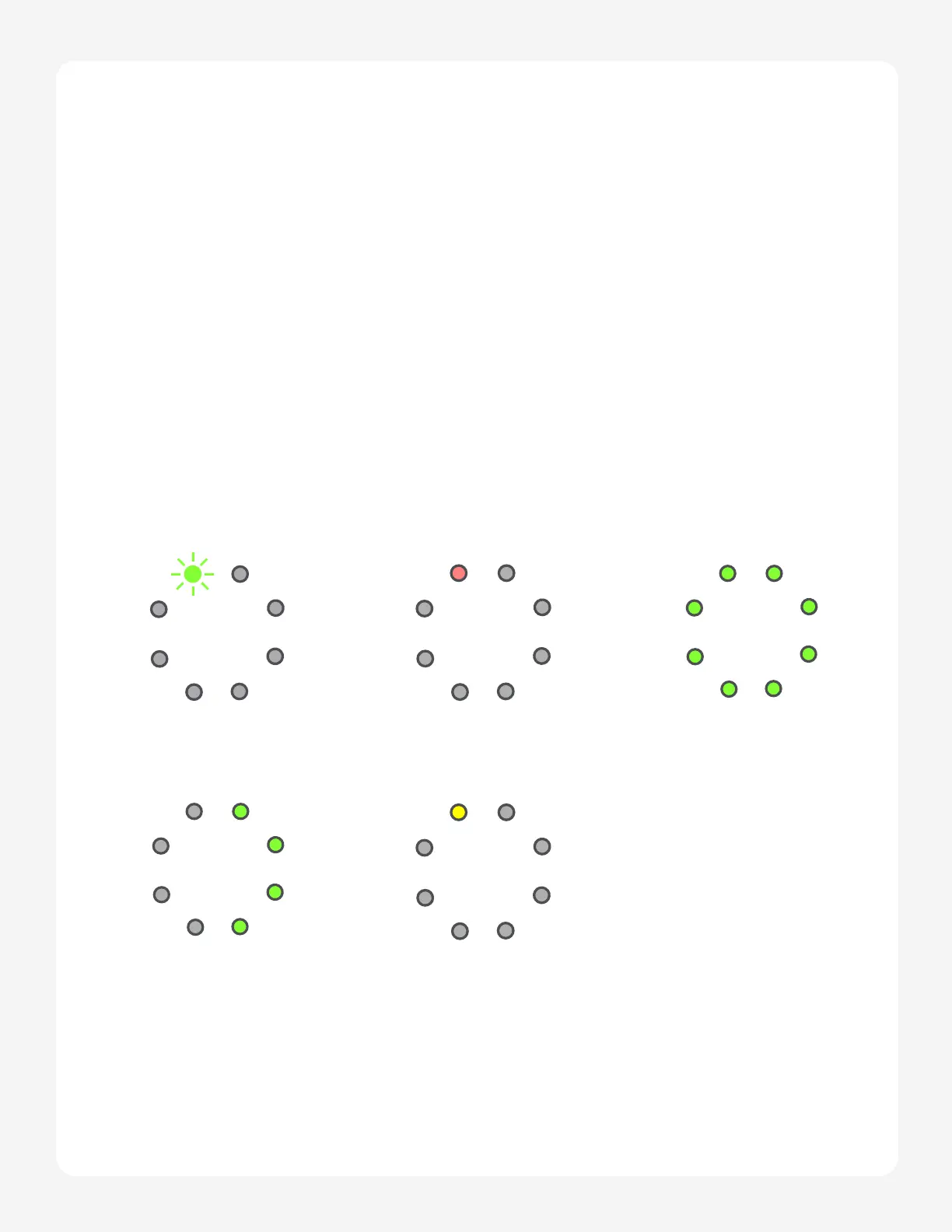
When you connect Orba to a power source and turn it on, you’ll see a single green LED
blinking on pad 8. This indicates that Orba’s battery is charging. If Orba is off, you won’t
see any lights, but rest assured it’s still charging.
BLINKING GREEN
ON AND CHARGING
FULLY GREEN
FULLY-CHARGED
BLINKING RED
LOW BATTERY
YELLOW
NOT CHARGING
MOBILE POWER SAVING
HALF-FILLED GREEN
HALF-CHARGED


 To Next Page