Page 39
Orba User Manual
Sample (Orba 2 Only)
With the Orba 2 app, you’ll be able to record any sound from the real world and trans-
form it into a playable musical instrument. You will also be able to load in your favorite
samples. Orba 2 can hold 2GB of user samples.
Recording a sample:
You can save and record samples right on the app using your device’s built in microphone.
You can also plug in a USB microphone to get your desired sound quality.
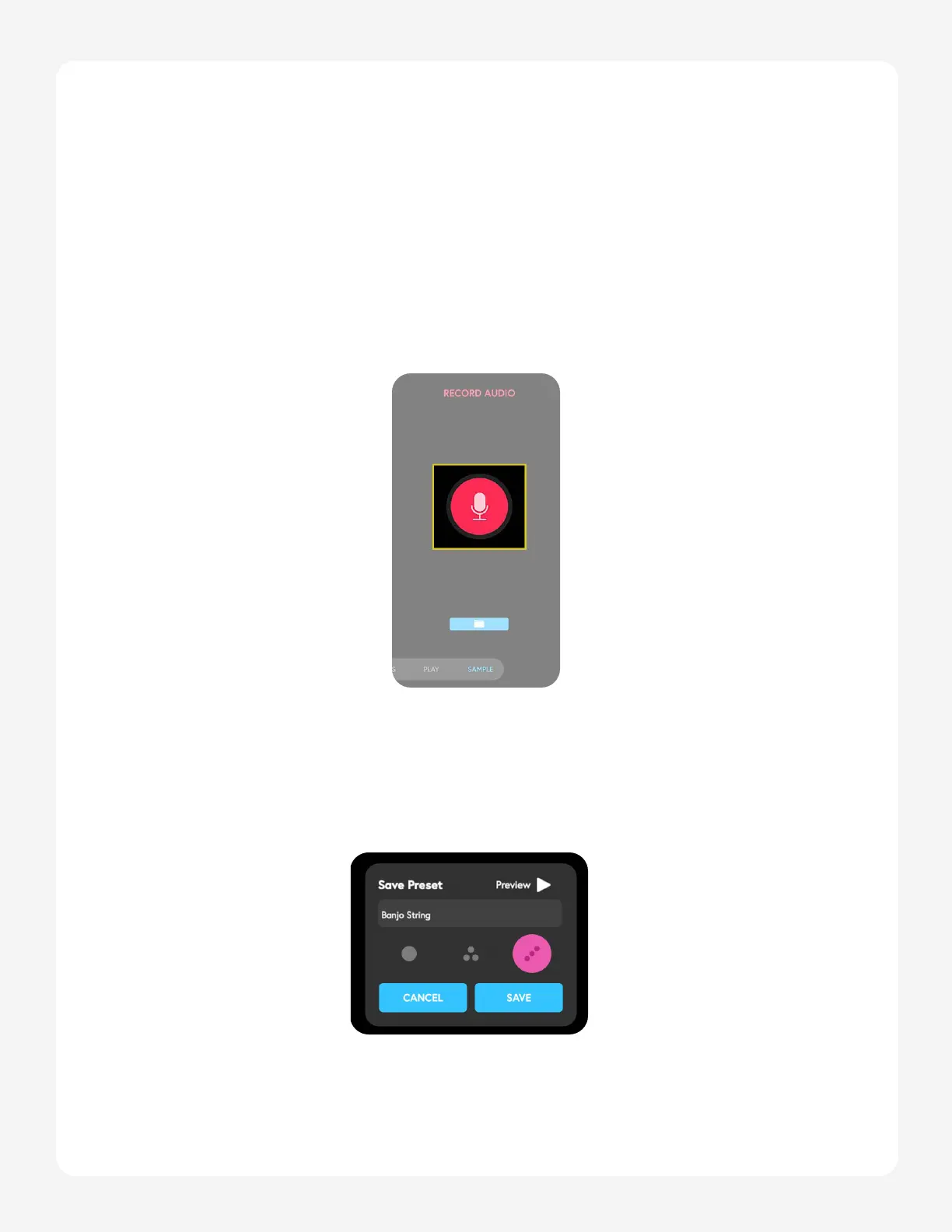
1. Navigate to the Sample tab in the browse menu.
2. To begin recording, tap the red microphone button. (The Orba app will auto-
matically trim the silence at the beginning/ end of your clip).
3. Once you’ve completed your sample recording, tap the red microphone to end
the recording. The save dialog box will pop up.


 To Next Page