Page 45
Orba User Manual
Connecting To MacOS
Via USB-C
Simply connect the included USB-C to USB-A cable to your computer. Macs with USB-C
inputs will require a USB-C to USB-C cable or an adapter.
Via MIDI over Bluetooth
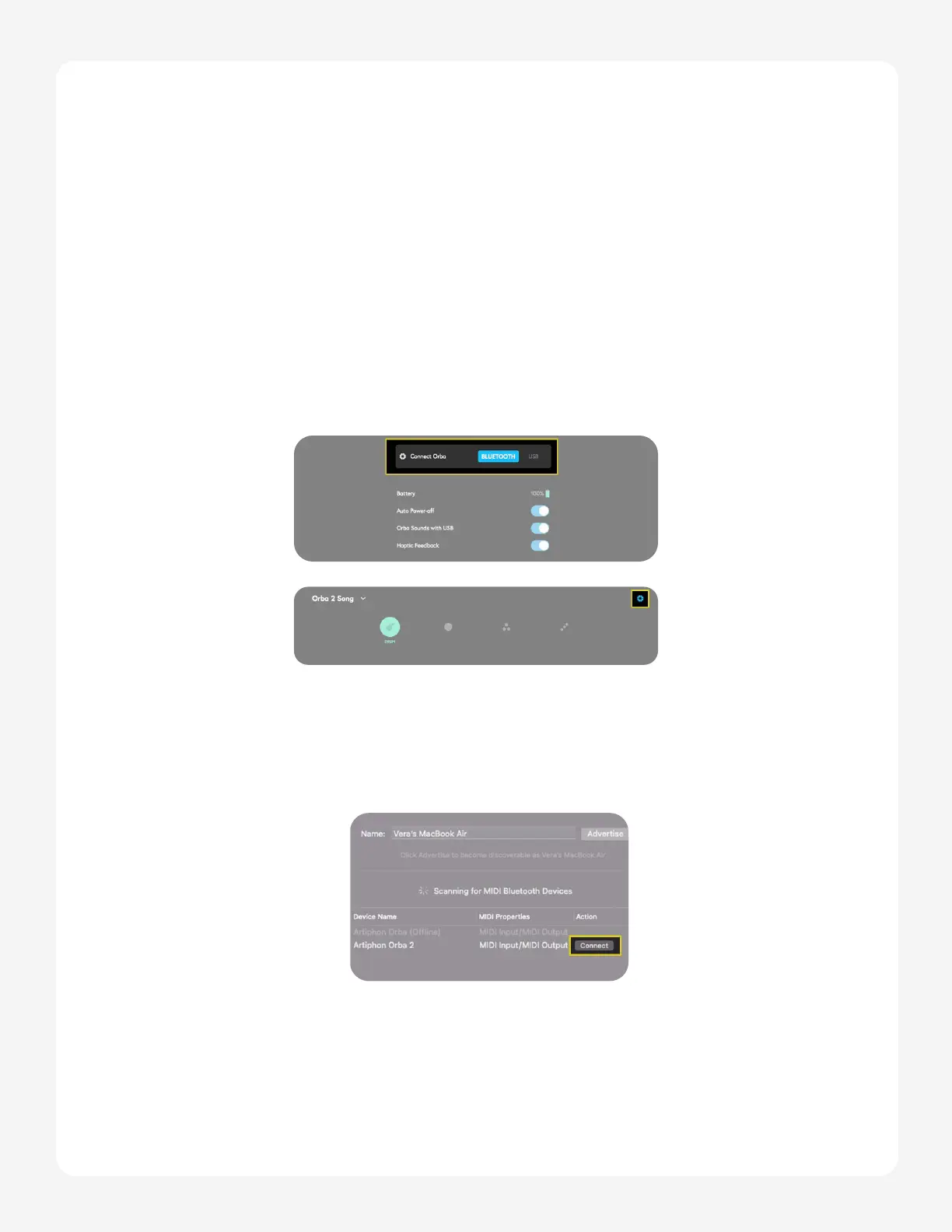
The simplest way to connect via Bluetooth is through the Orba app.
1. You can either do this when you initially open the app or by accessing the set-
tings menu through the Orba wedges on the top right of the screen.
2. Select Bluetooth LE MIDI and choose the Orba device from the window that
follows. If you don’t see Orba in the list of available devices make sure that
Orba is turned on and within range of your computer.


 To Next Page