www.artis.in
MICROPHONE RECORDING FUNCTION (OPERATION STEP )
• insert wired microphone and USB | TF.
• Long press function button “?” for three seconds.
• Start talking to record.
• End and save the recording with short press the button “?” .
• Play recording sound: insert USB | TF and short press the PLAY button
MADE IN CHINA
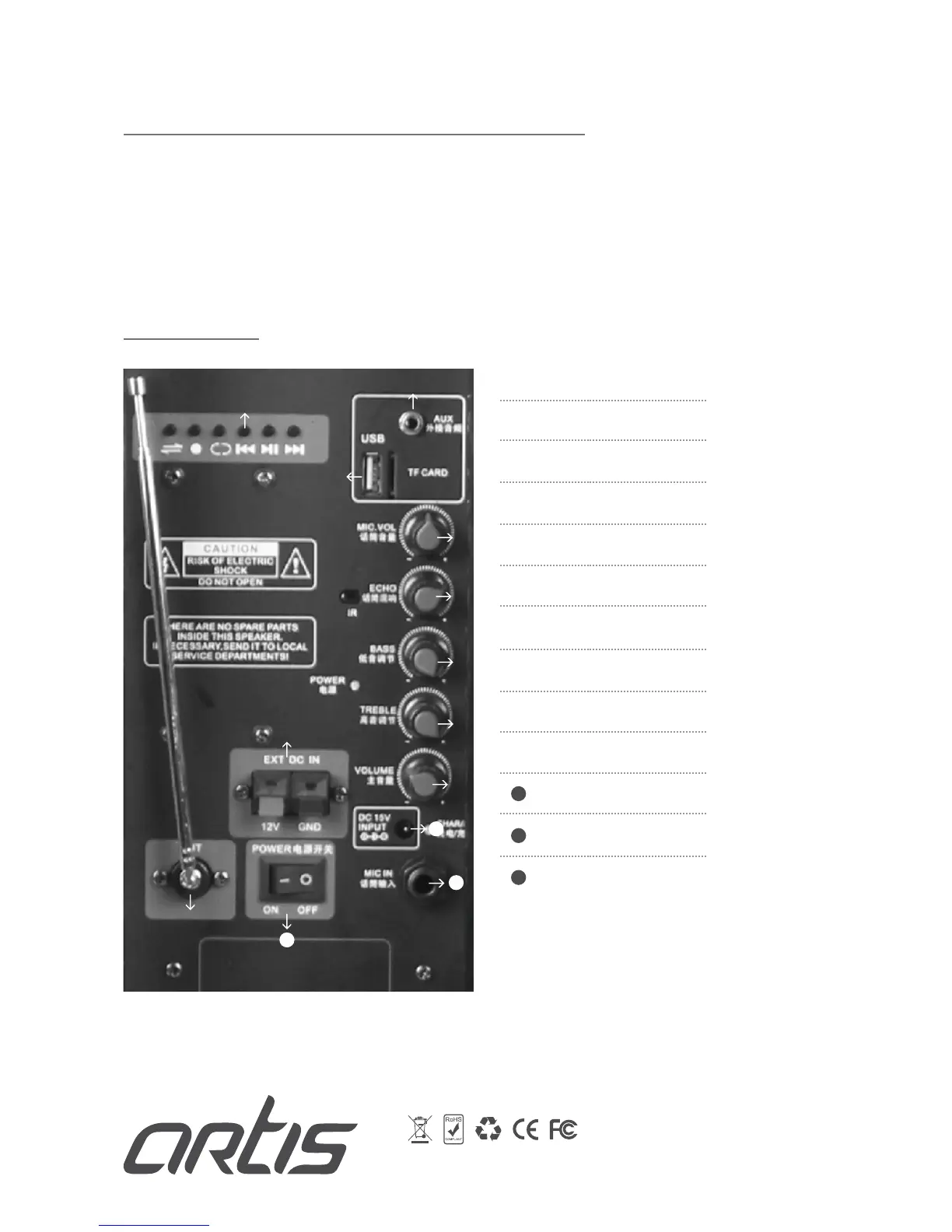
BACK PANEL
11
12
13
Function Bottons
USB Jack & Tf Card
Aux In
Mic Volume
Mic Echo
Bass Volume
Treble Volume
Volume Adjustment
External DC 12V in
FM Antenna
Power on/off
DC15V In
Mic In
11
12
13


 To Previous Page