Wire-Free Music & Calls!
Portable Bluetooth Speaker
BT99
For correct operation of the speaker, please read this manual carefully.
• Outdoor Passive HIFI Bluetooth Speaker
• Clear sound and dynamic sound effect
• A2DP Bluetooth, wirelessly stream music
from any Bluetooth-enabled device
• Easy pairing for user-friendly operation
• 10 meters operating range
• With USB support
• With Line-in function,
• Built-in rechargeable battery
FEATURES:
• Charging cable • Audio cable • User manual • Lanyard
ACCESSORIES:
• Bluetooth version:
1.0, Support A2DP and AVRCP profile
• Bluetooth range: up to 10 meters
• Speakers: Horn Size:1.5 inch
• Horn output: 6W,4Ω
• Connections: USB, Aux-in 3.5mm jack
connection
• Power supply: Built-in rechargeable lithium
battery 1500mAh
• Input Charge: DC 5V 1A (USB-to-micro USB
charging cable included)
SPECIFICATIONS:
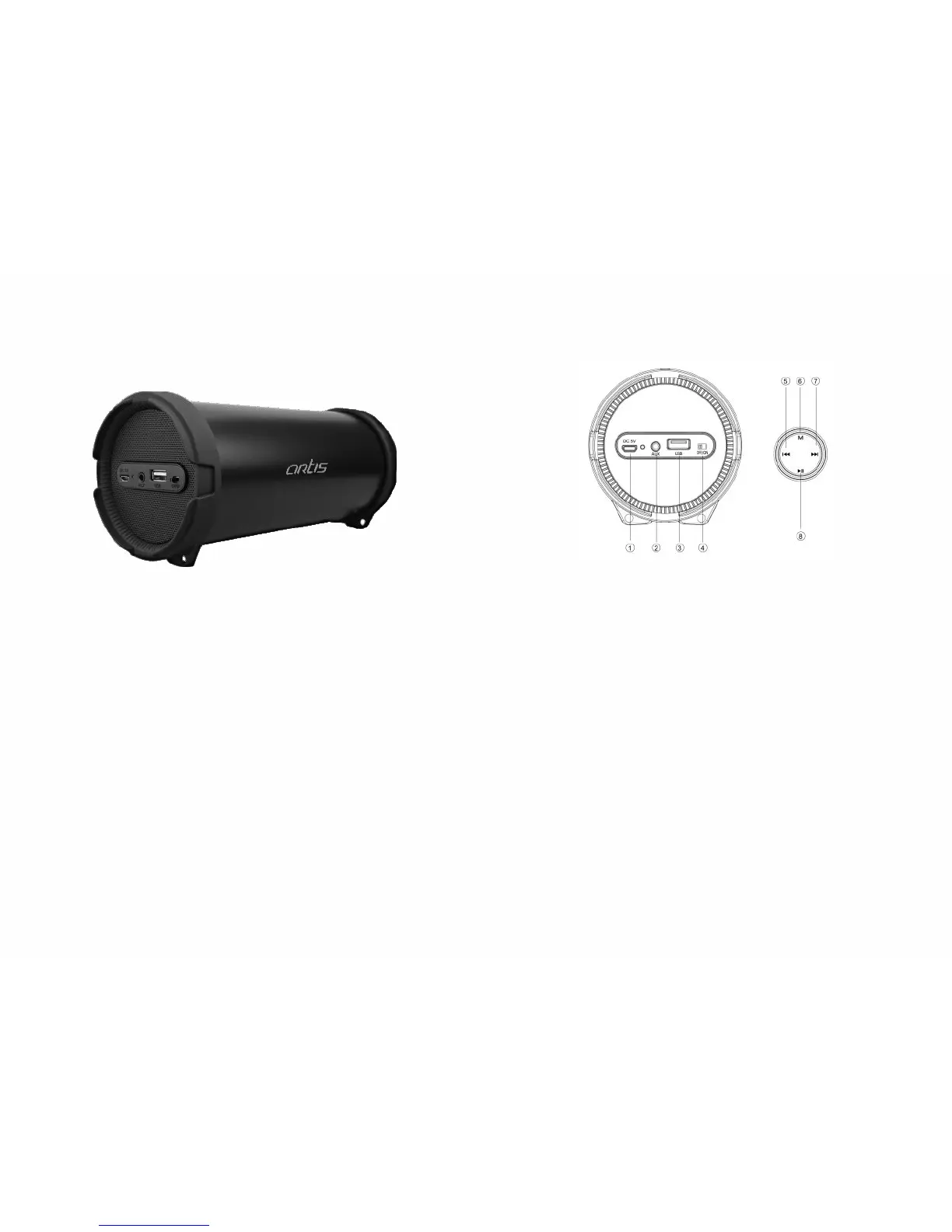
KEY GUIDE:
• Charging Input
• Aux-in
• USB in
• ON/OFF button
• Previous Track/Volume Low
• Playback mode.
• Next track /Volume high
• Play/Pause
• Turn the power button “ON”, The LED
light turns blue and flashes quickly and
beeps twice
• Activate Bluetooth mode in your device
and search for device name “ARTIS Bt99”,
then connect with it. The blue LED light
flashes slowly and will beep three times
once the connection is successful.
• Play the music from connected devise
BLUETOOTH PAIRING INSTRUCTIONS:
• Turn the Power button “ON”.
• Insert USB flash disk into slot, the music
stored will play automatically and blue
LED light will always be on.
• Please turn the Power button “OFF”
when not in use.
Note: If the USB is connected while the
speaker is in Bluetooth mode, the speaker will
be default switch to the USB mode, You can
switch it back to Bluetooth mode if you wish
to.
PLAYING MUSIC FROM USB:


 To Previous Page
 Loading...