6
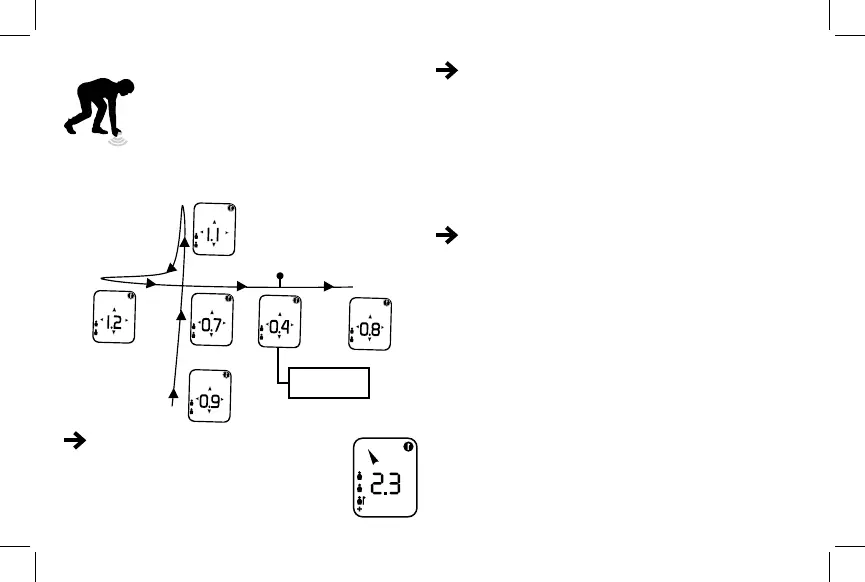
1. Lower your device to near snow level
2. Move your device in a cross pattern to
locate the point where the distance reading
is the lowest
It is then much quicker to start probing once
you have dened the probable burial zone
within a less than one-meter range
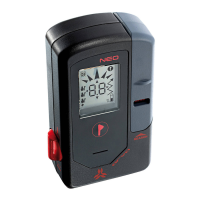
Marking function: When you are less than 3 meters
from the burial(s), a marking icon blinks in the upper
right-hand corner of the screen. Press the marking
button to mark the victim. The device will start searching
for the next victim without any already marked burial(s)
interfering. When you mark a victim, a ag appears next
to that victim’s icon.
Victims appears on the left part of your screen.
When a victim is marked a ag appears close to
it. The + indicate that there is 4 or more victims.
MULTIPLE VICTIMS INDICATED
MARKING
1st probing
point
Example of ne search
technique
In the event of a secondary avalanche, your device will
automatically switch back into transmit mode. The
default setting for the NEO+ is to revert to transmit mode
after 4 minutes without movement.
After 4 minutes without detecting any movement, an
alarm will sound and you will be asked to press on the
marking button on your device to conrm that you are
not buried. If no action is taken, the device will return to
transmit mode.
AUTOMATIC RETURN TO TRANSMIT MODE
When probing/shoveling, you do not want your beacon to
switch back to transmit mode and interrupt searches for
other buried victims. This is why the new NEO+ holster
allows you to wear your device in search mode when
probing.


 To Next Page